
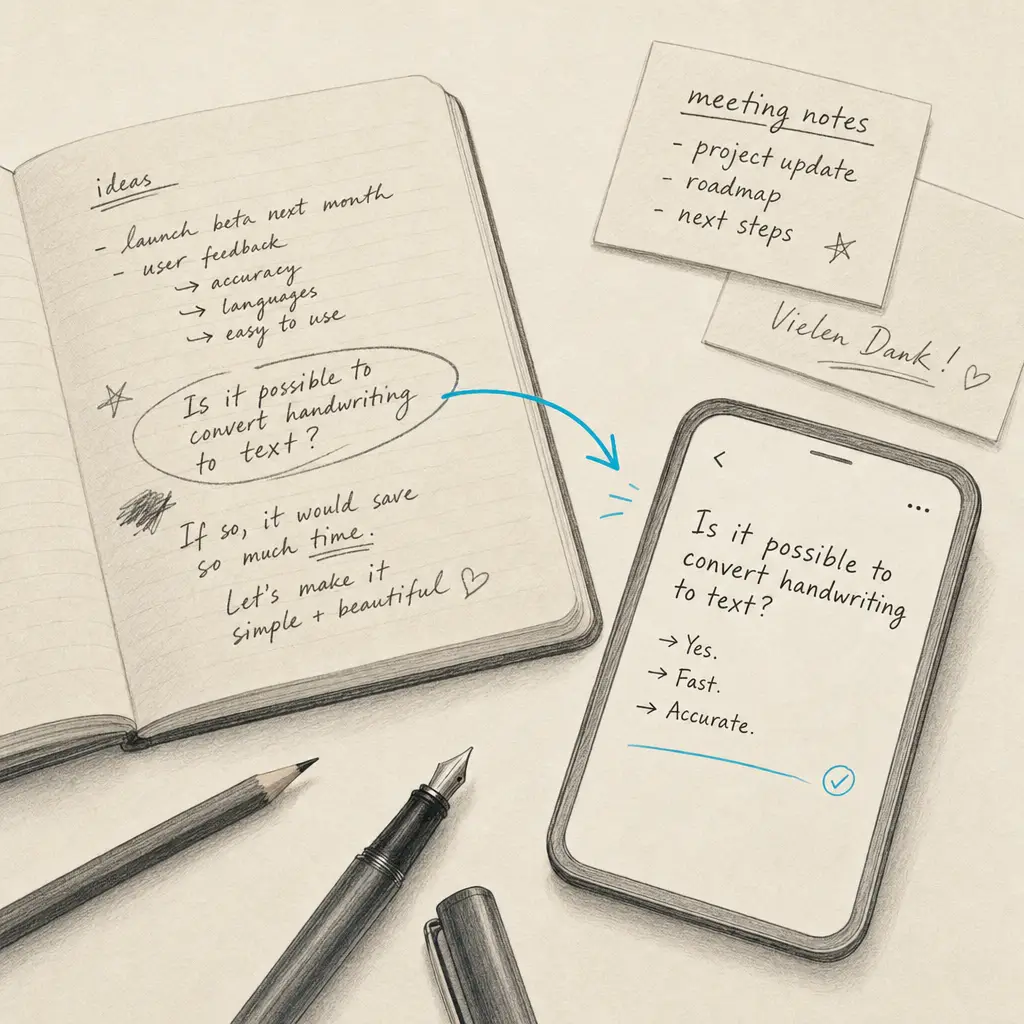
Yes, it is entirely possible to convert handwriting to text. Optical Character Recognition (OCR) technology has evolved dramatically over the past decade, transforming from a tool that struggled with typed documents into sophisticated AI-powered systems that accurately recognize handwritten characters. Whether you have old family letters, research notes, or business forms, modern OCR can extract the text and make it searchable, editable, and shareable.
The technology works by analyzing the shapes and patterns in handwritten characters, comparing them against trained models, and predicting the most likely text. What once required manual transcription now happens automatically in seconds. Your handwritten documents become digital text that you can search, edit, copy, and integrate into modern workflows.
Quick Takeaways
- OCR technology reliably converts handwritten text to digital format with high accuracy
- Multiple methods exist, from smartphone apps to specialized online services
- Document quality and handwriting legibility significantly impact conversion accuracy
- Modern AI-powered OCR handles various handwriting styles, including cursive
- HandwritingOCR provides specialized processing optimized for handwritten documents
How OCR Technology Reads Handwriting
Traditional OCR was designed for printed text with consistent fonts and spacing. Handwriting presents a far more complex challenge. Each person writes differently, letter shapes vary, spacing is inconsistent, and writing styles range from neat print to flowing cursive.
Modern handwriting OCR uses artificial intelligence trained on millions of handwriting samples. These AI models learn to recognize patterns across different writing styles, adapting to variations in size, slant, spacing, and formation. When you submit a handwritten document, the OCR analyzes each character, considers the context of surrounding letters, and applies linguistic models to predict the most accurate text.
Modern AI-powered OCR achieves word error rates below 1% on legible handwriting, making automatic transcription a reliable alternative to manual typing.
The process happens in stages. First, the software identifies text regions and separates them from backgrounds, images, or decorative elements. Next, it segments the text into lines, words, and individual characters. Finally, it applies recognition models to convert those characters into digital text, using context to resolve ambiguities.
Methods for Converting Handwriting to Text
Several approaches exist for converting handwriting to text, each suited to different needs and workflows.
Smartphone Apps for Quick Capture
Your smartphone offers the most convenient way to convert handwriting to text on the go. Apps designed for document scanning include OCR capabilities that process handwritten notes directly from your camera. Converting handwriting on Android devices works similarly to iOS, with various apps providing instant recognition.
For note-taking workflows, Google Keep offers built-in handwriting conversion that integrates with your existing notes. You photograph your handwritten page, and the app extracts the text while keeping the original image. This works well for quick notes and simple documents.
The main limitation of smartphone apps is processing power and accuracy. While convenient, they often struggle with complex layouts, poor lighting, or challenging handwriting. For critical documents or large volumes, specialized services provide better results.
Tablet Apps with Stylus Input
Tablets with stylus support offer a different approach: real-time handwriting recognition as you write. Apps like GoodNotes and OneNote recognize your handwriting immediately, converting it to searchable text while preserving your original strokes.
Converting handwriting to text in GoodNotes happens automatically in the background, letting you write naturally while making your notes searchable. iPad handwriting conversion works particularly well with Apple Pencil, offering high recognition accuracy.
This method excels for new note-taking but doesn’t help with existing handwritten documents. If you’re transcribing old notes, letters, or forms, you’ll need a different approach.
Online OCR Services for Specialized Processing
For high-accuracy conversion of existing handwritten documents, specialized online services provide the most reliable results. These services use advanced AI models specifically trained on handwriting, handling everything from neat cursive to challenging scrawl.
HandwritingOCR specializes in handwritten document processing, offering features designed specifically for handwriting rather than general document scanning. The service processes PDFs and images, maintains original formatting, and provides exports in formats like Microsoft Word and plain text.
HandwritingOCR handles historical documents, personal letters, and business forms with accuracy optimized specifically for handwritten text, not as an afterthought to printed text recognition.
Online services excel at batch processing multiple documents, handling poor image quality, and providing consistent accuracy across different handwriting styles. For projects involving many documents or critical accuracy requirements, specialized services deliver better results than general-purpose apps.
What Affects Handwriting Conversion Accuracy
Not all handwritten documents convert equally well. Several factors determine how accurately OCR can read your handwriting and extract clean text.
| Factor | Impact on Accuracy | Best Practice |
|---|---|---|
| Handwriting legibility | High | Clear letter formation improves results dramatically |
| Image resolution | High | Use 300 DPI or higher for scanned documents |
| Lighting and contrast | Medium | Even lighting without shadows or glare |
| Document condition | Medium | Flat pages without wrinkles or folds |
| Writing instrument | Low | Darker ink (ballpoint, marker) slightly better than pencil |
| Background texture | Low | Plain white paper works better than lined or textured |
The single biggest factor is handwriting legibility. OCR cannot magically decipher illegible handwriting that a human reader would struggle with. However, modern AI-powered OCR often succeeds with handwriting that looks challenging, recognizing patterns that aren’t immediately obvious to human readers.
Image quality matters significantly. Photographs taken in poor lighting, at angles, or with low-resolution cameras produce worse results than properly scanned documents. If you’re processing important documents, take time to capture high-quality images with even lighting and the page positioned flat and straight.
Getting the Best Results from Handwriting OCR
Converting handwriting to text works best when you follow a few simple practices that maximize OCR accuracy.
Start with the best possible image. Scan documents at 300 DPI or higher when using a scanner. If photographing with a smartphone, use good lighting, hold the camera directly over the page to avoid perspective distortion, and ensure the entire document fits in the frame with some margin around the edges.
Clean up the document before scanning if possible. Flatten pages, remove paper clips or staples, and ensure there’s good contrast between the ink and paper. A quick photo edit to increase contrast or brightness often improves OCR results significantly.
Always review OCR results before relying on them. Even the most accurate systems occasionally misread characters, particularly when handwriting includes unusual letter formations or ambiguous shapes.
Choose the right tool for your needs. Quick notes from a meeting might work fine with a smartphone app. Historical research documents, legal forms, or anything requiring high accuracy deserves a specialized OCR service. For business-critical documents, the difference in accuracy between general-purpose apps and specialized services justifies using the better tool.
Consider batch processing if you have many documents. Manually reviewing and correcting dozens of documents takes time. Services optimized for handwriting reduce the correction burden by providing cleaner initial results.
Why HandwritingOCR Works for Handwritten Documents
General-purpose OCR tools treat handwriting as an edge case, focusing primarily on printed text recognition. HandwritingOCR takes the opposite approach, specializing in handwritten documents and treating printed text as the easy case.
The service uses AI models trained specifically on handwriting rather than printed fonts. This specialization delivers better accuracy on the challenging aspects of handwriting: inconsistent spacing, connected letters, varied slant, and individual writing quirks.
HandwritingOCR processes documents while keeping your data private. Your handwritten documents remain yours. They’re processed only to deliver your results, never used to train models or shared with anyone else. For sensitive documents like medical records, legal papers, or personal correspondence, this privacy-first approach provides peace of mind.
The service handles various formats including PDF and common image types, exports results to Microsoft Word and plain text, and provides an API for integration into existing workflows. Whether you’re processing a single document or thousands, the same specialized handwriting recognition applies.
Start Converting Your Handwriting Today
Converting handwriting to text is not only possible but practical and reliable with the right tools. Whether you’re digitizing family letters, processing business forms, or making research notes searchable, OCR technology handles the conversion automatically and accurately.
For the most accurate results on handwritten documents, try HandwritingOCR free with complimentary credits. See how specialized handwriting recognition performs on your documents, with privacy-first processing and exports in the formats you need.
For a comprehensive overview of all available conversion methods and detailed guides for specific platforms, visit our main guide on converting handwriting to text.
Frequently asked questions
Can OCR read any handwriting style?
Modern OCR technology can read most handwriting styles, from neat cursive to casual print. Accuracy depends on legibility, but advanced AI-powered OCR handles even challenging handwriting with high success rates.
What file formats work best for handwriting conversion?
PDF, JPG, PNG, and TIFF files all work well for handwriting conversion. PDFs are ideal for multi-page documents, while high-resolution images (300 DPI or higher) provide the best accuracy for single pages.
How long does it take to convert handwriting to text?
Most OCR services process documents within seconds to a few minutes, depending on document length and complexity. Cloud-based services typically handle a single page in under 10 seconds.
Do I need special equipment to convert handwriting to text?
No special equipment is required. You can photograph handwritten documents with your smartphone or scan them with any standard scanner. The OCR software handles the conversion entirely through software.
How accurate is handwriting to text conversion?
Modern AI-powered OCR achieves high accuracy rates on legible handwriting, often with word error rates below 1%. Results vary based on handwriting clarity, document quality, and the OCR technology used.