
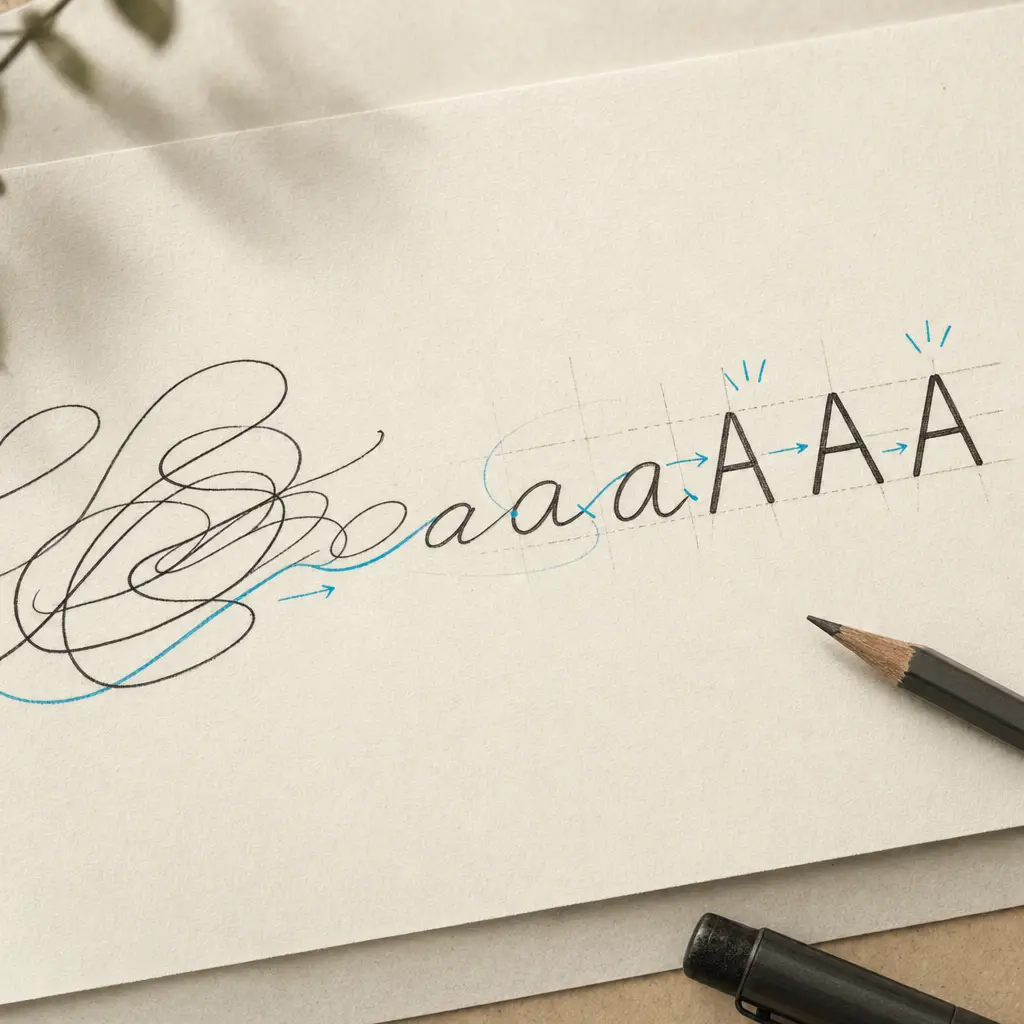
Cursive handwriting can be beautiful, but it creates a significant problem. Letters written by grandparents, historical documents from archives, handwritten notes from decades past, all contain valuable information that remains locked in flowing script. Reading cursive takes time and skill. Converting it manually to typed text takes even longer.
This is where a cursive to print converter becomes essential. Instead of spending hours deciphering and typing each word, you can upload documents and receive readable typed text in minutes. The technology bridges the gap between elegant handwriting and practical digital text, making information accessible without sacrificing accuracy.
Quick Takeaways
- Cursive to print converters use specialized AI trained on flowing handwriting that standard OCR cannot read
- Converting cursive to block letters saves hours compared to manual transcription while maintaining accuracy
- The technology works with historical documents, personal letters, old journals, and modern cursive notes
- Privacy-focused tools process your documents without storing handwriting data or using it for model training
- Automated conversion makes cursive content searchable, editable, and shareable in digital formats
Why Standard OCR Fails on Cursive Handwriting
Traditional optical character recognition was built for printed text. The algorithms expect separated letters, consistent spacing, and uniform character shapes. Cursive handwriting violates every assumption these systems make.
In cursive writing, letters connect and flow together. The pen rarely leaves the page. Letter shapes morph based on what comes before and after them. An “a” written at the start of a word looks different from an “a” in the middle. These variations confuse standard OCR systems completely.
Standard OCR achieves 97%+ accuracy on clean printed text but drops below 40% on cursive handwriting.
The problem compounds with historical documents. Cursive styles from the 1800s used different letter forms than modern cursive. Victorian penmanship included elaborate flourishes. Older generations were taught distinct handwriting styles that varied by decade and region. A tool designed for today’s cursive will struggle with yesterday’s script.
This is why specialized cursive to print converters exist. They use AI models trained specifically on handwritten text. The models learn to recognize connected letters, interpret writing patterns, and adapt to different cursive styles. Instead of looking for individual printed characters, they understand how cursive flows across the page.
How a Cursive to Print Converter Actually Works
Converting cursive to block letters requires understanding handwriting as a continuous pattern rather than isolated characters. The process involves several specialized steps that happen automatically when you upload a document.
Document Processing and Image Enhancement
The converter first analyzes the uploaded image or PDF. It adjusts for lighting variations, corrects skew if the document was photographed at an angle, and enhances contrast to make faint handwriting more visible. This preprocessing ensures the AI receives the clearest possible input.
For multi-page documents, each page is processed separately. The system maintains page order and can handle inconsistent handwriting quality across different pages, which is common in notebooks or collections of letters written over time.
AI-Powered Handwriting Recognition
The core of cursive to print conversion uses AI models trained on millions of handwriting samples. These models have learned to recognize how letters connect, how individuals form specific characters, and how context helps disambiguate unclear words.
When the AI encounters a word, it doesn’t just look at isolated letters. It considers the entire word shape, common letter combinations, and surrounding context. If one letter is ambiguous, the model uses neighboring letters and sentence structure to determine the most likely interpretation.
| Processing Method | Average Time Per Page | Accuracy on Cursive |
|---|---|---|
| Manual transcription | 15-20 minutes | 95-98% (with expertise) |
| Standard OCR | 30 seconds | 30-40% |
| Cursive to print converter | 1-2 minutes | 75-90% |
Output Generation and Text Formatting
Once the AI has interpreted the handwriting, the converter generates typed text output. The flowing cursive script becomes clear block letters that anyone can read. Paragraph breaks are preserved. Line breaks are maintained where appropriate.
The output format depends on your needs. You might receive plain text for simple documents, formatted text that preserves structure, or structured data if you’re extracting specific information like names, dates, or addresses from forms.
Converting Different Types of Cursive Writing
Not all cursive is created equal. The converter must adapt to various handwriting styles, historical periods, and document conditions. Understanding these differences helps set realistic expectations for accuracy.
Modern Cursive and Personal Notes
Contemporary cursive handwriting is generally more consistent than historical script. Modern writers typically learned similar penmanship styles in school. Personal notes, journal entries, and handwritten letters from recent decades usually convert with high accuracy.
The challenge with modern cursive often involves individual quirks. Some people develop shortcuts in their handwriting. Letters might be partially printed. Spacing becomes inconsistent. The AI handles most variations, but highly idiosyncratic handwriting may require manual review of the output.
Historical Documents and Archival Material
Converting cursive to print becomes more complex with older documents. Handwriting styles changed significantly over time. Documents from the 1800s used formal penmanship taught in schools of that era. Letter formations were different. Some characters that seem unfamiliar today were standard then.
Family historians report that converting old cursive to typed text cuts research time in half compared to manual transcription.
Historical documents also face preservation challenges. Ink fades. Paper yellows or tears. Water damage blurs words. The converter’s preprocessing helps with many of these issues, but extremely deteriorated documents may produce incomplete results requiring human interpretation.
Formal Correspondence and Business Documents
Business letters, formal invitations, and official documents often feature careful, deliberate cursive writing. This actually makes them easier to convert. The handwriting tends to be more legible, with consistent letter spacing and sizing.
However, formal documents sometimes include decorative elements or elaborate signatures that the converter cannot interpret. These ornamental portions are typically less important than the main text content, which converts reliably.
Practical Applications for Cursive to Print Conversion
The ability to change cursive to print unlocks numerous possibilities across different domains. Each application addresses a specific challenge where flowing handwriting creates barriers to access or usability.
Family History and Genealogy Research
Family historians work with letters, diaries, and documents written by relatives decades or centuries ago. Reading cursive from multiple family members, each with unique handwriting, becomes exhausting. Converting these documents to typed text makes them searchable and preservable.
Imagine having fifty letters from your grandmother. Reading all of them would take days. A cursive to print converter processes them in an afternoon. You can then search for specific names, dates, or events across the entire collection. The content becomes accessible to family members who struggle with reading cursive.
The converted text also serves as a backup. Physical documents deteriorate over time. Having typed transcriptions ensures the information survives even if the original materials are damaged or lost.
Academic Research and Archival Work
Researchers studying historical periods rely on primary sources. Many of these sources exist only as handwritten documents. Converting cursive to print makes large-scale analysis possible.
A researcher examining Victorian-era correspondence can process hundreds of letters and extract patterns. Another studying historical census records can convert handwritten entries to structured data. The technology enables research that would be impossible if every document required manual transcription.
Universities and libraries use cursive to print converters to digitize their collections. Once converted, these materials become searchable databases available to scholars worldwide. Content that was previously available only to visitors who could read cursive becomes accessible to anyone with internet access.
Personal Digital Organization
Many people have accumulated boxes of handwritten notes, journals, or letters they want to preserve digitally. Converting cursive to typed text makes this personal archive usable.
Your handwritten travel journals from years past can become searchable documents. Notes from important meetings or classes can be converted and organized digitally. Personal letters received from friends or family become part of a searchable correspondence archive.
Converting one page of cursive manually takes 15-20 minutes. An automated converter processes the same page in 1-2 minutes.
The digital text is also easier to share. You can send typed excerpts to family members or friends. You can incorporate passages into other documents. The information moves from locked in handwriting to fully integrated into your digital life.
Professional Document Processing
Some professions still encounter cursive handwriting regularly. Medical professionals receive handwritten referrals. Legal teams work with handwritten evidence or historical contracts. Administrative staff process handwritten forms.
Converting this cursive to print streamlines workflows. Instead of manually typing information from handwritten forms, staff can batch-upload documents for conversion. The typed output can be verified more quickly than it could be transcribed from scratch.
For compliance and record-keeping, having typed versions of handwritten documents improves accessibility and reduces the risk of misinterpreting crucial information.
Comparing Cursive Script to Print Conversion Methods
Multiple approaches exist for converting flowing handwriting to readable text. Each method offers different tradeoffs in terms of accuracy, speed, and cost.
Manual Transcription
Hiring a professional transcriptionist or doing the work yourself produces the highest accuracy. A skilled transcriber who specializes in historical handwriting can achieve near-perfect results, even with challenging cursive.
The disadvantage is time and cost. Professional transcription services charge per page or per word. For large projects involving hundreds or thousands of pages, costs become prohibitive. Even if you transcribe the material yourself, the time investment is substantial.
Manual transcription makes sense for extremely valuable documents where perfect accuracy is essential, or for very small projects where the setup time for automated tools exceeds the transcription time.
Standard OCR Software
Free OCR tools and standard document scanners include optical character recognition. These tools work well for printed text. For cursive handwriting, they fail consistently.
You might try scanning a cursive document with standard OCR and receive output that’s 30-40% accurate at best. The remaining 60-70% requires manual correction, which takes longer than transcribing the document from scratch.
Standard OCR is not a viable solution for cursive to print conversion. The technology was not designed for this purpose and cannot be adapted effectively.
AI-Powered Cursive Converters
Specialized cursive to print converters offer a middle path. They provide 75-90% accuracy on most cursive handwriting, process documents quickly, and cost significantly less than professional transcription.
The output requires review and correction, but the converter handles the bulk of the work. For a one-hundred-page journal, you might spend two hours reviewing and correcting converted text instead of twenty hours transcribing from scratch.
| Consideration | Manual Transcription | Standard OCR | Cursive Converter |
|---|---|---|---|
| Accuracy | 95-98% | 30-40% | 75-90% |
| Speed | Slow (15-20 min/page) | Fast but unusable | Fast (1-2 min/page) |
| Cost | High | Low to free | Moderate |
| Best for | Small valuable projects | Printed text only | Most cursive documents |
The optimal approach often combines methods. Use the cursive to print converter to process the full collection. Manually review the output, correcting errors. For particularly crucial passages or extremely difficult handwriting, manually transcribe those sections while letting the converter handle everything else.
Getting Accurate Results From Your Cursive Converter
The quality of your converted text depends partly on the input quality and partly on how you use the tool. Several factors influence whether you get 75% accuracy or 90% accuracy from the same converter.
Document Preparation Best Practices
Starting with the best possible image or scan improves results significantly. If you’re photographing documents, use good lighting without glare or shadows. Hold the camera directly above the document to avoid perspective distortion.
For scanning, use at least 300 DPI resolution. Higher resolution preserves more detail, which helps the AI distinguish similar-looking letters. If you’re working with bound books or fragile documents that can’t be placed flat, photograph each page carefully rather than forcing the binding.
Contrast matters. Dark ink on light paper converts more accurately than faded ink on yellowed paper. If possible, use photo editing software to increase contrast before uploading. Most cursive converters handle this automatically, but preprocessing can help with especially challenging documents.
Understanding the Conversion Output
When you receive converted text, review it with realistic expectations. The converter translates cursive to print letters, but it makes mistakes. Some letters will be wrong. Some words will be misread completely.
Common error patterns include confusing similar letters (e’s and o’s, n’s and u’s), misreading numbers, and struggling with proper nouns or unusual words. The AI expects common words and grammatically correct sentences. Unique names or technical terms may not convert accurately.
Budget time for reviewing the output. Plan to read through the converted text while comparing it to the original handwriting. Corrections are much faster than transcription but still require attention.
When to Use Manual Review and Correction
Not every document requires perfect accuracy. For personal notes or general reading, 80% accuracy might be sufficient. You can understand the content even with some errors.
For genealogical research, historical documentation, or legal purposes, higher accuracy is essential. In these cases, treat the converter output as a first draft. Review every line. Verify names, dates, addresses, and other crucial information against the original.
Your documents remain private and are processed only to deliver your results. They are not used to train models or shared with anyone else.
Some documents may be too challenging for automated conversion. Extremely poor handwriting, severely damaged documents, or highly stylized script might produce output that’s less than 60% accurate. In these cases, manual transcription from the start may be more efficient than trying to correct inadequate automated results.
Privacy and Security Considerations
When you upload handwritten documents to a cursive to print converter, you’re sharing potentially sensitive personal information. Understanding how your data is handled is essential.
How Document Processing Works
The conversion process requires uploading your handwritten documents to the service. The AI models analyze the handwriting and generate typed text. This processing happens on remote servers because the AI models are large and require significant computational resources.
The key privacy questions are: What happens to your documents during processing? Are they stored after conversion? Who can access them? Is your handwriting data used to train the AI models?
Data Ownership and Usage Policies
Your handwritten documents should remain yours. Quality cursive to print converters process your files only to deliver results to you. Your documents are not used to train AI models. They are not shared with third parties. They are not analyzed for any purpose beyond providing your conversion results.
After processing is complete, your files should be deleted within a reasonable timeframe. Most services retain files briefly to allow you to download your results, then remove them from their systems. Permanent storage should only occur if you explicitly request it.
If a converter’s privacy policy is vague about data usage or mentions using customer uploads for model improvement, consider that a warning sign. Your family letters, historical research materials, and personal notes should not become training data for commercial AI models.
Secure Processing Practices
Look for cursive to print converters that use encryption for file uploads and storage. Your documents should be encrypted in transit (while uploading) and at rest (while stored temporarily for processing).
Access controls matter too. Only automated systems and, when necessary, authorized technical staff should have access to uploaded documents. There should be no human review of your content unless you specifically request manual verification assistance.
For extremely sensitive documents, consider whether automated conversion is appropriate at all. If the documents contain information that absolutely must remain private, manual transcription by a trusted person may be preferable to any online service.
Choosing the Right Cursive to Print Converter
Multiple services offer cursive handwriting conversion. Selecting one requires evaluating several factors beyond just accuracy claims.
Key Features to Look For
The most important feature is accuracy on the type of cursive you need to convert. If you’re working with modern cursive, most converters will perform adequately. If you’re converting historical documents, look for services that specifically mention handling older handwriting styles.
Batch processing capability matters if you have multiple pages or documents. Being able to upload an entire PDF or multiple image files at once saves significant time compared to processing pages individually.
Output format options give you flexibility. Plain text works for simple documents. Structured output helps if you’re extracting specific data. Searchable PDFs preserve the original document appearance while adding text layers.
Pricing and Credit Systems
Cursive to print converters typically charge per page processed. Pricing ranges from a few cents per page for basic conversion to higher rates for services that offer human verification or handle extremely difficult handwriting.
Some services offer subscription plans with included pages per month. Others use credit systems where you purchase credits and spend them as you process documents. Consider your volume needs when evaluating pricing.
Free tiers or trial credits let you test the service before committing. Upload a few sample pages that represent your collection’s handwriting quality. Evaluate the accuracy before processing your entire archive.
Support and Accuracy Verification
Even the best cursive to print converter makes mistakes. Consider what happens when you encounter problems. Is there customer support to help with processing issues? Can you request manual review of specific documents?
Some services include confidence scoring, indicating which words or passages the AI is uncertain about. This helps you focus your review efforts on sections most likely to contain errors.
Documentation and tutorials help you optimize your results. Look for services that explain how to prepare documents, what accuracy to expect with different handwriting types, and how to handle common conversion challenges.
Converting Cursive to Print at Scale
Individual documents convert quickly. Large-scale projects involving hundreds or thousands of pages require a different approach to manage efficiently.
Organizing Large Conversion Projects
Before uploading an entire archive, create an organization system. Decide how you’ll name files. Determine what metadata you need to track. Consider whether to process documents in batches based on handwriting similarity, time period, or content type.
Create a sample batch first. Select ten to twenty pages that represent the range of handwriting quality in your collection. Process these sample pages and evaluate the results. This test run helps you understand what accuracy to expect and whether any preparation steps would improve results.
Document your workflow. Record what settings you use, how you name files, and where you store results. This documentation becomes valuable if you need to process additional materials later or if someone else needs to understand your methodology.
Batch Processing Workflows
Most cursive to print converters support multi-page uploads. Prepare your documents as either multi-page PDFs or organized collections of image files. Upload entire batches rather than individual pages.
While processing runs, prepare the next batch. This parallel workflow keeps you productive. While waiting for conversion results, you can be scanning the next set of documents, organizing files, or reviewing previously converted text.
Converting cursive handwriting to digital text makes family archives searchable and preservable for future generations.
Plan for quality control at regular intervals. After every hundred pages processed, stop and review accuracy. If you notice accuracy declining, investigate whether document quality has changed or whether different handwriting requires different handling.
Managing and Using Converted Text
As converted text accumulates, organization becomes crucial. Store text files in a logical directory structure. Use consistent naming conventions. Consider whether to combine related documents or keep them as individual files.
Make the text searchable. If your collection is large, import converted text into a database or document management system. This allows searching across your entire collection for specific names, dates, or topics.
Create backups. Your converted text represents significant time and cost investment. Store copies in multiple locations. Consider both local backups and cloud storage to protect against data loss.
The converted text becomes a research tool. You can search for patterns, extract information for databases or spreadsheets, and share specific passages with others. Content that was previously locked in cursive handwriting becomes a fully usable digital resource.
The Future of Cursive Recognition Technology
Converting cursive to print continues to improve as AI models become more sophisticated. Understanding current trends helps set expectations for what the technology can and will be able to do.
Current Limitations and Challenges
Even advanced cursive to print converters struggle with certain situations. Extremely messy handwriting, severe document damage, or highly unusual cursive styles still challenge AI models. These edge cases may always require human expertise.
Context limitations pose another challenge. If handwriting discusses specialized topics with uncommon terminology, the AI lacks context to interpret ambiguous letters. A genealogist’s notes might include location names or surnames the model has never encountered. Technical notes might use domain-specific vocabulary.
Individual handwriting variation creates accuracy inconsistencies. One person’s cursive might convert at 90% accuracy while another’s achieves only 70%, even with documents from the same time period in similar condition.
Emerging Capabilities
AI models continue to learn from larger datasets spanning more handwriting styles and historical periods. Each improvement increases baseline accuracy and expands the range of cursive writing the converters can handle effectively.
Integration with language models helps converters use context more effectively. If a word is unclear but the sentence structure suggests possibilities, the AI can make more informed choices about likely interpretations.
Specialized models for specific document types are emerging. A converter tuned specifically for 1800s correspondence performs better on that material than a general-purpose tool. As cursive recognition matures, expect more specialized options targeting particular use cases.
Balancing Automation and Human Expertise
The goal is not to eliminate human involvement entirely. Automated cursive to print conversion excels at handling the bulk processing work, but human review remains essential for accuracy assurance and handling difficult cases.
The optimal outcome combines the strengths of both. AI does the time-consuming initial transcription work. Humans review the output, correct errors, and handle passages the AI couldn’t interpret confidently. This partnership achieves better results than either approach alone.
For researchers, genealogists, and archivists, cursive to print converters are tools that remove tedious work so they can focus on analysis and interpretation. The technology converts cursive to block letters. The human expert ensures accuracy and extracts meaning.
Conclusion
Cursive handwriting contains valuable information across historical documents, family letters, personal journals, and professional records. Converting that flowing script to clear, readable print text transforms inaccessible content into usable digital resources.
A specialized cursive to print converter bridges this gap. Instead of spending hours or days manually transcribing handwritten documents, you can process them in minutes. The technology handles the bulk of the work while you focus on reviewing accuracy and using the results.
The key advantages are clear. Automated conversion saves substantial time compared to manual transcription. It makes handwritten content searchable and shareable. It preserves information in accessible formats. And it enables projects involving hundreds or thousands of pages that would be impractical to transcribe by hand.
When selecting a cursive to print converter, prioritize accuracy on your specific handwriting types, transparent privacy practices, and reasonable pricing for your volume needs. Test the service with sample documents before committing to large projects. Budget time for reviewing and correcting the output to achieve the accuracy your use case requires.
With the right approach, converting cursive to block letters becomes a practical solution rather than an overwhelming challenge. Your grandmother’s letters become searchable text. Historical archives become accessible databases. Personal notebooks become organized digital collections. The elegant cursive handwriting of the past becomes readable content for the future.
Ready to convert your cursive handwriting to typed text? HandwritingOCR processes cursive documents with privacy-focused AI that keeps your data yours. Start with free credits to test the accuracy on your specific documents before committing to larger projects.
Frequently asked questions
Can this cursive to print converter handle old handwriting from the 1800s?
Yes, the converter works with historical cursive including Victorian-era handwriting and older script styles. The AI models are trained on documents spanning multiple centuries and can adapt to various cursive styles, though extremely faded or damaged documents may require manual review.
How does a cursive to print converter differ from regular OCR?
Standard OCR is designed for printed text and often fails on cursive handwriting. A cursive to print converter uses specialized AI models trained specifically on flowing, connected handwriting to recognize letter shapes, ligatures, and writing patterns that regular OCR cannot interpret.
What file formats can I upload to convert cursive to print?
You can upload PDF files, JPG, PNG, and other common image formats. If you have physical documents, scan or photograph them first. The converter processes multi-page PDFs automatically, making it easy to convert cursive to print for entire notebooks or collections.
Does converting cursive to block letters preserve the original document formatting?
The converter focuses on extracting accurate text content from cursive handwriting. While basic paragraph structure is maintained, precise formatting like specific margins or spacing is not replicated. The output is clean, readable typed text suitable for editing and searching.
Is my handwriting data used to train the AI models after I convert cursive to print?
No. Your documents remain private and are processed only to deliver your results. Uploaded files are not used to train models or shared with anyone. Your handwriting stays yours.