If you have been using Pen to Print, you have discovered what makes it appealing. It is simple, accessible, and gets basic handwritten notes into digital format. For scanning a quick meeting note or a handwritten recipe, Pen to Print's mobile app works fine.
Pen to Print launched as a straightforward consumer tool focused on simplicity. The mobile app lets you point your camera at handwritten text and get a digital version back. The website offers basic upload functionality with the same core features. For casual personal use, this simplicity is the point.
Here's an honest comparison to help you decide which tool matches your actual needs.
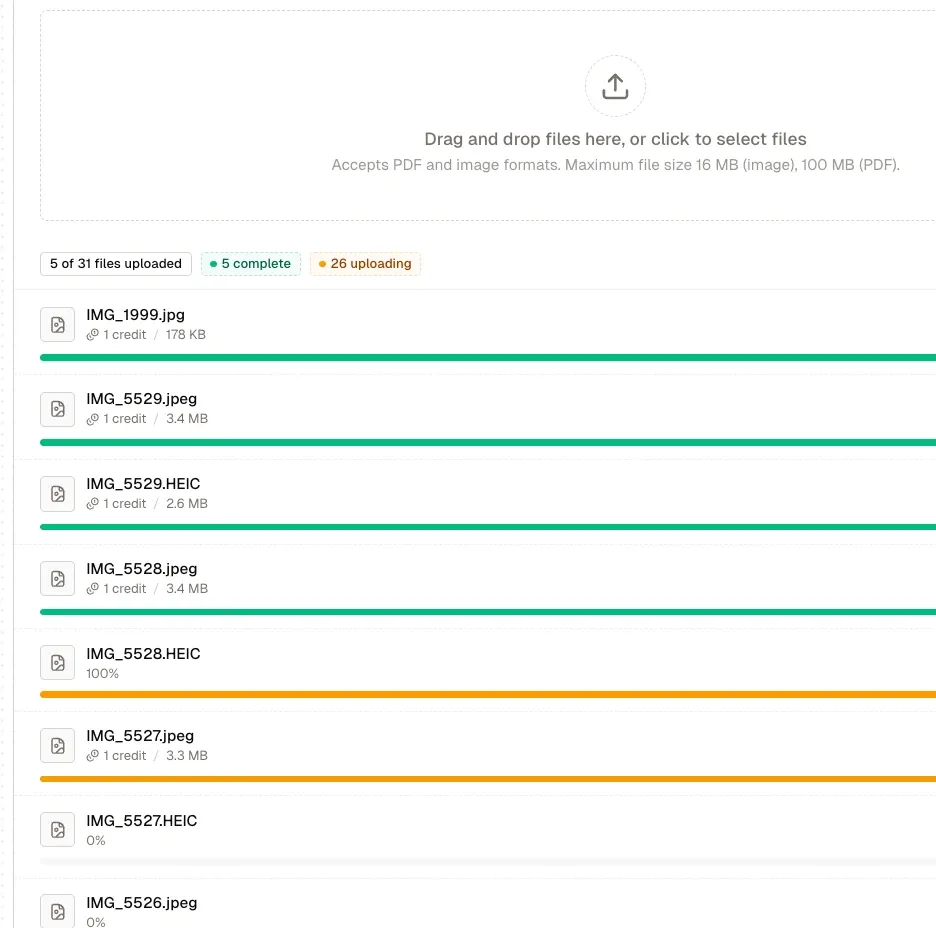
We started with Pen to Print because it looked easy. It is easy, for five documents. At 500 documents, the one-at-a-time workflow became impossible. HandwritingOCR changed everything - bulk upload, automatic field extraction, and data exports straight to Excel. What took us three days now takes three hours.
Quick Comparison Table
| Feature | Pen to Print | HandwritingOCR |
|---|---|---|
| Platform | Mobile app + basic website | Professional web platform + API |
| Setup Time | Immediate | Immediate |
| Accuracy | Good for block printing | AI-powered accuracy on all handwriting types |
| Processing Method | One page at a time via camera/upload | Bulk upload (thousands of documents) |
| Best For | Simple personal notes, block printing | Professional documents, business workflows |
| Pricing Model | $9.99/month for 100 pages ($0.10/page) | $19/month for 250 pages ($0.08/page) |
| 1,000 Page Project Cost | $99.90 + manual labor hours | $60-80 (automated bulk processing) |
| Cursive Handling | Poor, accuracy drops significantly | Handles cursive and print equally well |
| Punctuation Handling | Poor (misses quotes, question marks) | Accurate punctuation recognition |
| Data Extraction | Text transcription only | Custom field extraction, tables, forms |
| Export Formats | Text, basic document | Word, Excel, CSV, JSON, PDF, TXT |
| Table Processing | Not supported | Automatic table extraction to Excel |
| API Access | Limited (third-party only) | Full RESTful API with webhooks |
| Volume Processing | Individual pages only | Process thousands simultaneously |
| Multiple Writers | Struggles with varied styles | Handles automatically with consistent accuracy |
| Document Security | Device-only (offline mode) | Bank-grade encryption, HIPAA compliant |
| Ideal User | Personal notes, light scanning | Professionals, businesses, researchers |
Setup Time & Getting Started
Pen to Print: Download and Scan
Pen to Print offers immediate access through mobile app stores. Download the app to your iPhone or Android device, open it, and start scanning. The website provides a similar straightforward upload interface. No training, no configuration, no complexity.
Getting started:
- Download app or visit website
- Point camera or upload image
- Wait for processing
- Review text
The simplicity is genuine. Within minutes of download, you are processing your first document. For someone who needs to digitize occasional handwritten notes without technical knowledge, this accessibility matters.
HandwritingOCR: Just as Immediate
HandwritingOCR requires no setup either. Visit the website, create an account, and start uploading documents. The difference is what happens after that simple start.
Getting started:
- Create account (30 seconds)
- Upload documents (drag and drop)
- Select processing type
- Download results
Both platforms offer immediate access. The distinction is not setup time, but what the platform can handle after you start using it.
Winner: Tie. Both platforms let you start processing documents immediately.
Accuracy & Reliability
Pen to Print: Good for Simple Block Printing
Pen to Print works well for simple block-printed handwriting on clean paper with good lighting. If you write neatly in clear print letters, Pen to Print delivers reasonable results that you can quickly review and correct.
Where Pen to Print performs well:
- Simple block printing (not cursive)
- Clean, well-lit documents
- Neat, carefully formed letters
- Personal notes where perfection is not required
Where accuracy drops significantly:
- Struggles with punctuation, especially quotation marks and question marks
- Cannot consistently differentiate between uppercase and lowercase letters
- Accuracy drops noticeably with cursive or joined letters
- Performs poorly with tilted or irregular handwriting
- Picks up ink bleeding through from the opposite side of pages
- Captures unintended elements like dates and footnotes from edges
- Variable results across different handwriting styles
Reviews consistently mention the need to manually correct the output. As one user review noted, the app never recognizes quotation marks correctly, and you will spend time editing every conversion. The app crashes occasionally, and without autosave, you lose your work when it does.
For a personal shopping list or a quick reminder note where you will read through everything anyway, Pen to Print is perfectly adequate. For professional documents, cursive or challenging handwriting, or any volume processing, the limitations become problematic.
HandwritingOCR: AI-Powered Accuracy
HandwritingOCR uses advanced AI models trained on millions of diverse handwriting samples across languages, writing styles, and time periods. This represents a fundamentally different approach to handwriting recognition, one that delivers the kind of accuracy that simply was not possible before recent advances in AI technology.
What makes the difference:
- Advanced neural networks trained on massive diverse datasets
- Accurate punctuation recognition including quotes, apostrophes, and question marks
- Reliable uppercase and lowercase differentiation
- Maintains accuracy with tilted, joined, or irregular handwriting
- Handles historical documents from the 1800s-1900s
- Processes multi-language documents including Latin, Cyrillic, Arabic, and Asian scripts
- Layout-aware processing that understands document structure
- Consistent results across document types and handwriting styles
Modern AI-powered handwriting recognition delivers accuracy levels that traditional OCR approaches cannot match, handling cursive, varied styles, and challenging documents with consistent reliability.
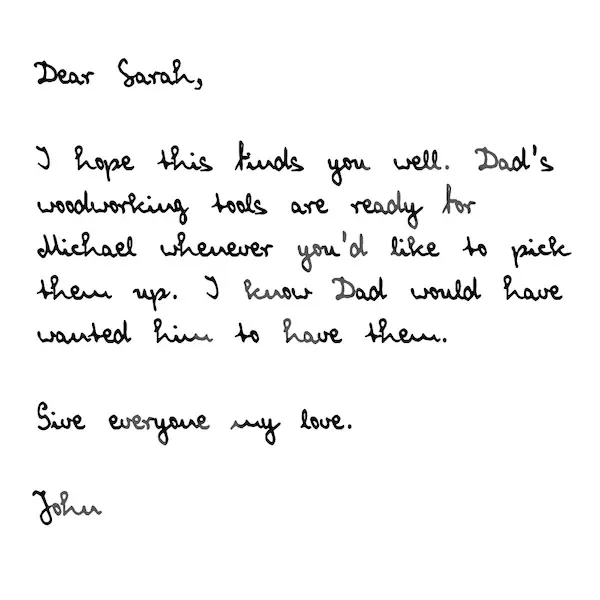
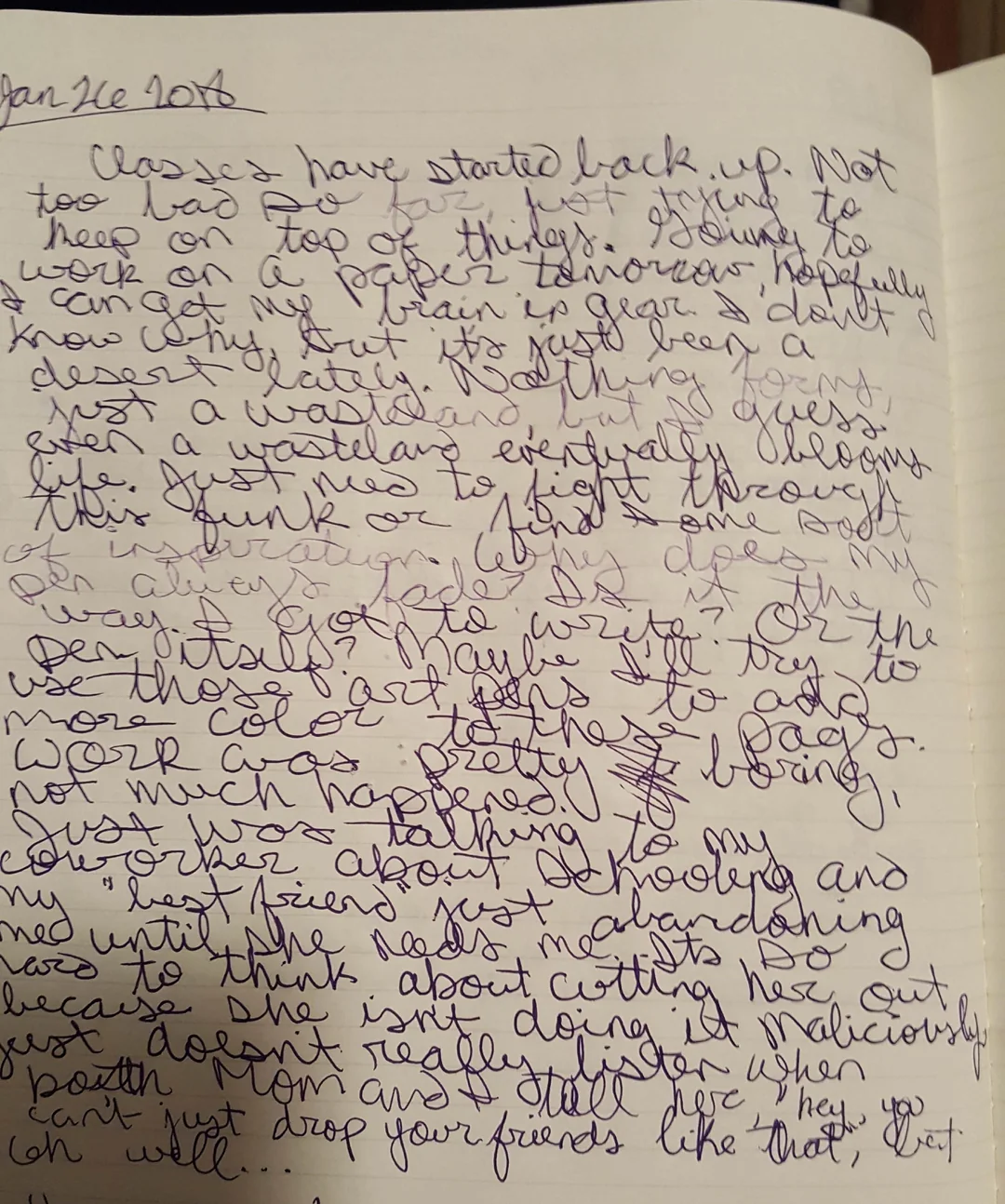
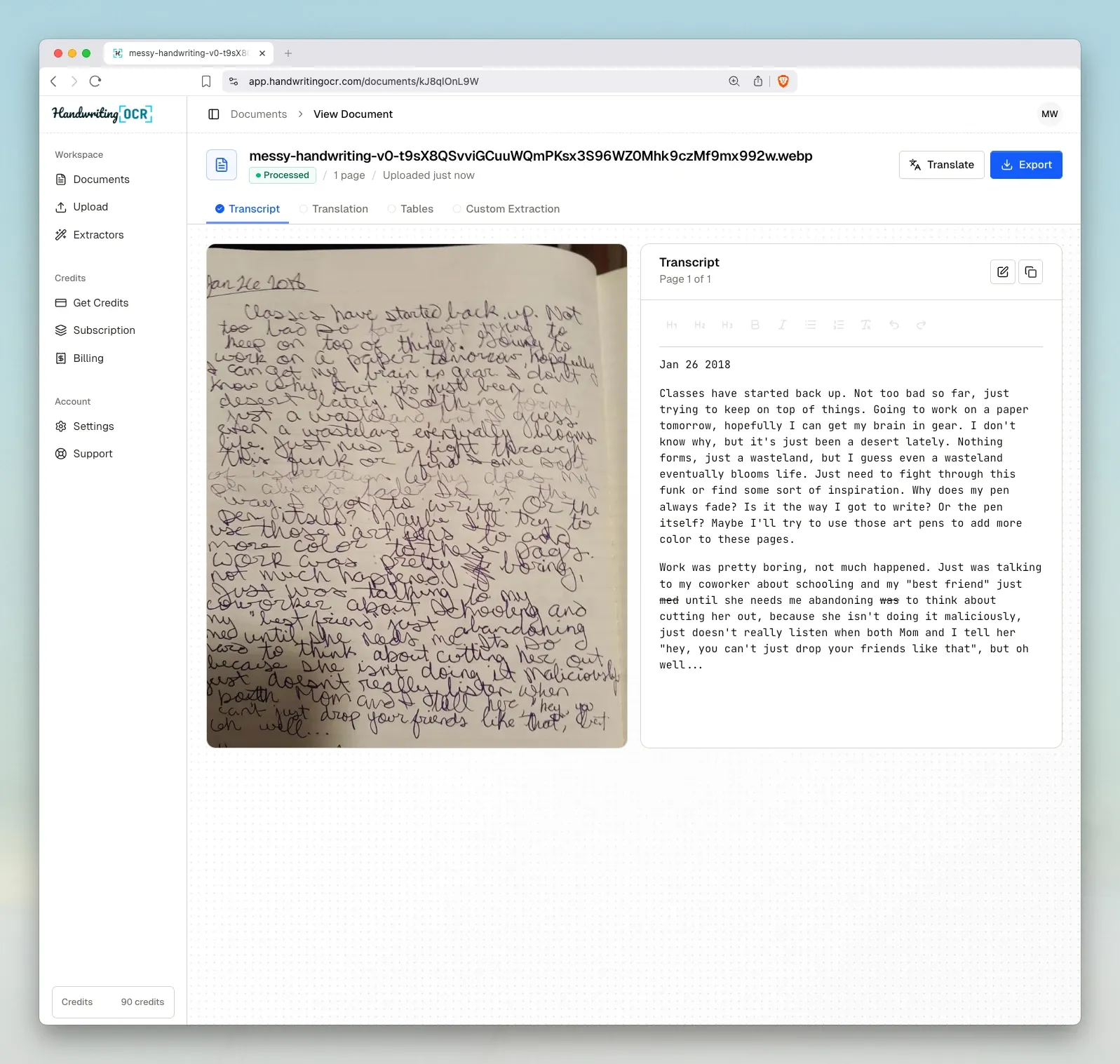
The difference was immediately obvious. Pen to Print struggled with my grandmother's Victorian cursive and missed most punctuation. HandwritingOCR captured everything, even the faded passages and elaborate letter formations. Finally found a tool that actually works for historical documents.
The accuracy gap is not marginal. It is the difference between results you can use directly and results that require substantial manual correction. For professional use, that distinction matters enormously. Pen to Print works well for what it was designed for. HandwritingOCR was designed to handle everything else.
Winner: HandwritingOCR for accuracy on challenging documents. AI-powered recognition means less editing time and trustworthy results across all handwriting types.
Document Types & Use Cases
Pen to Print: Personal Notes and Simple Documents
Pen to Print was designed for straightforward personal note-taking. The app excels when you are digitizing individual handwritten notes, shopping lists, simple reminders, or personal journal entries written in clear block printing.
Where Pen to Print works well:
- Personal handwritten notes and reminders
- Shopping lists and to-do items
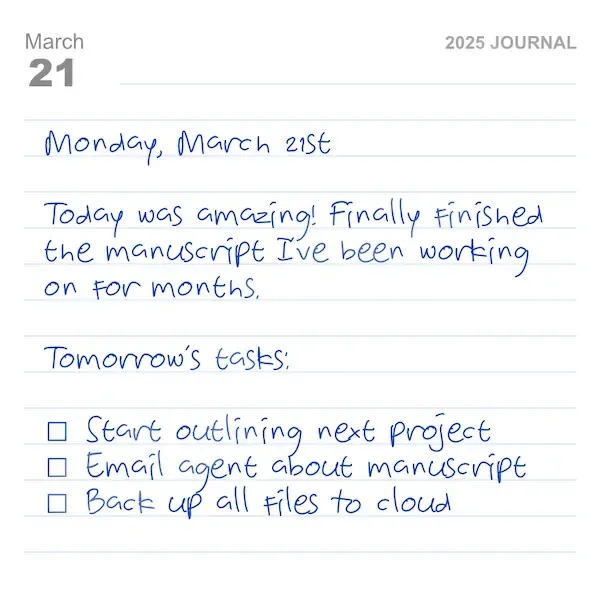
- Simple journaling with block-printed text
- Quick meeting notes (block printing)
- Individual pages with neat, clear handwriting
The challenge comes with anything beyond that scope. Cursive handwriting causes accuracy to drop noticeably. Multiple pages require processing each individually. Forms with structured fields give you mixed text rather than organized data.
HandwritingOCR: Simple Notes to Complex Business Documents
HandwritingOCR handles the full spectrum from simple notes to complex professional documents. The same platform that processes your personal journal also handles multi-page business forms, historical cursive documents, and structured data extraction.
Document types HandwritingOCR processes:
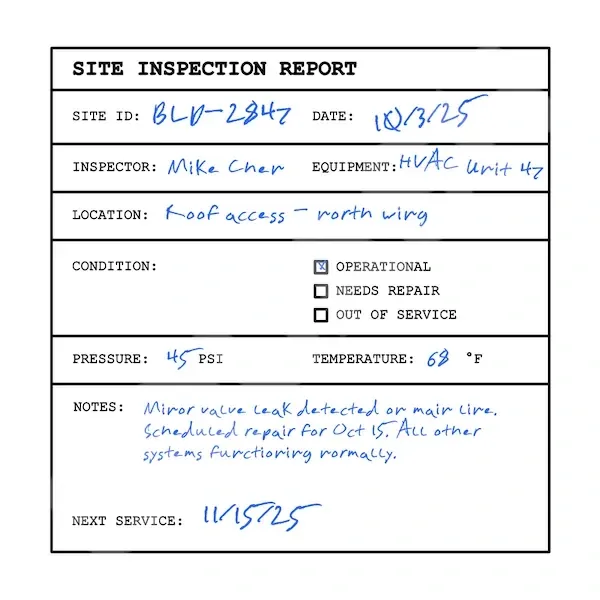
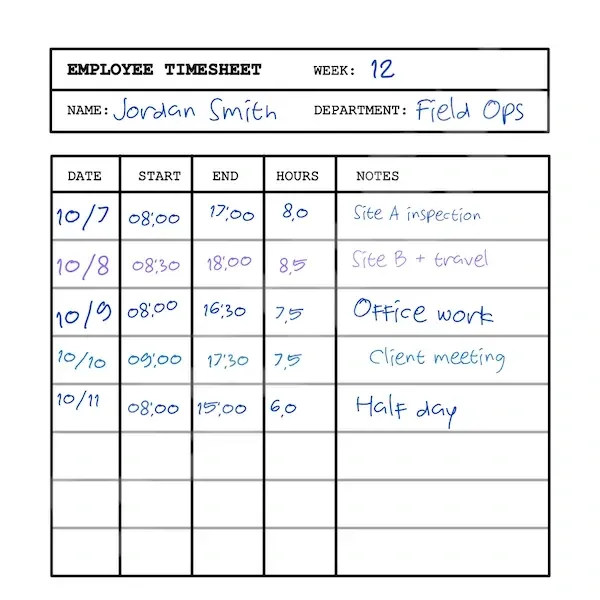
- Business documents: Customer forms, inspection reports, timesheets, surveys
- Healthcare: Patient intake forms, clinical notes, medical records
- Legal: Court filings, witness statements, legal correspondence
- Historical: Family letters from 1800s-1900s, census records, diaries
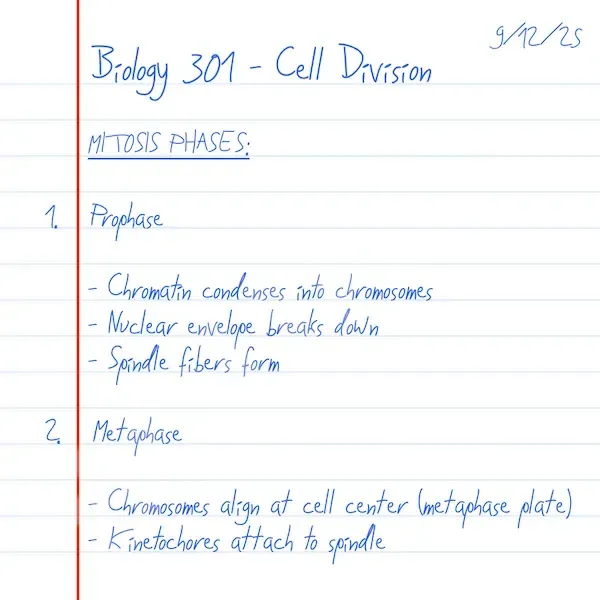
- Academic: Student assignments, research notes, handwritten exams
- Personal: Journals, correspondence, creative writing (any handwriting style)
The platform handles cursive and print equally well, processes documents with multiple different handwriting styles, and recognizes structure to extract specific fields and table data.
Winner: Pen to Print for very simple personal notes in block printing; HandwritingOCR for everything else, especially cursive, professional documents, and anything requiring data extraction.
Data Extraction & Structured Output
Pen to Print: Text Only
Pen to Print converts handwriting to text. You get the words from the page as a text block, which you can edit within the app before exporting. For a personal note or reminder, this is sufficient.
What you cannot do:
- Extract specific fields from forms
- Recognize table structures
- Capture data relationships
- Output structured data formats
- Process multiple forms into spreadsheet columns
- Identify field types automatically
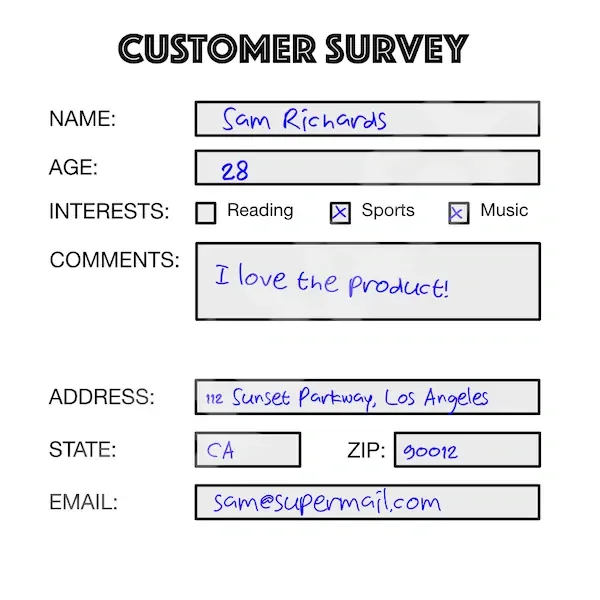
If you scan a customer feedback form, you receive all the text mixed together. Separating the customer name from the date from the comment requires manual work.
HandwritingOCR: Forms, Tables, and Custom Fields
HandwritingOCR understands document structure and extracts specific data fields. The platform recognizes that business documents contain structured information that needs to flow into databases and business systems.
Custom Extractors for Forms
Define which fields you need from your forms once, then process thousands of documents with automatic field extraction. HandwritingOCR identifies each field, validates data types, and exports organized data.
Custom Extractor capabilities:
- Define specific fields to extract (names, dates, amounts, checkboxes)
- Automatically recognize field locations across varied handwriting
- Identify field types (text, numbers, dates, yes/no)
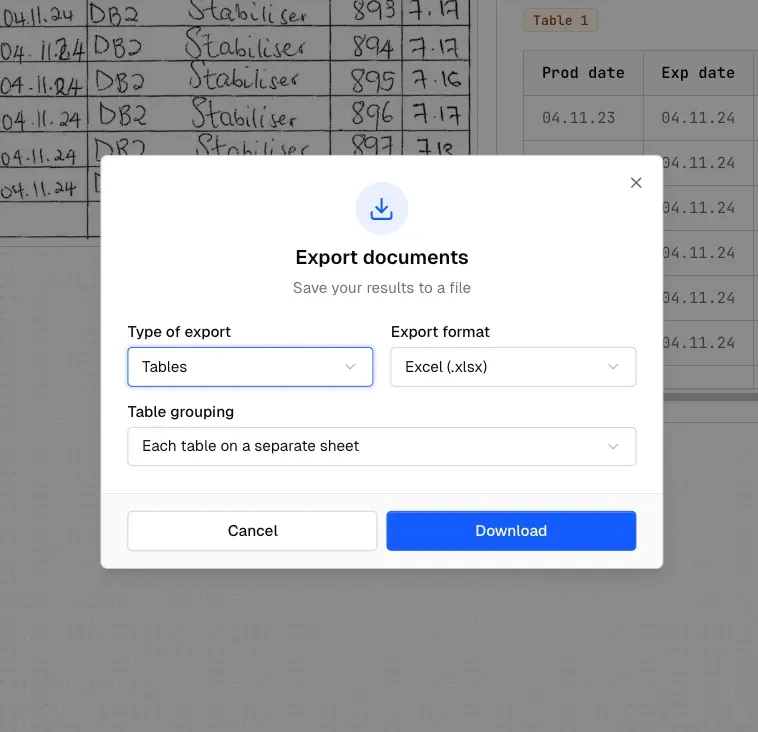
- Export structured data directly to Excel or CSV
- Process thousands of forms into organized spreadsheet rows
- Maintain data relationships and document structure
Automatic Table Extraction
HandwritingOCR recognizes table structures and extracts data into proper rows and columns. Upload a handwritten timesheet, inventory log, or data collection form, and download an Excel spreadsheet with the structure preserved.
Real-world example: A property management company processes 200 handwritten maintenance request forms weekly. Each form contains tenant name, property address, issue type, priority level, and detailed description. HandwritingOCR's custom extractor identifies each field across varied handwriting styles and exports everything as an Excel file where each request is a row and each field is a column. The data imports directly into their maintenance tracking system.
For businesses processing structured forms, custom data extraction eliminates manual data entry while improving accuracy and speed.
This level of data extraction does not exist in Pen to Print. You would manually copy each value from the transcribed text into your spreadsheet, form by form, for every document.
Winner: HandwritingOCR for any use case involving forms, tables, or structured data. Pen to Print works for unstructured notes; HandwritingOCR handles real business documents.
Export Formats & Integration
Pen to Print: Mobile App Export
Pen to Print operates within the mobile app ecosystem. After processing a document, you can edit the text within the app and export it to other apps on your phone. The premium version allows combining multiple pages into one document before export.
Export workflow:
- Edit text within the app
- Export to text format
- Share to other apps on phone
- Manual process for each document
- No direct computer access
- No automated workflows
The mobile-centric approach means everything goes through your phone. Want the text in a Word document on your computer? You will export from Pen to Print to another app, then transfer to your computer. Need 50 transcriptions organized in a spreadsheet? Manual copying, document by document.
HandwritingOCR: Professional Export Formats
HandwritingOCR provides export formats that professionals actually use in their daily workflows, designed to move data efficiently from handwritten documents into business systems.
Available formats:
- Microsoft Word (.docx) - Formatted documents ready for editing and distribution
- Excel (.xlsx) - Structured data in spreadsheet format with proper columns and rows
- CSV - Universal format for database imports and data analysis tools
- JSON - Structured data for custom applications and API workflows
- PDF - Formatted documents for archiving and sharing
- Plain text - Universal compatibility including note-taking apps like Obsidian
API Integration: Our API enables full automation of document processing workflows. Upload documents programmatically, receive webhook notifications when processing completes, and retrieve results in your preferred format automatically. Most developers integrate HandwritingOCR into their systems within days using the straightforward RESTful API with Bearer token authentication.
Real integration example: A property management company photographs handwritten maintenance requests on-site. The mobile app uploads images to HandwritingOCR via API, webhook notifications trigger when processing completes, and extracted data flows automatically into their work order system. The entire workflow is automated. No manual exports, no data retyping, no bottlenecks.
Winner: HandwritingOCR for professional integration. Export formats you can actually use and API access for automated workflows.
Pricing & Volume Economics
Pen to Print: Monthly Subscription
Pen to Print uses a subscription model with their basic plan at $9.99 per month for 100 pages. The free version provides limited functionality with ads.
Pricing structure:
- Free version: Limited scans with ads
- Basic plan: $9.99/month for 100 pages ($0.10 per page)
- Documents processed individually regardless of plan
For someone scanning occasional personal notes, the subscription works fine. The limitation is not the subscription cost but the workflow constraints that come with one-at-a-time processing.
HandwritingOCR: Simple Per-Page Pricing
HandwritingOCR uses transparent per-page pricing. You pay only for pages you actually process.
Pricing tiers:
- Pay-as-you-go: $0.15 per page
- Monthly plan: $19/month for 250 pages ($0.08 per page)
- Higher volumes: Even lower per-page rates
- Enterprise: Custom pricing
All features included at every tier: bulk processing, custom extractors, professional export formats, API access, and data security.
At the subscription level, HandwritingOCR is actually cheaper per page than Pen to Print ($0.08 vs $0.10), while including bulk processing, custom data extraction, and professional export formats.
The Real Cost: Price Per Page Plus Workflow
When comparing subscriptions, HandwritingOCR is actually cheaper per page while offering substantially more capability.
| Plan | Pages | Monthly Cost | Per Page |
|---|---|---|---|
| Pen to Print Basic | 100 | $9.99 | $0.10 |
| HandwritingOCR Monthly | 250 | $19 | $0.08 |
HandwritingOCR costs less per page and includes bulk processing, custom data extraction, API access, and professional export formats. Pen to Print includes one-at-a-time mobile scanning.
The volume calculation:
For 100 pages monthly, Pen to Print costs $9.99 with manual one-at-a-time processing. HandwritingOCR costs $15 (pay-as-you-go) or $19 (subscription with 250 pages) with bulk upload and automation.
For 250 pages monthly, Pen to Print would require upgrading plans or multiple months. HandwritingOCR costs $19 with bulk processing included.
For 1,000+ pages, the workflow difference becomes dramatic. Manual one-at-a-time processing requires significant labor hours. HandwritingOCR bulk processes the entire batch in minutes.
💰 Real cost comparison
For a 1,000 page project:
- Pen to Print: 10 months of basic subscription ($99.90) + manual processing of 1,000 individual documents
- HandwritingOCR: $60-80 total with bulk processing and custom data extraction included
The difference: HandwritingOCR includes bulk upload, custom field extraction, API automation, and professional export formats. Pen to Print requires manually processing each document individually through camera capture.
For volume processing, the real cost is not the subscription fee but the labor hours spent on one-at-a-time workflows.
Winner: Pen to Print for light personal use with simple block-printed notes; HandwritingOCR for any volume where workflow efficiency matters or documents require data extraction.
Use Case Fit
Pen to Print: Personal Note-Taking
Pen to Print serves a specific audience well: individuals who occasionally need to digitize handwritten notes, do not require high accuracy, and prefer mobile-only workflows. The app works for personal journals and diaries, quick meeting notes, handwritten recipes or lists, and casual document scanning where you will review everything anyway.
Ideal Pen to Print user:
- Processing 10-20 pages per month
- Personal use only
- Comfortable reviewing and correcting output manually
- Willing to manually correct errors
- No integration requirements
- Prefers working from phone
Where Pen to Print struggles:
- Business forms and structured documents
- Historical documents with challenging handwriting
- Any volume over 50-100 pages
- Workflows requiring accuracy and efficiency
- Data extraction and database integration
- Professional document processing
HandwritingOCR: Professional Document Processing
HandwritingOCR was built for professionals and organizations processing handwritten documents at scale, requiring accuracy and reliability, and needing structured data extraction for business systems.
HandwritingOCR excels at:
- Business forms and inspection reports
- Medical intake forms and clinical notes
- Legal documents and court filings
- Historical documents and family archives
- Student assignments and research materials
- Survey responses and feedback forms
- Any document requiring data extraction
Professional features that matter:
- Bulk processing (upload thousands of documents)
- Custom field extraction from forms
- API integration for automated workflows
- Professional export formats (Excel, CSV, JSON)
- HIPAA compliance for healthcare documents
- AI-powered accuracy on challenging handwriting
- Webhook notifications for workflow automation
- Multi-language support (300+ languages)
We tried several mobile scanning apps first, including Pen to Print. The workflow was impossible at our volume. HandwritingOCR transformed our process - bulk upload, automatic field extraction, and data goes straight into our EHR system via API. We've eliminated 60 hours of manual data entry monthly.
Winner: Choose based on your actual needs. Pen to Print for casual personal use; HandwritingOCR for any professional application or volume over 50 pages.
When to Choose Each Platform
Pen to Print
Pen to Print makes sense in limited scenarios where its constraints are not dealbreakers. Choose Pen to Print if you are digitizing purely personal notes with no business use, processing only occasional documents, comfortable reviewing and manually correcting the output, have no need for data extraction or structured output, prefer working exclusively from your mobile device, and do not require integration with other systems.
The app's simplicity is its strength. If your needs match its capabilities, Pen to Print provides an accessible solution without complexity.
HandwritingOCR
Most professionals and organizations find HandwritingOCR the better choice because it eliminates the fundamental limitations of mobile scanning apps. You can start processing documents immediately through the web platform, handle any volume from 10 pages to 100,000 pages with the same efficient workflow, and extract structured data from forms and tables automatically.
HandwritingOCR is the right choice when you:
- Process more than 50 pages monthly
- Need reliable accuracy with minimal manual editing
- Work with forms requiring data extraction
- Want professional export formats (Excel, CSV, Word)
- Require API integration for automated workflows
- Process historical documents with challenging handwriting
- Need bulk processing capabilities
- Work with business-critical documents where accuracy matters
- Require HIPAA compliance or data security guarantees
- Want predictable per-page pricing without surprises
Technical Capabilities
API & Integration
Pen to Print offers limited API access through third-party platforms like RapidAPI, with restricted functionality and no direct integration support. Most users rely on manual export workflows.
HandwritingOCR provides a comprehensive RESTful API designed for rapid integration. Authentication uses simple Bearer tokens generated instantly from your dashboard. The API supports all platform features including document upload, custom extractors, webhook notifications, and multiple export formats. Most developers move from signup to production integration within days using clear documentation and code examples in multiple languages.
Document Security
Pen to Print offers offline mode to avoid cloud data sharing, keeping documents only on your device. This provides privacy but limits functionality and prevents backup or synchronization.
HandwritingOCR uses bank-grade encryption for all documents in transit and at rest, with automatic deletion after your specified retention period (default 10 minutes to 7 days). We never train AI models on your data, never share documents with third parties, and offer HIPAA compliance with Business Associate Agreements for healthcare providers. For European customers, we offer EU-only data hosting for GDPR compliance.
Your documents remain private and are processed only to deliver your results to you.
Language Support
Pen to Print supports primarily Latin scripts with focus on English handwriting.
HandwritingOCR supports over 300 languages including Latin, Cyrillic, Arabic, Hebrew, and Asian scripts (Chinese, Japanese, Korean, Hindi, and more). The same AI processes documents in any language without configuration changes.
Final Thoughts
Pen to Print represents an accessible entry point to handwriting recognition, and for individuals processing occasional personal notes, it fulfills that role adequately. The mobile-first design makes basic scanning straightforward, and the low monthly cost is reasonable for light usage.
But mobile scanning apps were designed for consumers, not professionals. As soon as your needs extend beyond individual notes to include volume processing, data extraction, or business integration, the limitations become clear.
The real question is not "Which tool is better?" but "Which tool matches your requirements?"
If you need to process business forms with extracted data, work with volumes above 50 pages, integrate handwriting recognition into automated workflows, achieve reliable accuracy without manual correction, or export to professional formats like Excel and CSV, HandwritingOCR provides the capabilities that mobile scanning apps cannot deliver.
The difference is not just features, it is fundamental architecture. Pen to Print is a phone camera app. HandwritingOCR is a document processing platform. Both serve their intended audiences, but only one is built for professional document workflows.
Ready to move beyond mobile app limitations?
Start your free trial and experience professional handwriting OCR with bulk processing, custom data extraction, and AI-powered accuracy. Upload your first batch in the next five minutes.
Frequently Asked Questions
Have a different question and can’t find the answer you’re looking for? Reach out to our support team by sending us an email and we’ll get back to you as soon as we can.
What is the main difference between Pen to Print and HandwritingOCR?
Pen to Print is a mobile app designed for scanning simple block-printed notes one at a time, while HandwritingOCR is a professional platform with AI-powered accuracy on all handwriting types, bulk processing, custom data extraction, API integration, and advanced export formats like Excel and CSV for structured data.
Can HandwritingOCR process multiple documents at once?
Yes, HandwritingOCR supports batch processing of thousands of documents simultaneously through both the web interface and API, while Pen to Print requires processing documents one at a time through your phone camera.
What export formats does HandwritingOCR support?
HandwritingOCR exports to Microsoft Word, Excel, CSV, JSON, PDF, and plain text. For data extraction, you can export structured data directly to Excel or CSV for immediate use in business systems, something not available in Pen to Print.
Does HandwritingOCR have an API for integration?
Yes, HandwritingOCR provides a comprehensive RESTful API with simple Bearer token authentication, webhook support, and multiple programming language SDKs. Pen to Print offers limited API access through third-party platforms.
Is HandwritingOCR more accurate than Pen to Print?
Yes, HandwritingOCR uses advanced AI models that deliver substantially higher accuracy than Pen to Print, particularly on cursive handwriting, punctuation, challenging documents, and complex layouts. Pen to Print works well for simple block printing, but struggles with cursive and more complex handwriting styles.