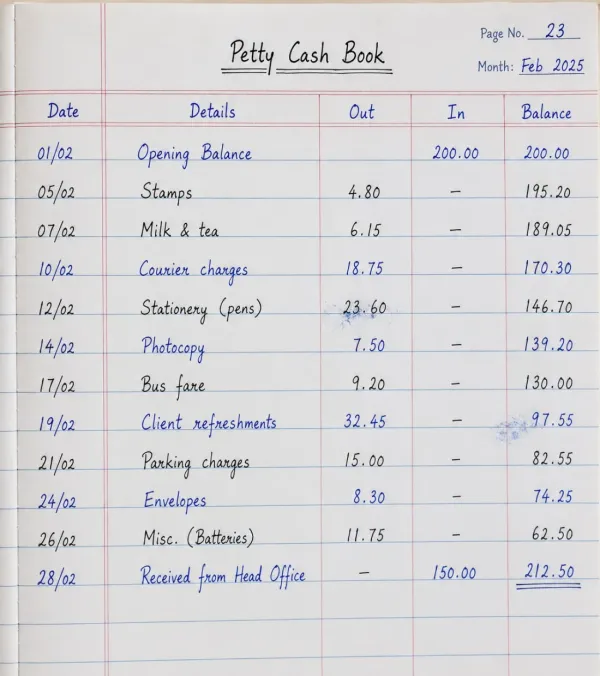
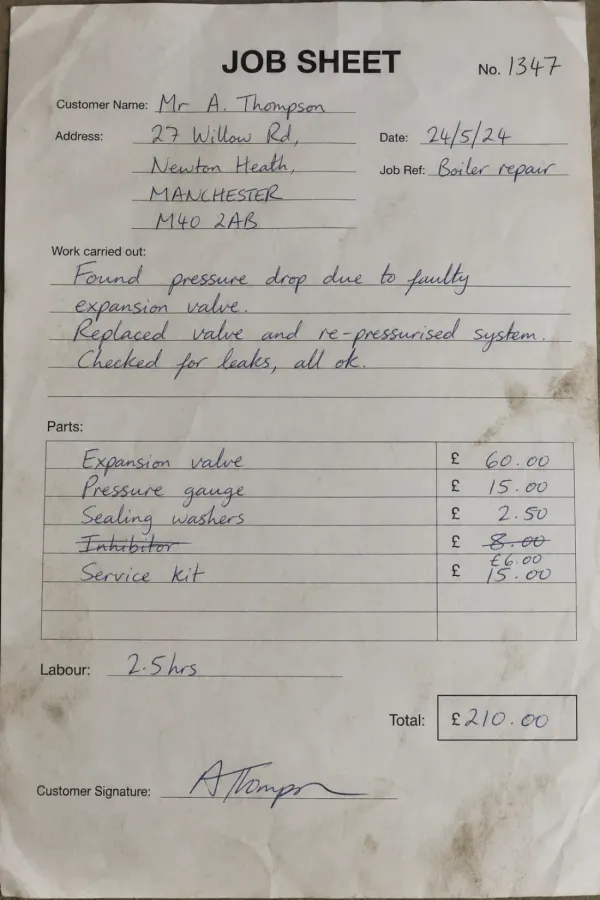
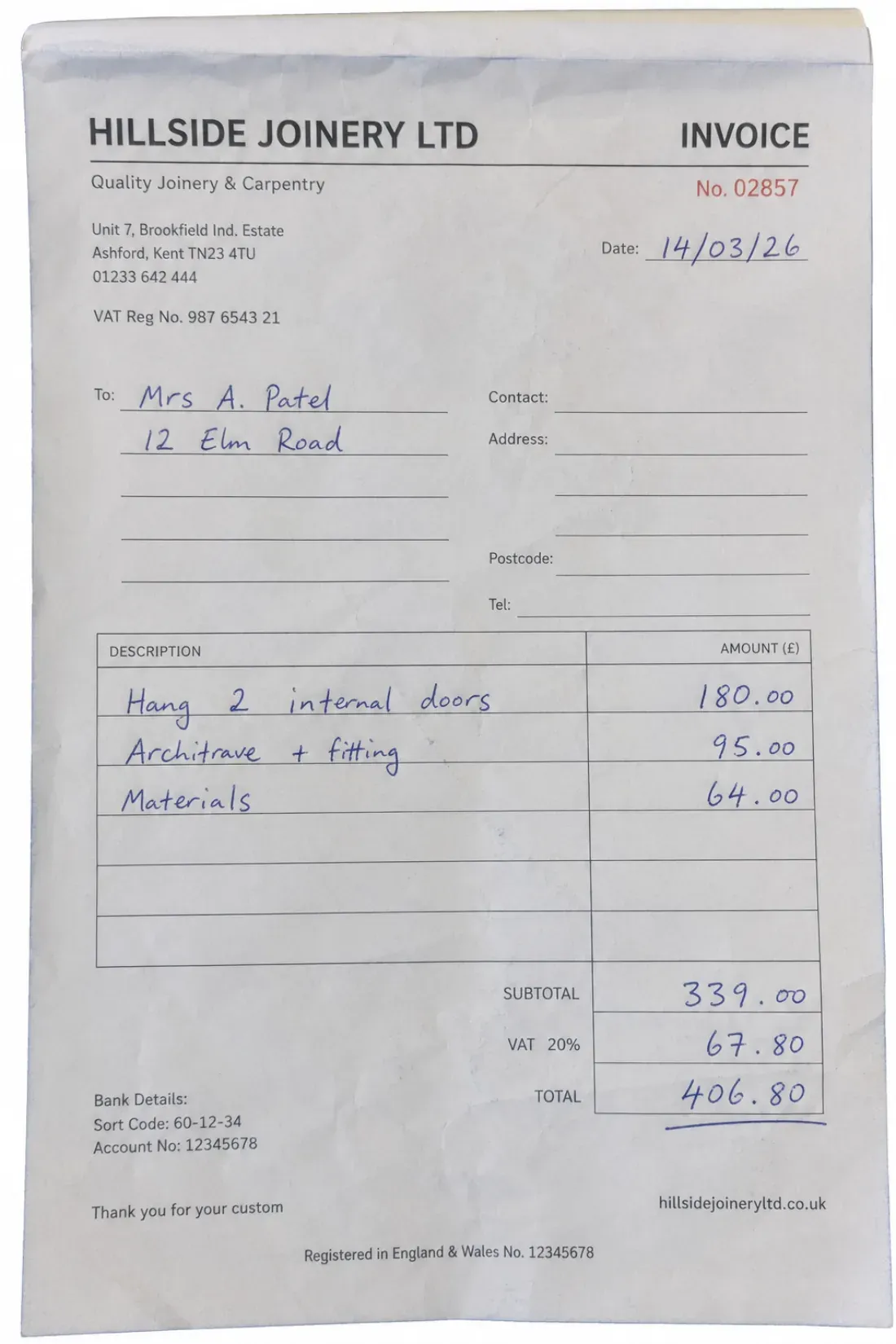
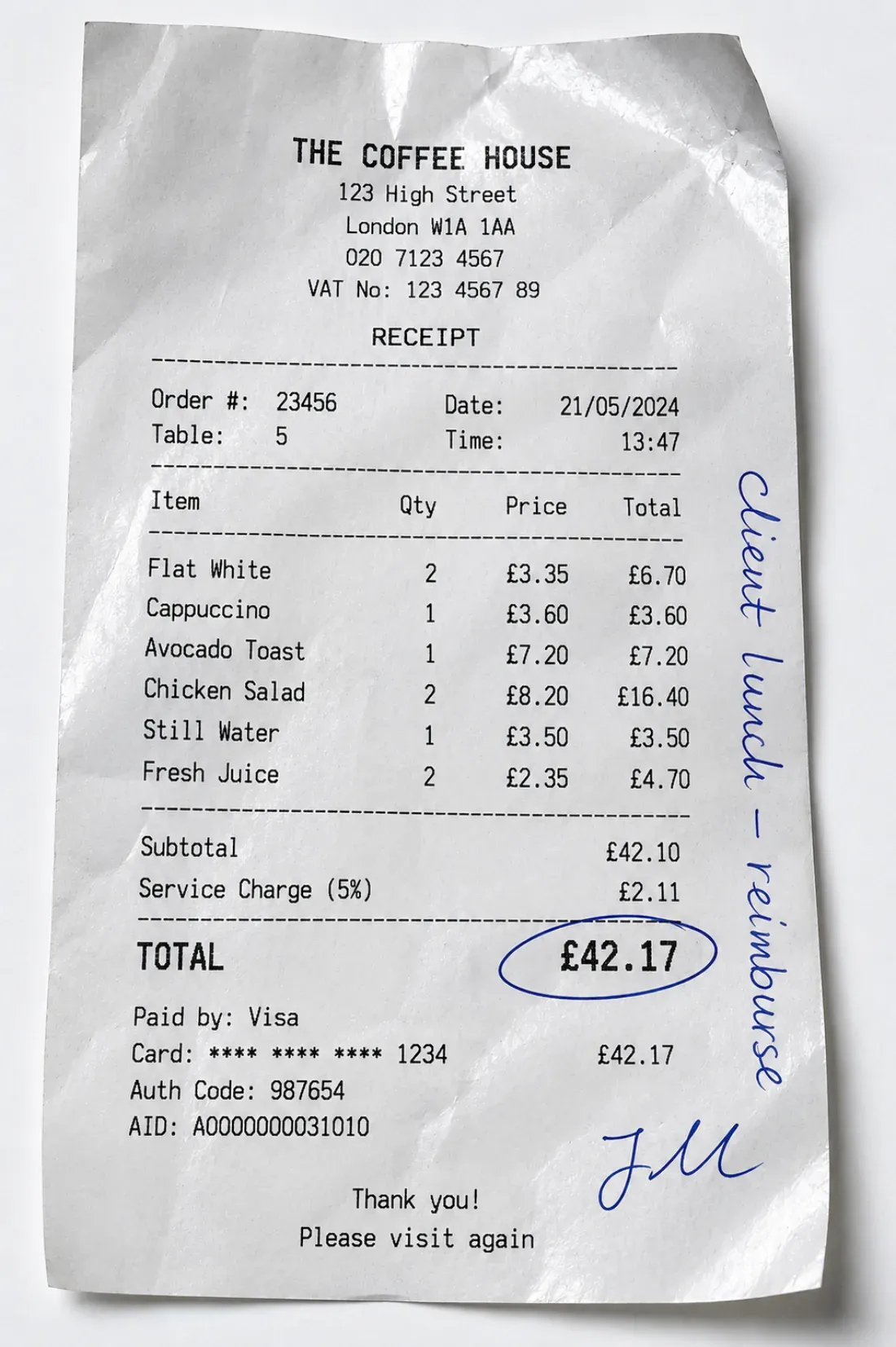
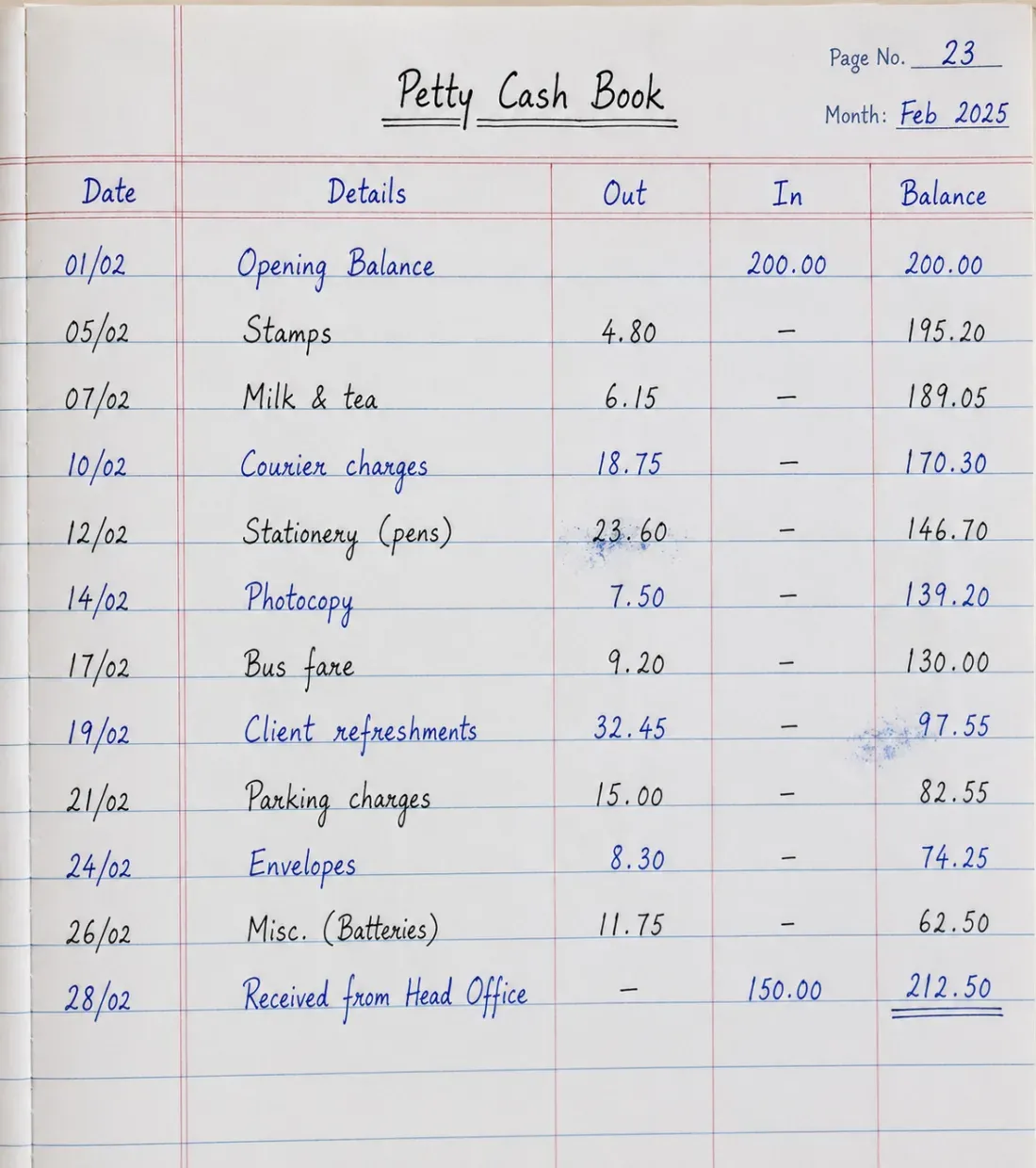
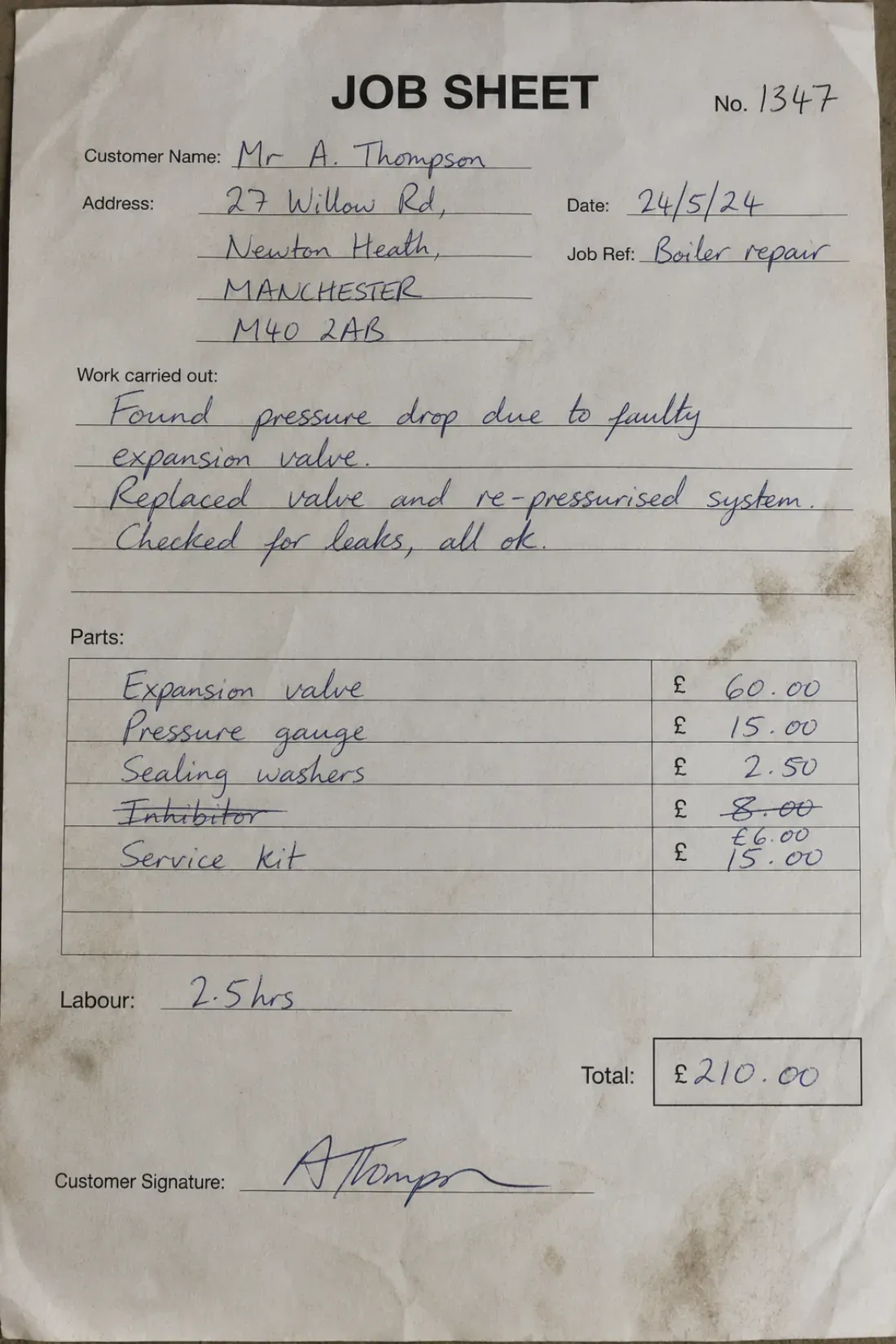
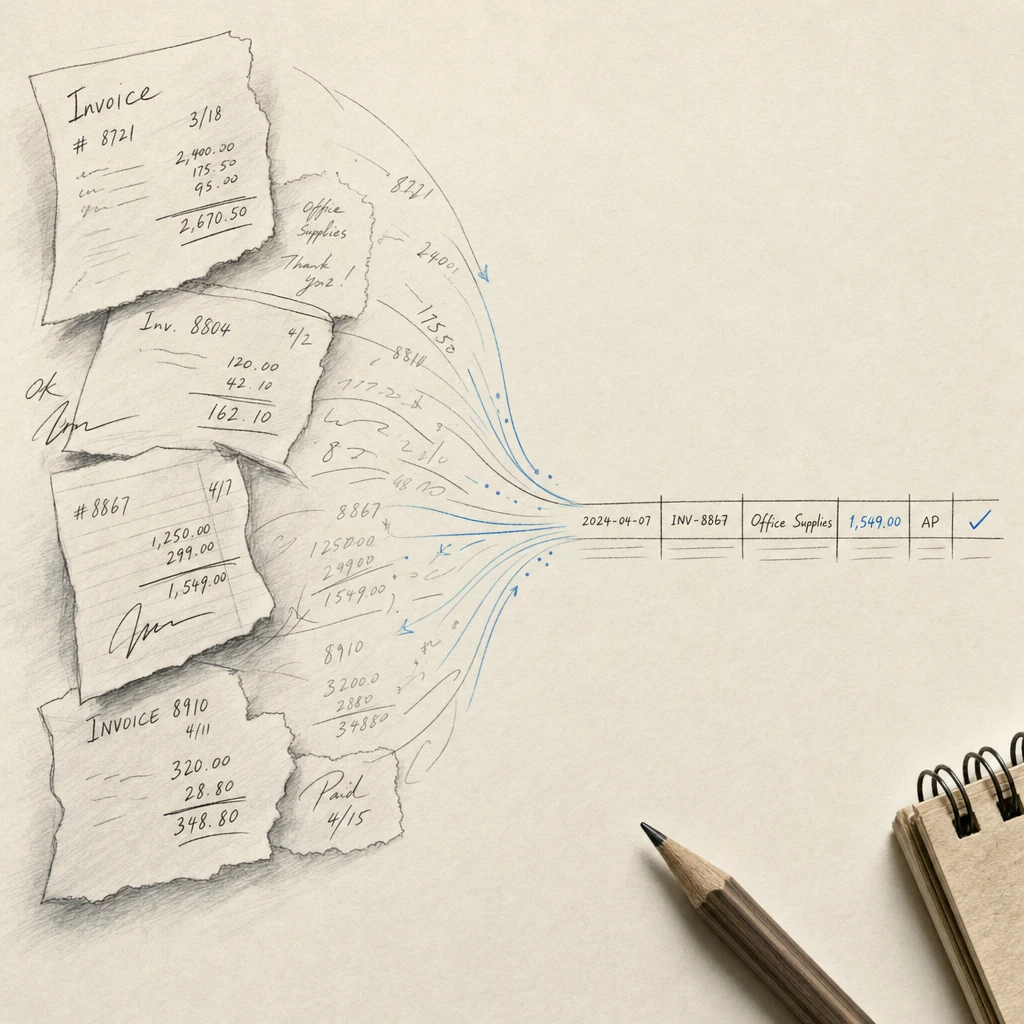
Finance teams know the reality of handwritten invoices. Vendor invoices arrive scrawled on paper, field service receipts come in barely legible, and someone on your accounts payable team spends 10 to 30 minutes per invoice manually entering data into your ERP system. With manual invoice processing costing $15 to $40 per invoice and 39% of those invoices containing errors, the hidden costs add up quickly.
Handwritten invoice OCR changes this equation. Modern invoice processing automation reduces costs to $2-5 per invoice, processes documents in seconds instead of minutes, and achieves 94%+ accuracy on handwritten text. For accounts payable departments drowning in paper invoices, OCR technology delivers measurable ROI within months.
Quick Takeaways
- Manual invoice processing costs $15-40 per invoice and takes 10-30 minutes, while automated OCR reduces costs to $2-5 and processes in seconds
- 39% of manually processed invoices contain errors, leading to payment delays and vendor frustration
- Modern handwritten invoice OCR achieves 94%+ accuracy and integrates directly with ERP systems like SAP, Oracle, and QuickBooks
- Organizations typically recover implementation costs within 6 months through reduced processing time and error correction
- Privacy-conscious invoice processing ensures your financial data remains secure and is never used for AI training
What is Handwritten Invoice Processing?
Handwritten invoice processing refers to the automated extraction of data from invoices that contain handwritten text, including vendor invoices, receipts, billing documents, and field service forms. Unlike standard invoice scanning, which handles only printed text, handwritten invoice processing requires specialized OCR technology capable of interpreting variations in writing styles, ink quality, and document conditions.
This capability matters because many businesses still receive handwritten invoices from small vendors, contractors, field technicians, and service providers who do not use digital invoicing systems. Processing these documents manually creates bottlenecks in accounts payable workflows.
How Invoice OCR Works for Handwritten Documents
Invoice OCR for handwritten documents follows a structured workflow designed to extract accurate data while maintaining audit trails:
- Document capture: The system receives invoice images through scanning, email forwarding, or mobile uploads
- Image preprocessing: Software enhances image quality, corrects orientation, and removes artifacts
- Text recognition: OCR technology extracts data from both printed and handwritten text, identifying vendor names, invoice numbers, line items, amounts, and dates
- Data validation: The system checks extracted data against purchase orders and historical vendor records in your ERP
- Review flagging: Fields with low confidence scores route to human reviewers for verification
- System posting: Validated data posts automatically to accounting software for approval routing and payment processing
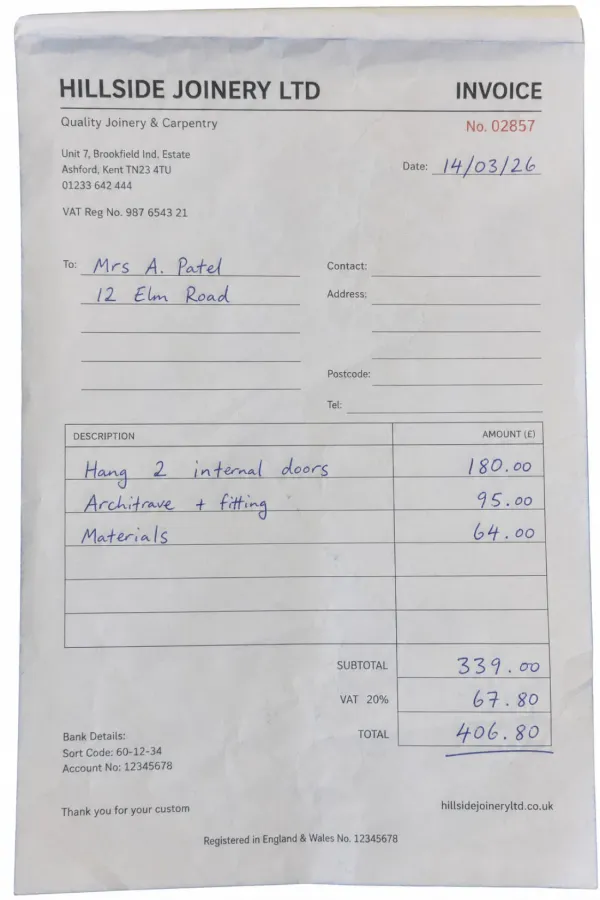
The technology handles mixed-format invoices containing both typed headers and handwritten line items, a common scenario in field service and contracting industries.
The Difference Between Standard OCR and Handwriting Recognition
Standard OCR technology reads printed text by matching character shapes against known fonts. This works well for typed invoices, digital PDFs, and computer-generated documents. Handwriting recognition requires a different approach.
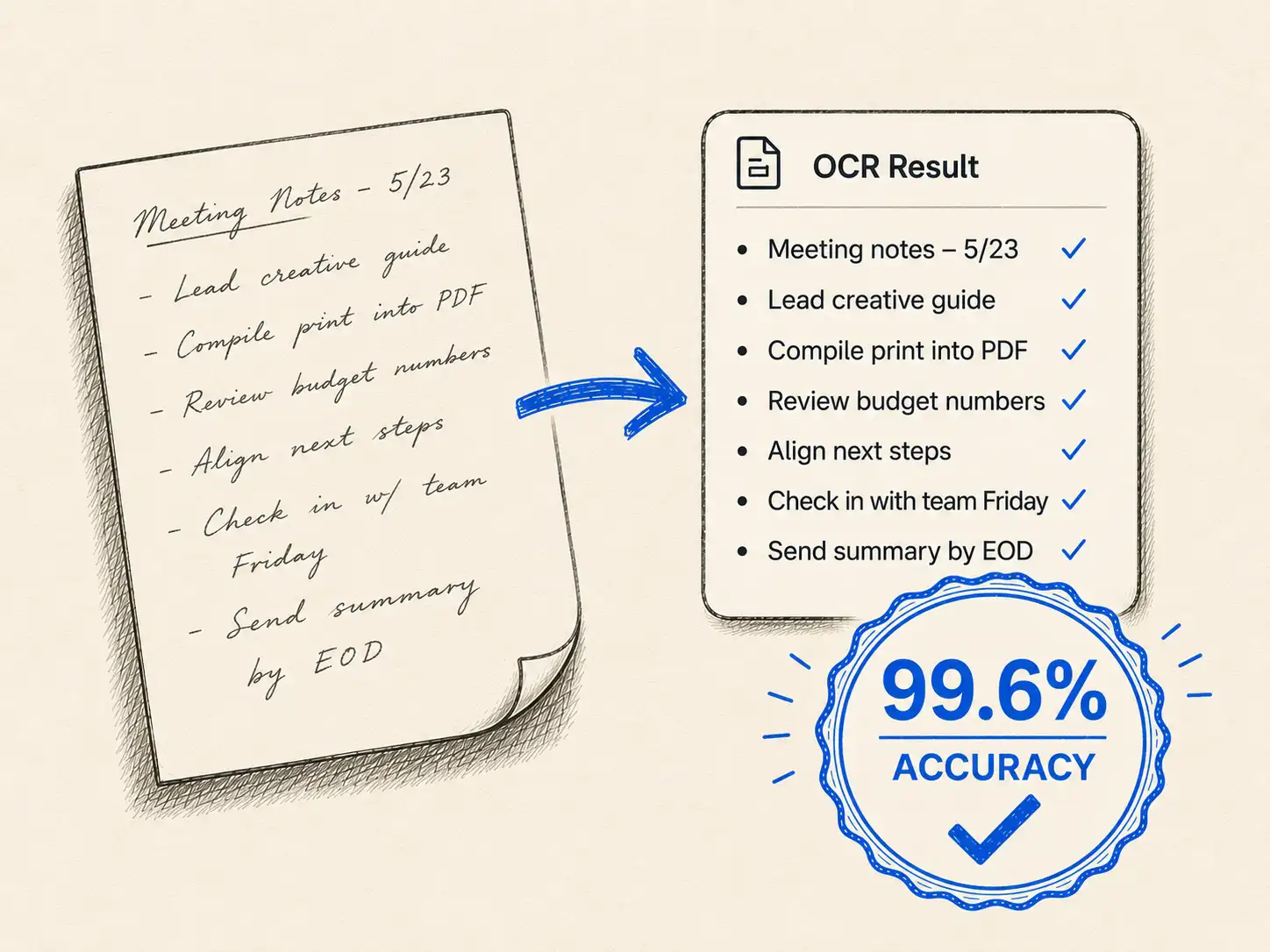
Intelligent Character Recognition (ICR) extends OCR capabilities by analyzing the curves, strokes, and patterns unique to handwritten characters. ICR systems achieve 94% accuracy on handwritten invoices by training on diverse handwriting samples and learning to interpret variations in letter formation, spacing, and slant.
The practical difference: standard OCR fails when confronted with cursive signatures, handwritten notes, or field-completed forms. ICR-enabled systems process these documents while maintaining accuracy levels suitable for financial workflows.
Modern OCR systems trained on handwritten invoices can read the shading gradients in most handwriting, achieving accuracy rates above 94%.
Why Manual Invoice Processing Costs More Than You Think
The stated cost of manual invoice processing hides significant indirect expenses that only become apparent when you track the full lifecycle of an invoice.
Hidden Costs of Manual Data Entry
Manual invoice processing costs average $15-20 per invoice, but this figure only accounts for direct labor time. The 10-30 minutes your AP staff spends per invoice represents the visible cost. Hidden costs include:
Error correction labor: When data entry mistakes require correction, your team spends additional time investigating discrepancies, contacting vendors, and updating records. This doubles the effective processing time for problem invoices.
Opportunity cost: Time spent manually typing invoice data is time not spent on strategic financial analysis, vendor management, or identifying cost-saving opportunities. Your experienced AP professionals become data entry clerks.
System inefficiency: Manual workflows require more touchpoints, approvals, and handoffs. Each step introduces delays and compounds the risk of invoices getting lost in someone's inbox.
Late payment penalties: Slow processing leads to missed payment deadlines. Even occasional late fees add meaningful costs over a year of invoice volume.
Organizations processing 1,000 invoices monthly at $20 per invoice spend $240,000 annually just on invoice processing labor, before accounting for errors, delays, or penalties.
Error Rates and Payment Delays
Manual data entry carries an error rate of approximately 1.6% per invoice according to industry studies, but 39% of manually processed invoices contain errors when you include all types of mistakes: transposed numbers, incorrect vendor codes, wrong GL accounts, and misread amounts.
These errors create cascading problems:
- Payments sent to wrong vendors require recovery and reprocessing
- Incorrect amounts trigger vendor inquiries and relationship friction
- Mismatched purchase orders hold up legitimate payments while your team investigates
- Duplicate payments go undetected until month-end reconciliation
The average manual processing time is 14.2 days per invoice. Compare this to automated systems that process invoices in under 3 days. The delay costs you early payment discounts and strains vendor relationships.
Vendor Relationship Impact
Your vendors notice when payments consistently arrive late or require multiple follow-up calls to resolve discrepancies. Small contractors and service providers operate on tight cash flow. When your slow invoice processing delays their payment by weeks, it damages relationships and may cost you preferred vendor status.
Faster payment cycles from invoice automation improve vendor relationships by demonstrating reliability and professionalism. Vendors who receive consistent, timely payments prioritize your orders and offer better terms.
The intangible cost of vendor frustration only becomes visible when your preferred contractor declines your next project or a supplier tightens payment terms due to past delays.
How Handwritten Invoice OCR Works in Accounts Payable Workflows
Implementing invoice OCR for handwritten documents requires understanding how the technology integrates with existing accounts payable processes.
Data Capture from Handwritten Invoices
Modern OCR systems accept invoices through multiple channels tailored to how your organization receives documents:
Email forwarding: Vendors send invoices to a dedicated email address, and the system automatically extracts attachments for processing
Scan station integration: Mailroom scanners send images directly to the OCR platform as paper invoices arrive
Mobile capture: Field teams photograph receipts and invoices using mobile apps, enabling immediate processing of on-site documentation
Batch upload: AP staff upload folders of scanned historical invoices for bulk processing
The capture method matters less than ensuring image quality. High-quality scans are essential for accuracy when processing handwritten text. Systems work best with 300 DPI or higher resolution and clear, well-lit images.
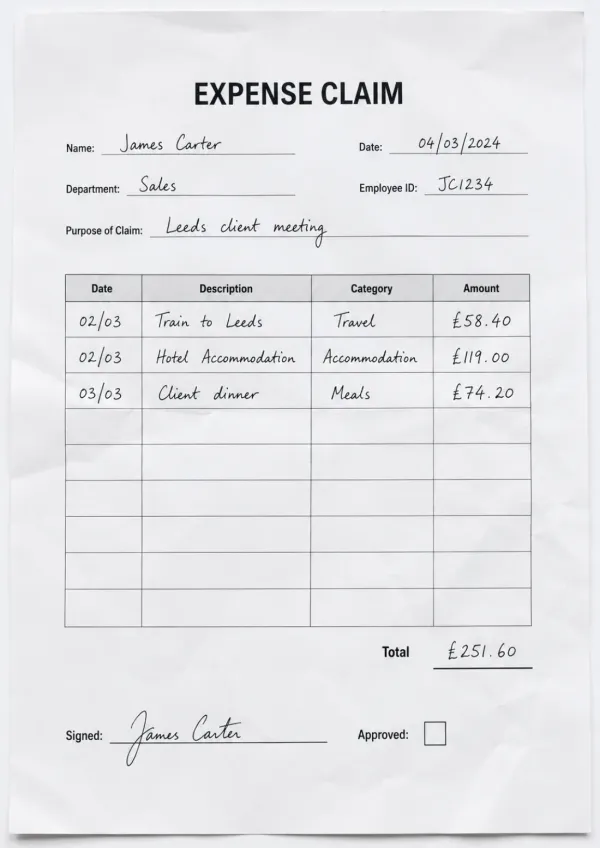
After capture, OCR technology extracts key data points including vendor names, invoice numbers, line items, totals, taxes, payment terms, and dates. For handwritten invoices, this includes interpreting cursive signatures, field-completed forms, and handwritten annotations on printed templates.
Validation and Verification
Extracted data needs validation before posting to your accounting system. Quality invoice OCR platforms perform multiple validation checks:
Purchase order matching: The system compares invoice line items against open purchase orders, flagging discrepancies in quantities, prices, or item descriptions
Vendor record verification: Software checks extracted vendor names against your master vendor list, accounting for common variations and abbreviations
Calculation verification: Automated math checks confirm that line item totals, subtotals, taxes, and invoice totals calculate correctly
Duplicate detection: The system searches for invoices with matching vendor, amount, and date to prevent duplicate payments
Confidence scoring: Fields extracted from handwritten text receive confidence scores. Low-confidence extractions route to human reviewers rather than posting automatically.
Leading systems achieve 80% straight-through processing by extracting all required fields with high accuracy 80% of the time. The remaining 20% receive targeted human review only on flagged fields, not full manual entry.
This hybrid approach maintains accuracy while automating the bulk of the work. Your AP team reviews exceptions rather than processing every invoice from scratch.
| Processing Method | Cost Per Invoice | Processing Time | Error Rate | Straight-Through % |
|---|---|---|---|---|
| Fully Manual | $15-40 | 10-30 minutes | 1.6%-39% | 0% |
| OCR with Review | $2-5 | 2-5 minutes | <1% | 80% |
| Touchless OCR | $2-3 | <1 minute | <2% | 95%+ |
ERP Integration and Payment Processing
After validation, invoice data posts to your ERP or accounting system through native integrations or APIs. Invoice OCR integrates with major platforms including SAP, Oracle, NetSuite, Microsoft Dynamics, QuickBooks, and Xero.
The integration automatically:
- Creates vendor invoices in your accounting system
- Applies correct GL coding based on purchase order or historical patterns
- Routes invoices through approval workflows according to your business rules
- Schedules payments based on terms and cash flow policies
- Updates invoice status in real-time as approvals progress
For organizations already using handwritten legal documents processing or other OCR applications, adding invoice processing extends existing technology investments rather than requiring separate systems.
Integration quality determines success. Native ERP integrations work better than bolt-on tools that introduce sync failures and data silos. When evaluating invoice OCR providers, confirm they support your specific ERP version and offer proven integration track records.
Key Benefits for Finance Teams
Understanding the specific advantages invoice OCR delivers helps justify implementation and set realistic expectations.
Cost Reduction and Time Savings
The cost reduction from invoice OCR comes from multiple sources working together:
Direct labor savings: Reducing per-invoice processing time from 15 minutes to 2 minutes saves 13 minutes of AP staff time per invoice. For an organization processing 1,000 invoices monthly, this recovers 217 hours monthly, or approximately 1.4 full-time positions.
Error correction elimination: Reducing error rates from 39% to under 1% nearly eliminates the time spent investigating discrepancies, calling vendors, and correcting mistakes. Error correction often takes longer than initial data entry.
Early payment discounts: Faster processing enables you to capture 2/10 net 30 terms and other early payment discounts that manual workflows cause you to miss. On a $1 million monthly spend, capturing 2% discounts on even half your invoices saves $10,000 monthly.
Redeployment of skilled staff: Your experienced AP professionals shift from data entry to strategic vendor management, payment optimization, and financial analysis, delivering value that extends beyond invoice processing.
Organizations implementing invoice OCR typically see costs drop from €15 to €7 per invoice, with 52% citing cost reduction as the primary benefit. Implementation costs typically recover within 6 months through time savings alone.
Converting invoice data manually can take 10-30 minutes per invoice. With OCR, it takes seconds.
Accuracy and Error Prevention
Invoice OCR systems trained on diverse handwriting samples achieve 98.9% extraction accuracy on invoices when properly configured for your vendor base. This surpasses manual data entry accuracy because:
Consistent processing: Software applies the same validation rules to every invoice without fatigue, distraction, or variation in attention to detail
Automated calculations: Mathematical errors disappear because systems verify that line items sum correctly and taxes calculate accurately
Duplicate prevention: Automated duplicate detection catches invoices you might otherwise process twice, a common problem in manual workflows
Vendor standardization: AI recognizes vendor name variations and maps them to correct vendor records, preventing the fragmentation that occurs when "ABC Company," "ABC Co.," and "ABC Company Inc." create separate vendor entries
Audit trails: Every extraction, validation, and correction creates a logged record, supporting compliance requirements and making month-end close faster
The accuracy improvement eliminates vendor calls, payment corrections, and reconciliation headaches that consume disproportionate time in manual workflows.
Audit Trails and Compliance
Finance teams working with handwritten invoices need complete audit trails showing who processed each invoice, when validation occurred, and what approvals were obtained. Invoice OCR platforms create automatic documentation:
Image retention: Original invoice images link to accounting entries, allowing instant retrieval during audits
Extraction logs: Systems record exactly what data was extracted, confidence scores, and whether human review occurred
Approval tracking: Workflow logs show who approved each invoice and when, satisfying segregation of duties requirements
Change history: Any manual corrections to extracted data create logged records showing the original extraction and the correction
Compliance reporting: Automated reports demonstrate adherence to payment terms, early payment discount capture rates, and processing time metrics
This documentation satisfies SOX compliance, supports external audits, and provides the visibility finance leaders need to manage cash flow and vendor relationships strategically.
For organizations processing sensitive financial documents, privacy matters. Your invoice data should remain yours. HandwritingOCR processes documents only to deliver extraction results and does not use your financial records to train AI models or share information with third parties.
Implementing Invoice OCR in Your Organization
Successful invoice OCR implementation requires more than purchasing software. You need to evaluate capabilities specific to handwritten invoice processing.
What to Look for in Invoice OCR Software
When evaluating invoice OCR platforms for handwritten documents, prioritize these capabilities:
Handwriting recognition accuracy: Request accuracy benchmarks specifically for handwritten invoices, not just printed documents. ICR-enabled systems should achieve 94%+ accuracy on clear handwritten text.
Mixed format handling: Verify the system processes invoices containing both printed and handwritten elements, a common scenario with pre-printed invoice templates completed by hand.
Confidence scoring: The platform should flag low-confidence extractions for review rather than posting potentially incorrect data to your accounting system.
Learning capability: Better systems improve accuracy over time by learning your specific vendor formats and invoice patterns.
Exception handling: Evaluate how the system routes unclear fields for human review while still automating high-confidence extractions.
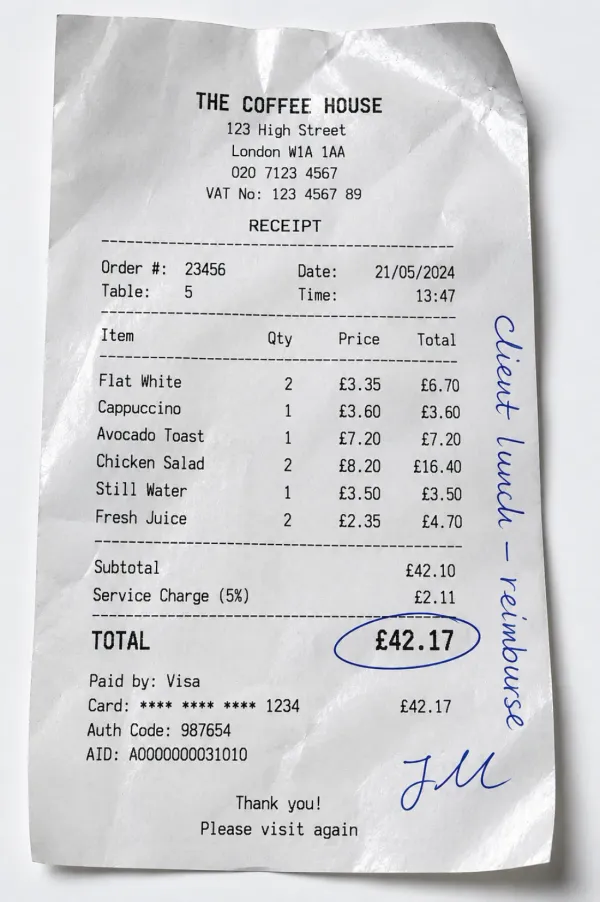
Image quality tolerance: Test the software with realistic invoice images including faded receipts, photographed documents, and aging thermal paper to confirm it handles real-world conditions.
Request pilot testing with your actual vendor invoices before committing. Accuracy varies significantly based on handwriting quality and invoice formats specific to your vendor base.
Integration with Accounting Systems
The quality of ERP integration determines whether invoice OCR delivers productivity gains or creates new problems. Evaluate integration capabilities carefully:
Native vs. API integration: Native integrations with platforms like SAP, Oracle, NetSuite, and QuickBooks work more reliably than custom API connections that may break during system upgrades.
Bi-directional sync: The best integrations not only post invoice data to your ERP but also pull purchase order data, vendor records, and GL account structures to enable validation and automated coding.
Real-time updates: Confirm that invoice status updates in both systems simultaneously rather than through batch synchronization that creates timing gaps.
Error handling: Integration failures will occur. Evaluate how the system alerts your team, queues failed transactions, and enables recovery without data loss.
Approval workflow mapping: The invoice OCR system should respect your existing approval hierarchies and routing rules rather than requiring you to rebuild workflows in a separate tool.
For developers implementing custom integrations, HandwritingOCR offers API integration supporting programmatic invoice processing within existing enterprise workflows.
Organizations processing handwritten PDFs from vendors can leverage the same OCR capability across multiple document types, extending ROI beyond invoices alone.
Security and Data Privacy Considerations
Your invoices contain sensitive financial information including vendor relationships, pricing, and spending patterns. Evaluate invoice OCR providers on security and privacy:
Data handling practices: Confirm the provider processes your documents only to deliver extraction results and does not use your invoices to train models or for any other purpose
Retention policies: Understand how long the provider stores invoice images and extracted data, and whether you control deletion timing
Encryption standards: Both data in transit and at rest should use current encryption standards
Access controls: The platform should support role-based access ensuring only authorized personnel view invoice data
Compliance certifications: For regulated industries, verify the provider maintains SOC 2, ISO 27001, or other relevant compliance certifications
Data residency: If you operate in jurisdictions with data residency requirements, confirm where the provider processes and stores invoice data
HandwritingOCR processes your documents with enterprise-grade security, keeps your data private, and deletes files after processing completes. Your financial records remain yours, and nothing is used to train AI models or shared with third parties.
Your invoice data remains yours. We process it only to deliver your results, never for training or any other purpose.
Common Challenges and Solutions
Even well-implemented invoice OCR systems encounter challenges. Understanding common issues helps you plan solutions.
Handling Poor Quality Scans
Handwritten invoices often arrive in less-than-ideal condition: faded thermal receipts, wrinkled paper, coffee stains, or poor lighting in mobile photos. Image quality directly impacts OCR accuracy.
Solution approaches:
Image preprocessing: Quality OCR platforms include automatic image enhancement that adjusts brightness, removes artifacts, corrects skew, and improves contrast before extraction
Multi-submission options: Allow vendors to resubmit poor-quality images rather than forcing manual processing
Scanning standards: Establish minimum scanning requirements (300 DPI, color, flat documents) and provide guidance to staff and vendors
Mobile app quality controls: If using mobile capture, implement apps that provide real-time feedback on image quality and reject unsuitable photos before submission
Fallback workflows: Route invoices that fail quality checks to manual processing rather than attempting extraction that will require extensive correction
For extremely poor quality documents, consider requesting replacement copies from vendors when the payment amount justifies the effort.
Organizations processing historical documents or cursive handwriting from older invoices face similar image quality challenges. The same preprocessing techniques apply across document types.
Processing Multi-Format Invoices
Your vendor base likely includes everything from professional invoicing systems to handwritten notes on company letterhead. This format variety challenges automation.
Solution approaches:
Template learning: Modern invoice OCR systems learn common vendor templates and apply format-specific extraction rules rather than treating every invoice identically
Field location flexibility: Better platforms locate key fields like invoice numbers and totals through context clues and label recognition rather than fixed template positions
Hybrid processing: Accept that some unusual formats will require human processing and focus automation on your high-volume standard formats
Vendor enablement: Work with major vendors to standardize invoice formats, making their invoices easier to process while maintaining the flexibility to handle handwritten exceptions
Format-specific workflows: Route different invoice types (field service forms, retail receipts, professional services invoices) through specialized processing workflows tuned to each format
The goal is not 100% automation across every invoice format. Focus on automating your 80% most common formats and handling exceptions efficiently.
Training and Change Management
Invoice OCR changes how your AP team works. Some staff members will embrace the technology, while others resist perceived threats to job security or changes to familiar workflows.
Solution approaches:
Early involvement: Include AP staff in vendor selection and pilot testing so they feel ownership over the solution
Reframe roles: Position OCR as eliminating tedious data entry so staff can focus on more strategic work like vendor management and cash flow optimization
Gradual rollout: Start with a subset of vendors or invoice types, demonstrate success, and expand based on lessons learned
Celebrate wins: Track and share metrics showing time savings, error reduction, and early payment discount capture to build momentum
Provide safety nets: Maintain manual processing capability during transition so staff don't feel pressured to trust unproven technology before they're comfortable
The technology only delivers value if your team actually uses it. Change management matters as much as technical implementation.
Conclusion
Handwritten invoice processing represents one of the clearest ROI opportunities in accounts payable automation. The technology has matured to deliver 94%+ accuracy on handwritten documents while reducing per-invoice costs from $15-40 down to $2-5. For finance teams processing hundreds or thousands of invoices monthly, this translates to measurable cost savings, faster payment cycles, and improved vendor relationships.
The key to success lies in choosing invoice OCR technology that handles real-world document quality, integrates cleanly with your existing ERP system, and provides your team with confidence scoring and review workflows that maintain accuracy. Start with a pilot focused on your highest-volume vendor formats, measure results carefully, and expand based on demonstrated value.
With HandwritingOCR, you get accurate invoice data extraction from handwritten documents while maintaining complete data privacy. Your financial records remain yours, processed only to deliver results, and never used for model training or shared with third parties. Try HandwritingOCR free and see how quickly you can transform your accounts payable workflows.
Frequently Asked Questions
Have a different question and can’t find the answer you’re looking for? Reach out to our support team by sending us an email and we’ll get back to you as soon as we can.
Can OCR accurately process handwritten invoices and receipts?
Yes, modern invoice OCR technology achieves 94%+ accuracy on handwritten invoices using Intelligent Character Recognition (ICR). While standard OCR handles printed text, ICR is specifically trained to recognize handwritten characters, curves, and variations in writing styles. For best results, ensure scans are clear and high-quality. Systems like HandwritingOCR process handwritten vendor invoices, billing documents, and receipts with accuracy comparable to manual entry, but without the time cost or error rates.
How much does manual invoice processing actually cost compared to OCR automation?
Manual invoice processing costs between $15 and $40 per invoice, while automated OCR systems reduce this to $2-5 per invoice, representing potential savings of up to 80%. The manual cost includes 10-30 minutes of labor per invoice, error correction time (39% of invoices contain errors), payment delays, and vendor relationship friction. Most organizations recover their OCR implementation costs within 6 months through reduced processing time alone.
How does handwritten invoice OCR integrate with existing ERP and accounting systems?
Invoice OCR systems integrate with major ERP platforms including SAP, Oracle, NetSuite, Microsoft Dynamics, QuickBooks, and Xero through native integrations or APIs. After extracting data from handwritten invoices, the system automatically posts validated information to your existing accounting workflows for approval routing and payment processing. The best solutions validate extracted data against existing purchase orders and goods receipts already in your ERP, flagging discrepancies for review before posting.
What happens if the OCR system cannot read part of a handwritten invoice?
Quality invoice OCR solutions flag uncertain or low-confidence extractions for human review rather than posting potentially incorrect data. This validation step maintains accuracy while still automating the bulk of the work. Fields the system reads with high confidence post automatically, while unclear handwriting, smudges, or damaged sections route to your AP team for verification. This hybrid approach delivers 80%+ straight-through processing rates while preventing the errors that plague fully manual workflows.
Is my financial data secure when using invoice OCR software?
Reputable invoice OCR providers process your data only to deliver extraction results and do not use your invoices to train AI models or share information with third parties. HandwritingOCR, for example, processes documents with enterprise-grade security, keeps your data private, and deletes files after processing is complete. Your financial records remain yours. When evaluating providers, confirm they offer clear data retention policies, do not repurpose customer data for model training, and provide audit trails for compliance requirements.