
Quick Takeaways
- Client interview notes are typically written quickly, prioritizing speed over legibility during active conversations
- Handwriting OCR can process rushed handwriting, abbreviations, and notes taken in constrained settings like courthouses or conference rooms
- Converting notes to searchable text makes client information accessible across legal teams without manual transcription
- Mixed content is common - printed intake forms with handwritten responses process together
- Manual review remains important for context-dependent abbreviations and case-specific terminology
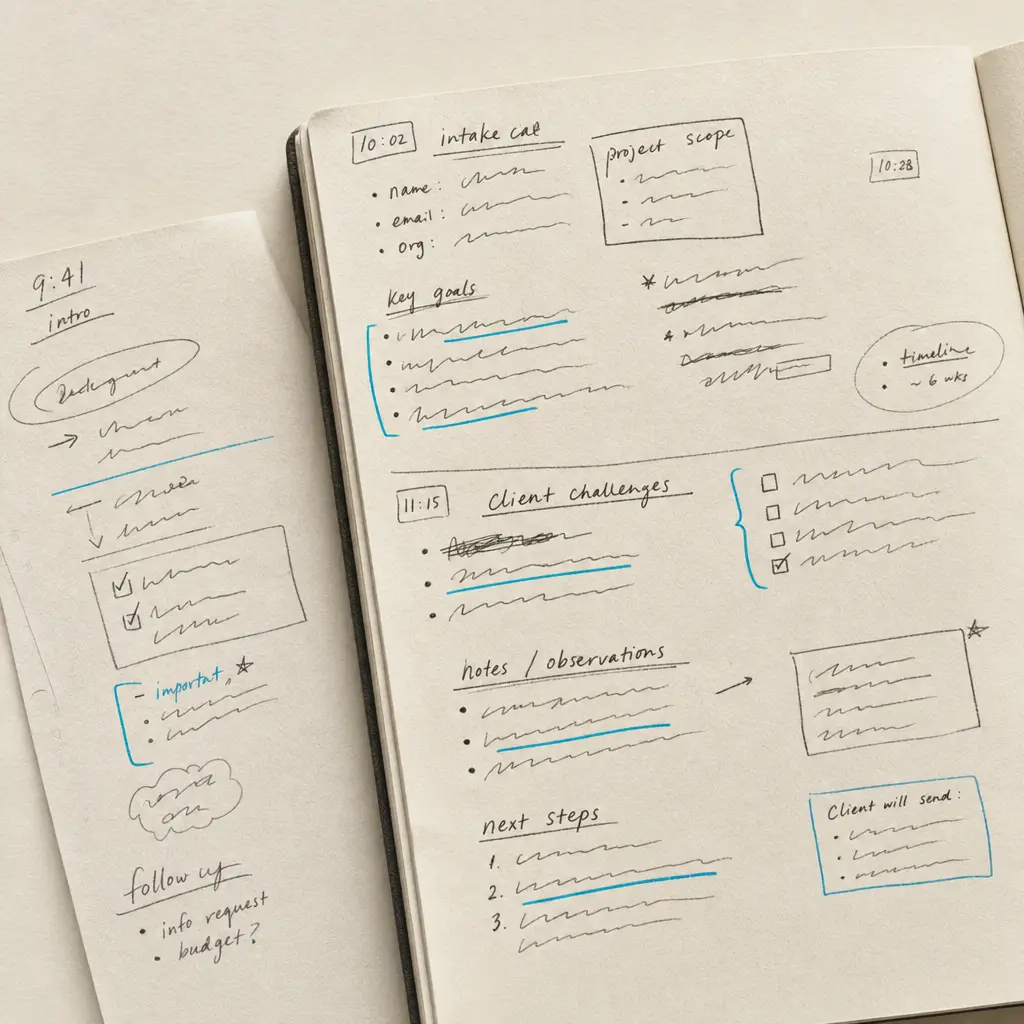
Client interviews generate some of the most challenging handwritten content in legal practice. Unlike carefully drafted wills or formal court documents, interview notes are created in real time during active conversations. Attorneys and paralegals write quickly, capturing facts, observations, and strategic notes while maintaining client engagement. The result is rushed handwriting that prioritizes speed over clarity.
These notes become critical case materials. They contain client statements, factual details that inform legal strategy, observations about demeanor or credibility, and preliminary case assessments. When notes remain as handwritten originals, accessing this information requires manual searching through pages of rushed writing. Team members unfamiliar with the interviewer’s handwriting struggle to extract relevant details. Case transitions become complicated when knowledge is locked in formats only the original note-taker can easily read.
This page explains what handwriting OCR can and cannot do specifically for client interview notes. It focuses on the unique challenges these documents present, what realistic expectations look like, and where digital conversion fits in legal practice workflows.
Why Client Interview Notes Present Unique Challenges
Client interview notes differ fundamentally from other legal documents. They’re created under time pressure, often in less than ideal writing conditions, and they use personal notation systems that make sense to the writer but may be opaque to others.
Writing conditions affect legibility:
Initial client consultations happen in conference rooms where attorneys balance active listening with note-taking. Intake interviews at courthouses may involve writing on clipboards without desk support. Follow-up consultations occur over phone calls where attorneys capture information while speaking. These conditions don’t produce the careful handwriting found in prepared documents.
Speed compounds the challenge. When a client provides rapid-fire details about dates, names, and events, the interviewer writes as quickly as possible to capture everything. Letters may be partially formed. Words might run together. Spacing becomes irregular. This is functional note-taking, not documentation intended for external readers.
Personal notation systems create interpretation challenges:
Experienced legal professionals develop shorthand for frequently used terms. “P” might mean plaintiff in one note and parent in another. “K” could represent contract, child, or thousand depending on context. Arrows, underlines, and marginal symbols carry meaning for the original writer but require interpretation by others.
Abbreviations may be case-specific. A paralegal working on estate cases might use “NH” for nursing home, while the same abbreviation means something entirely different in criminal defense work. These context-dependent shorthand systems make perfect sense during active note-taking but create ambiguity later.
Document structure varies by practice area:
Some legal professionals use structured intake forms with printed questions and spaces for handwritten responses. Others prefer blank legal pads that allow freeform note-taking. Criminal defense attorneys might use different templates than family law practitioners. Personal injury cases generate different interview patterns than business litigation.
This structural variation means there’s no standard format for client interview notes across legal practice. What works for one attorney’s workflow may be completely different from another’s approach, even within the same firm.
What Handwriting OCR Handles in Client Interview Notes
Handwriting recognition designed for variable handwriting approaches client interview notes by processing the rushed, abbreviated writing that characterizes real-world legal practice. It’s built to handle the specific challenges these documents present rather than expecting idealized handwriting.
Rushed Handwriting from Active Conversations
When attorneys take notes during client meetings, they write quickly to keep pace with information flow. This produces handwriting that may have partially formed letters, irregular spacing, or inconsistent letter sizing. Standard OCR systems built for printed text fail completely on this type of content.
Handwriting OCR is trained on diverse writing styles including rushed notes. It recognizes patterns even when individual letters aren’t fully formed or when cursive writing becomes less distinct under time pressure. This doesn’t mean every word is read perfectly, but it handles the variability that characterizes actual client interview documentation.
Legal professionals report that this capability changes workflow significantly. Rather than manually transcribing rushed notes or struggling to decipher a colleague’s handwriting weeks after an interview, teams can search through digitized notes for specific client statements, dates, or case details.
Mixed Printed Forms and Handwritten Responses
Many legal practices use printed intake forms that combine typed questions with spaces for handwritten answers. A client information form might have printed fields for name, address, and contact information with handwritten entries. Legal issue summaries might include printed headers with handwritten case descriptions underneath.
Standard OCR handles printed text adequately but typically fails when handwriting appears on the same page. It may skip the handwritten portions entirely or produce garbled output that makes the entire document unusable.
Handwriting OCR processes both content types on the same page. It recognizes printed form fields and handwritten responses together, preserving the document structure so you can see which information was pre-printed and which was added during the interview. This matters for legal review, where understanding the context of responses is essential.
Common Abbreviations and Legal Terminology
Client interview notes frequently use abbreviated forms for common legal concepts. These abbreviations follow recognizable patterns even if they’re not universal across all legal practice. “Def” for defendant, “Pl” for plaintiff, “SOL” for statute of limitations - these shortened forms appear consistently in legal notes.
The system processes these abbreviations as they appear in the original document. It doesn’t attempt to expand them or make assumptions about meaning, which is appropriate since the same abbreviation can have different meanings in different contexts. The output preserves the original notation, leaving interpretation to legal professionals who understand the case context.
This approach respects the reality that context matters in legal work. A system that tries to automatically interpret abbreviations would create more problems than it solves, potentially introducing errors that are harder to catch than preserving the original notation for human review.
What Requires Manual Review and Verification
Client interview notes present specific challenges that require human judgment even after digital conversion. Understanding these limitations helps set realistic expectations about what the technology can handle and where professional review remains essential.
Context-dependent abbreviations need interpretation:
Personal shorthand systems used by individual attorneys may not follow standard patterns. When an interviewer uses “R” to mean respondent, relative, or reference depending on context, the OCR system preserves what’s written but cannot infer the intended meaning. A legal professional familiar with the case will understand from context which interpretation is correct.
This is not a limitation of the technology - it’s appropriate behavior. Automatically guessing at abbreviation meanings would introduce errors that undermine the document’s value. Better to preserve the original notation and let human reviewers apply their case knowledge during review.
Marginal annotations and spatial relationships:
Client interview notes often include marginal comments, arrows connecting related points, or visual indicators showing importance. When an attorney circles a critical detail or draws an arrow from a client statement to a follow-up question, these spatial relationships carry meaning.
Handwriting OCR converts text content but may not perfectly preserve all spatial relationships and graphical elements. Circled text might be recognized without the circle. Arrows may not appear in the output. This means reviewers should reference the original document when spatial layout contributes to meaning.
Personal notation symbols:
Many legal professionals use personal symbols for marking importance, questions, or follow-up items. Stars, checkmarks, question marks in margins, or underlining patterns mean specific things to the original writer but aren’t standardized across the profession.
These symbols may or may not be preserved in digital conversion depending on how they’re written and how distinct they are from text. When marginal marks carry significance for case review, referring to the original document during verification ensures nothing is lost.
Where This Fits in Legal Practice Workflows
Converting client interview notes to searchable text addresses specific workflow challenges in legal practice. It’s not about replacing the interview process or eliminating professional judgment. It’s about making handwritten knowledge accessible to legal teams more efficiently than manual transcription allows.
How legal professionals use handwriting OCR for client interview notes:
Team knowledge sharing: When multiple attorneys or paralegals work on a case, everyone needs access to client interview details. Digitized notes allow team members to search for specific statements, dates, or observations without deciphering handwriting from colleagues they may never have met. This is particularly valuable in larger firms where case teams change or when junior attorneys need to understand case history.
Searchability transforms how teams access client information. Instead of reading through pages of handwritten notes looking for when a client mentioned a specific event or person, team members can search digitally. This accelerates case preparation and reduces the risk of overlooking relevant details buried in extensive interview documentation.
Case file documentation: Client interview notes need to be preserved as part of case files, but handwritten originals aren’t efficiently searchable or shareable. Converting notes to digital text means they can be included in electronic case management systems alongside other documents. This creates comprehensive, searchable case records that persist even when the original interviewer has left the firm.
For practices that need to maintain detailed client records, having interview notes in searchable form means compliance documentation is more complete. When regulators or ethics boards request case documentation, digitized notes are easier to review and produce than handwritten originals stored in physical files.
Conflict checking and client intake: When new clients contact a firm, intake staff need to check for conflicts with existing clients. This requires searching client names, related parties, and opposing parties across all case documentation. If interview notes remain handwritten, they’re effectively invisible to conflict checking systems.
Digitized interview notes make this information searchable during intake. When a potential client mentions involvement with parties from previous cases, conflict searches can identify these connections even if they only appeared in handwritten interview notes. This improves conflict detection and protects firms from ethical complications.
Preparation for client meetings and hearings: Before follow-up consultations or court appearances, attorneys review prior client statements and interview details. Searching through digitized notes is faster than reading through handwritten originals, allowing more efficient hearing preparation.
When preparing for depositions or client testimony, being able to search prior interview notes for specific statements or details helps attorneys prepare more thoroughly. Rather than relying on memory or spending hours reviewing handwritten notes, they can quickly locate relevant prior statements.
The common thread across these uses is accessibility. The technology converts handwritten content to a format that’s searchable, shareable, and integrates with digital case management systems. Legal professionals still apply their expertise to interpretation, verification, and strategic use of the information. The tool simply removes the bottleneck of locked handwritten formats.
For more context on how this fits within broader legal case file management, the parent page provides additional perspective on internal legal documentation workflows.
Getting Started with Your Client Interview Notes
If you’re dealing with backlogs of handwritten client interview notes or want to make current interview documentation more accessible to your legal team, the most direct approach is testing with actual documents from your practice.
Client interview notes vary significantly by practice area, individual writing style, and interview format. What works well for one attorney’s structured intake forms might perform differently on another’s freeform legal pad notes. The only way to know if handwriting OCR will improve your specific workflow is to try it with the types of notes you actually create.
HandwritingOCR offers a free trial with credits you can use to process sample interview notes. Upload a few pages from recent client meetings or older notes from your case files. See how the output compares to what you’d get from manual transcription or attempting to search through handwritten originals.
Your client interview notes remain confidential throughout this process. Documents are processed only to deliver results to you and are not used to train AI models or shared with anyone else. This matters in legal practice where client confidentiality is non-negotiable.
The service is designed to be straightforward. Upload scanned notes, process them, and download the results as searchable text in formats compatible with your document management system. There’s no complex setup, no software installation, and no commitment required to test whether it works for your interview documentation.
If it saves time on the sample notes you tested, it will likely provide similar value for other interview documentation from your practice. If accuracy doesn’t meet your requirements, you’ll know that before investing further. Either way, you’ll have clearer understanding of where digital conversion fits in client interview workflows.
Frequently asked questions
Can handwriting OCR handle rushed handwriting from client interviews?
Yes, handwriting OCR is specifically designed to process variable handwriting quality including rushed notes taken during active conversations. While extremely stylized or heavily abbreviated personal shorthand may require more review, the system handles the rapid writing that characterizes real client interview documentation. The best way to assess performance on your specific note-taking style is to test with actual interview notes from your practice.
Will OCR understand the abbreviations and shorthand I use in client interviews?
Handwriting OCR processes abbreviations as they appear in your notes without attempting to interpret or expand them. This is appropriate because the same abbreviation can have different meanings in different contexts, and only someone familiar with the case can determine the correct interpretation. The output preserves your original notation for human review rather than introducing potential errors through automated interpretation.
Can I process intake forms that have both printed questions and handwritten answers?
Yes, handwriting OCR handles mixed content documents where printed text and handwriting appear on the same page. This is common in legal intake forms that combine printed field labels with handwritten client responses. The system recognizes both content types and preserves the document structure so you can see which information was pre-printed and which was added during the interview.
Are client interview notes kept private during OCR processing?
Yes. Your client interview notes remain confidential and are processed only to deliver results to you. Documents are not used to train AI models, not shared with third parties, and not retained longer than necessary to complete processing. This is essential for legal materials where client confidentiality is a professional obligation, not a preference.
What file formats work for scanning client interview notes?
Handwriting OCR processes scanned PDFs and common image formats including JPG, PNG, and TIFF. You can scan notes from legal pads, intake forms, or other interview documentation using standard office scanners and upload them directly without converting to specific formats. The output can be downloaded as searchable text in Word (DOCX), Markdown, or plain text formats depending on your case management system needs.