
Quick Takeaways
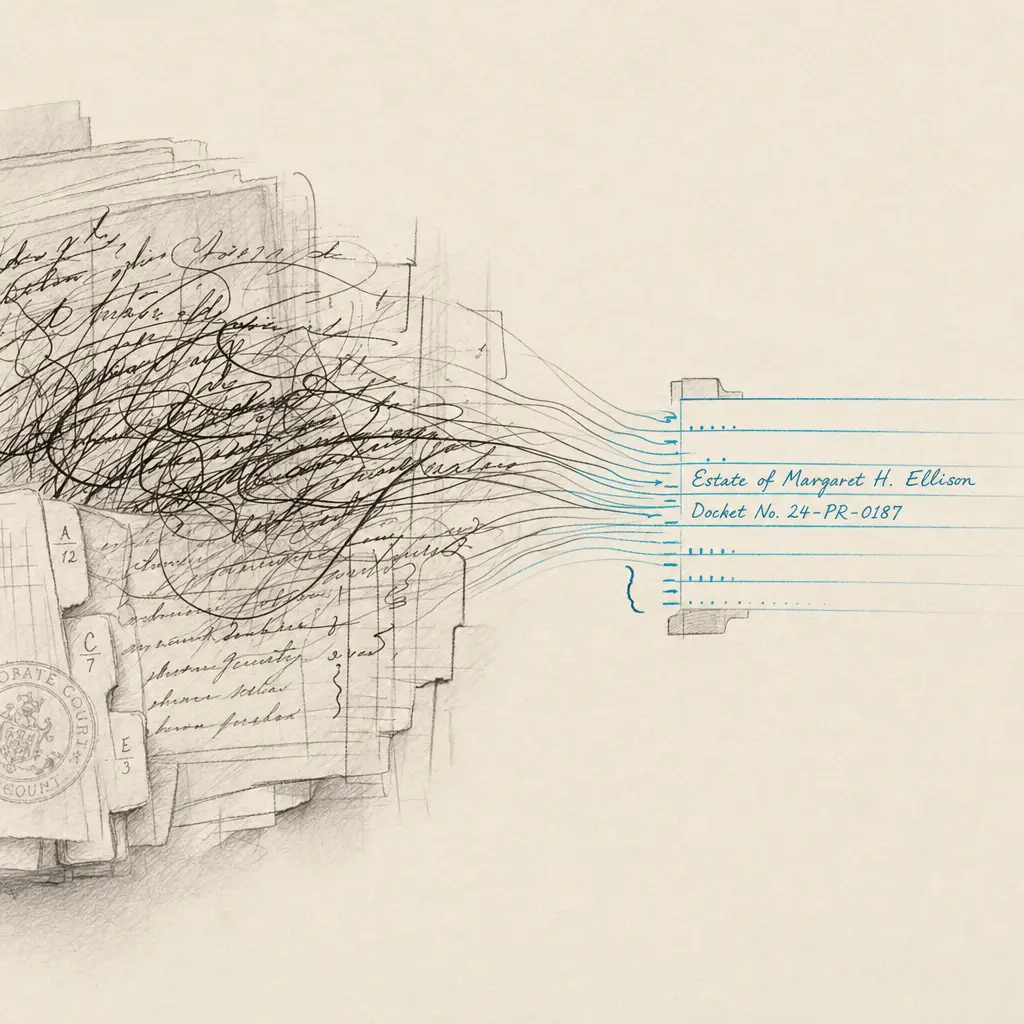
- Handwriting OCR processes handwritten probate case files, court filings, and estate administration records to create searchable text
- Designed to handle judge’s notes, clerk annotations, attorney filings, and the mixed handwritten and printed forms common in probate court files
- Makes case files searchable, reducing time spent manually reviewing handwritten court documentation
- Works with scanned probate court files from registry departments and courthouse archives without special preparation
- Manual verification remains essential for legal accuracy and understanding procedural context
Probate case files contain the complete administrative record of estate proceedings. These files accumulate as estates move through the court system, collecting wills, petitions, inventories, accountings, orders, correspondence, and administrative documentation. Many of these documents contain handwritten entries from judges, court clerks, attorneys, executors, and other participants in the probate process.
When you need to review a probate case file, the handwritten portions create a search and accessibility problem. Court indexes may tell you what documents exist in a case file, but they don’t tell you what those documents contain. Handwritten judge’s notes on petitions, clerk annotations on filings, handwritten correspondence from executors, and manually completed court forms all remain image-locked and unsearchable.
This page explains how handwriting OCR applies specifically to probate case files and court documentation. It’s not about abstract capabilities. It’s about whether this technology addresses real bottlenecks in probate practice when reviewing estate files, researching case precedents, or managing estate administration documentation.
What Probate Case Files Contain
Understanding the structure and content of probate case files helps clarify where handwritten material appears and why making it searchable matters for probate practice.
Core Probate Documents
Every probate case file contains certain foundational documents that establish the case and move it through the court system. The petition to open the estate initiates proceedings and often contains handwritten signatures, notary stamps, and sometimes handwritten amendments or corrections. The will, if one exists, may be entirely handwritten or contain handwritten signatures and witness attestations. Letters of administration or letters testamentary appointing the personal representative typically include handwritten signatures and court clerk notations.
These core documents establish the legal framework for estate administration. While some are typed or printed, handwritten elements appear throughout, particularly in signatures, dates, and clerk processing notes.
Court Orders and Judicial Entries
Judges issue orders throughout probate proceedings. These might be typed formal orders or handwritten bench notes that become part of the record. Judges make handwritten notes on petitions during hearings, indicating preliminary rulings or questions to address. Some probate courts still use handwritten docket entries for procedural actions.
Court clerks add handwritten processing notes to filings, recording receipt dates, filing fees paid, and docket numbers. These administrative annotations become part of the official record and establish procedural timelines that matter for appeals and legal deadlines.
Estate Administration Records
Personal representatives file inventories listing estate assets, accountings showing financial transactions, and petitions for various estate actions. While modern filings may be typed, many probate courts still accept or require handwritten inventories and accountings, particularly for smaller estates. Even when primary documents are typed, supporting materials often include handwritten attachments, schedules, and explanatory notes.
Correspondence between personal representatives, attorneys, and the court frequently appears in probate files. These letters may contain handwritten questions, clarifications, or informal communications about estate administration issues. In older case files or in courts serving rural areas, handwritten correspondence remains common.
Objections and Contested Matters
When beneficiaries object to wills, challenge executor actions, or dispute estate matters, the resulting filings create additional documentation. Objections may include handwritten affidavits, handwritten witness statements, or handwritten notes from court hearings on contested issues.
Settlement negotiations, mediation notes, and informal agreements resolving disputes often exist in handwritten form within case files. These materials provide critical context for understanding how contested matters were resolved.
Supporting Documentation
Probate case files accumulate supporting materials including death certificates, birth certificates, marriage certificates, property deeds, financial statements, tax documents, and correspondence with creditors or beneficiaries. Many of these documents contain handwritten entries, signatures, or annotations.
Common handwritten elements in probate case files:
- Judicial notes on petitions: Handwritten observations, questions, or preliminary rulings by judges reviewing estate petitions
- Clerk processing annotations: Receipt stamps, docket numbers, filing dates, and administrative notes on submitted documents
- Attorney filings and correspondence: Letters to the court, informal petitions, and handwritten attorney notes on filed documents
- Executor submissions: Handwritten inventories, accountings, correspondence, and supporting schedules
- Beneficiary communications: Letters to the court, objections, consents, and waivers signed or written by beneficiaries
- Witness statements and affidavits: Handwritten testimony regarding will validity, estate claims, or factual disputes
- Financial documentation: Handwritten account books, expense records, and distribution schedules
- Historical case files: Complete handwritten records from eras before typewriters were standard in legal practice
Why Probate Attorneys Need Searchable Case Files
Probate practice involves repeatedly consulting case files to verify procedural history, research past decisions, confirm estate administration actions, and prepare new filings. The inability to search handwritten portions of these files creates specific bottlenecks.
Case File Review for Estate Administration
When you represent a personal representative, you need to know exactly what has been filed, what orders have been entered, what the estate inventory included, and what accountings have been submitted. Reviewing a case file means reading through potentially dozens or hundreds of documents to extract this information.
If judicial notes, clerk annotations, or executor submissions are handwritten, you must read every page to find relevant information. You can’t search for specific assets mentioned in an inventory, beneficiary names in correspondence, or judge’s comments on previous petitions. Manual page-by-page review is the only option.
This becomes particularly challenging when you inherit a case from another attorney. The case file contains the complete history, but without searchable handwritten content, reconstructing what happened requires meticulous manual review of every handwritten document in the file.
Research for Will Contests and Disputed Estates
Contested estates generate extensive documentation. When researching how a particular judge has ruled on similar objections, you need to review probate case files from previous contested matters. If judicial reasoning appears in handwritten bench notes rather than typed orders, those insights remain inaccessible unless you manually read through case files.
When preparing for hearings on executor removal, beneficiary disputes, or will validity challenges, you need to find precedent cases where similar issues arose. Searching court indexes finds cases by party name or filing type, but doesn’t reveal whether handwritten materials in those files address the specific legal issues you’re researching.
Attorneys describe spending hours in probate registry departments manually reviewing case files because the handwritten judicial notes and clerk entries contain critical information about how the court handled procedural or substantive issues.
Verification for Legal Deadlines and Procedures
Probate law involves strict deadlines for filings, objections, creditor claims, and estate distributions. Establishing when the court received a filing, when notice was served, or when an order was entered requires reviewing case documentation.
Court clerk handwritten notations often provide the definitive record of filing dates and procedural actions. If these annotations aren’t searchable, verifying procedural compliance means manually examining every relevant document to find handwritten date stamps and processing notes.
This matters particularly for appellate work or when addressing challenges to procedural validity. The handwritten clerk entries establish the official record, but finding specific notations within a multi-year case file requires exhaustive manual review.
Managing Multiple Estate Files
Probate attorneys manage portfolios of estate files. When you need to determine which estates have pending accountings, which files require final distributions, or which cases have unresolved objections, you need accessible case information.
If case files contain handwritten status notes, informal correspondence about pending issues, or judge’s handwritten directives for required actions, tracking this information across multiple estates becomes difficult. The inability to search handwritten materials means relying on manual notes and memory rather than being able to query the actual case file documentation.
What Handwriting OCR Extracts from Probate Case Files
Handwriting recognition technology designed for legal documents approaches probate case files as complex multi-document records containing varied handwritten content from different authors. It’s built to handle the specific types of handwritten material that appear in estate administration.
Judicial Notes and Bench Rulings
When judges review petitions, they often make handwritten notes directly on the filed documents. These might be questions requiring response, preliminary rulings to be incorporated into formal orders, or observations about issues to address at hearings.
Handwriting OCR extracts these judicial notes, making them searchable. Instead of reading through every petition in a case file looking for handwritten judicial comments, you can search for specific issues, legal terms, or directives. This is particularly valuable when researching how a particular judge approaches specific probate issues across multiple cases.
The extracted text preserves the connection between judicial notes and the underlying petitions, so you understand what the judge’s handwritten comments referenced.
Court Clerk Annotations and Processing Notes
Clerk annotations document the administrative processing of probate filings. These handwritten entries record filing dates, docket numbers, fees paid, notice requirements, and procedural actions taken by the registry.
Converting these clerk notes to searchable text makes it possible to verify procedural history without manually examining every document. You can search for filing date entries, find clerk notations about fee payments, or locate procedural directives embedded in handwritten clerk notes.
This searchability matters when establishing procedural timelines, verifying compliance with court requirements, or reconstructing case history for appellate purposes.
Attorney Correspondence and Filings
Attorneys submit handwritten letters, informal petitions, and documentary requests to probate courts. Even when primary filings are typed, cover letters and explanatory correspondence often include handwritten elements.
Searchable text from attorney submissions helps track what has been requested, what issues have been raised, and what informal communications exist in the case file. When you need to know whether a specific issue was previously brought to the court’s attention, searching attorney correspondence is more efficient than reading every letter in chronological order.
Executor and Personal Representative Submissions
Personal representatives file inventories, accountings, correspondence, and supporting documentation. Particularly in smaller estates or when executors are family members rather than professional fiduciaries, these submissions often include handwritten elements.
Extracting text from executor submissions makes estate financial information searchable. You can locate specific assets mentioned in inventories, find references to particular expenses in accountings, or search executor correspondence for communications about beneficiary issues.
This capability accelerates estate administration review, financial verification, and preparation of final accountings or distribution schedules.
Beneficiary Communications and Objections
Beneficiaries communicate with probate courts through letters, objections, consents, waivers, and informal inquiries. Many of these communications contain handwritten elements, particularly when beneficiaries are not represented by counsel.
Searchable beneficiary communications help track objections raised, consents obtained, and questions asked by interested parties. When preparing responses to beneficiary concerns or verifying that required consents were obtained, searching these communications is more practical than manual document review.
Historical Handwritten Case Files
Older probate case files may be entirely handwritten, created before typewriters became standard in legal practice. These historical files contain wills, petitions, inventories, accountings, orders, and correspondence all in handwritten form.
Processing complete handwritten case files creates searchable historical records. This is valuable for title research, genealogical investigations, legal historical research, or modern disputes involving estates settled decades ago where historical case files provide relevant precedent or property history.
What to Expect: Accuracy and Limitations
Understanding what handwriting OCR handles effectively in probate contexts, and where it requires verification, helps set realistic expectations. This technology accelerates access to handwritten case file content but doesn’t eliminate the need for professional legal review.
The table below shows typical performance with different probate case file elements:
| Case File Element | What Works Well | What Requires Verification |
|---|---|---|
| Judicial bench notes | Standard legal terms, clearly written observations | Heavily abbreviated notes, informal judicial shorthand |
| Clerk processing annotations | Dates, docket numbers, standard procedural entries | Abbreviated registry notations, jurisdiction-specific stamps |
| Attorney correspondence | Typed letters with handwritten signatures and notes | Rushed handwritten informal letters, complex legal citations written by hand |
| Executor inventories | Asset descriptions, property addresses, monetary values | Abbreviated asset categories, informal property descriptions |
| Beneficiary communications | Standard correspondence, clearly written questions or consents | Emotional or unstructured letters, informal beneficiary notes |
| Financial accountings | Transaction descriptions, dates, amounts | Handwritten calculation notes, abbreviated expense categories |
What Handwriting OCR Handles Well
Standard probate terminology processes reliably. Terms like “petition,” “inventory,” “accounting,” “distribution,” “beneficiary,” and “executor” appear repeatedly in case files. This repetition helps the system recognize standard probate vocabulary accurately.
Clearly written professional handwriting from attorneys, court personnel, and professional executors produces good results. When case file documents were prepared carefully with attention to legibility, extracted text quality reflects that clarity.
Structured documents like inventories and accountings with labeled fields and organized information extract well. The formatting provides context that improves recognition accuracy for financial amounts, asset descriptions, and dates.
Formal court forms with handwritten entries process effectively. Many probate courts use pre-printed forms where filers complete fields by hand. The combination of printed structure and handwritten content works well for text extraction.
What Requires Manual Verification
Informal handwriting in unstructured correspondence needs review. When beneficiaries write informal letters to the court, or when executors submit handwritten notes without formal structure, the variable quality and organization means extracted text should be verified against originals.
Abbreviated legal terminology and jurisdiction-specific conventions require legal knowledge. If a clerk writes “LT iss’d” meaning “Letters Testamentary issued,” the abbreviation might be extracted accurately but needs contextual interpretation. Probate practice includes substantial jurisdiction-specific terminology and abbreviations that legal professionals understand but that require verification in extracted text.
Complex financial calculations and detailed property descriptions benefit from verification. When accountings show handwritten calculations or when inventories describe complex real property with technical legal descriptions, the financial and legal stakes require confirming accuracy against original documents.
Judicial reasoning in handwritten notes needs careful interpretation. Even when a judge’s handwritten comments are accurately extracted, understanding their legal significance, whether they’re preliminary or final, and how they affect case outcomes requires legal judgment.
Dates and procedural timing are critical in probate practice. While dates generally extract well, the legal importance of filing dates, notice periods, and claim deadlines means any date information should be verified against original documents to ensure accuracy.
The technology handles mechanical text extraction from varied handwriting. Probate attorneys apply their expertise to interpret that text legally, verify accuracy for matters with financial or procedural consequences, and make the legal judgments that their training enables.
How Probate Attorneys Use Case File OCR
Handwriting OCR addresses specific workflow bottlenecks in probate practice. It’s not a replacement for legal judgment about case strategy or procedural requirements. It’s a tool for making handwritten case file materials accessible and searchable.
Common probate practice applications:
Estate Administration Case Review
When representing personal representatives, attorneys need comprehensive understanding of case file contents. Processing handwritten materials in the case file creates searchable documentation of everything filed, every judicial directive, and every beneficiary communication.
This enables searching the case file for specific assets when preparing accountings, locating judge’s handwritten notes on previous petitions when preparing new filings, or finding beneficiary correspondence when responding to inquiries or objections. The searchability accelerates case management without requiring exhaustive manual file review.
Will Contest Research and Preparation
Contested estates require detailed factual records. When researching similar contested matters, processing handwritten case files from precedent cases makes those files searchable for specific legal issues, judicial reasoning, or procedural approaches.
This helps identify cases where judges addressed similar objections, find handwritten judicial reasoning about will validity or executor conduct, and locate analogous factual situations in historical case files. Research that might take days of manual registry review becomes targeted searches through processed case files.
Procedural Verification and Compliance
Probate procedure involves strict timing requirements and notice obligations. Processing handwritten clerk annotations and judicial directives creates searchable records of procedural actions, filing dates, and compliance requirements.
Attorneys search processed case files to verify when specific filings were received, locate clerk notations about service of notice, or find handwritten judicial directives about required procedural steps. This procedural verification becomes efficient rather than requiring manual examination of every document in the file.
Multi-Estate Portfolio Management
Probate attorneys managing multiple estate files need to track status, pending requirements, and outstanding issues across cases. When case files contain handwritten status notes, informal correspondence about pending matters, or judicial directives for future actions, this information needs to be accessible.
Processing handwritten materials across estate files enables searching for pending accountings, outstanding objections, or required beneficiary consents. Portfolio management becomes systematic rather than relying on manual notes or memory.
Historical Case File Research
Title examination, genealogical research, and legal historical investigation often require consulting historical probate case files that may be entirely handwritten. Processing these historical files makes them searchable for property descriptions, family relationships, or legal precedents.
Researchers can search historical case files for specific properties to establish title history, locate beneficiary names for genealogical purposes, or find legal reasoning in historical cases that addressed issues similar to modern disputes. Historical probate records become accessible to targeted research rather than requiring exhaustive manual transcription.
Expert Witness and Forensic Work
Probate disputes sometimes require expert analysis of estate administration or historical property claims. When experts need to analyze case files containing handwritten accountings, correspondence, or administrative records, searchable text accelerates their review.
Forensic accountants search handwritten financial records for specific transactions. Legal historians search historical case files for procedural practices or substantive rulings. Title examiners search probate files for property descriptions and ownership transfers. Searchable handwritten content enables expert work that would be impractical with image-only documents.
Integration with Probate Practice Workflows
Handwriting OCR fits into existing probate practice workflows as a document processing tool, not a replacement for legal analysis or procedural compliance. Understanding where it fits helps determine whether it addresses bottlenecks you experience in probate practice.
Typical workflow integration:
- Obtain probate case file from registry department, courthouse archives, or client files
- Scan or access existing digital images of case file documents if not already digitized
- Process handwritten materials through OCR to extract searchable text from judicial notes, clerk annotations, correspondence, and submissions
- Search extracted text for specific issues, procedural actions, beneficiary communications, or financial information
- Verify critical information against originals checking accuracy of dates, amounts, legal terms, and procedural notations
- Analyze legal significance applying probate law expertise to interpret case file contents and determine procedural requirements
- Prepare filings or advice using verified case file information as foundation for legal work
- Maintain proper documentation keeping both original images and processed text for case files
The technology handles step 3 and accelerates step 4. The other steps remain attorney work requiring legal judgment, procedural knowledge, and professional responsibility.
For attorneys managing extensive probate dockets or conducting substantial case file research, the time savings can be significant. Instead of manually reading through complete case files to extract procedural history or find specific judicial directives, you search processed documents and verify relevant findings.
For attorneys who occasionally need detailed case file review, the value is more targeted. When you inherit a complex estate case with extensive file history, when researching precedent cases for contested matters, or when verifying procedural compliance across multiple related filings, handwriting OCR provides capabilities that address specific practice bottlenecks.
Privacy and Confidentiality in Probate Files
Probate case files contain sensitive information about family wealth, beneficiary relationships, financial details, and sometimes contested family disputes. While probate proceedings are generally public records, attorney work product and client communications about case files are confidential.
How Document Privacy Works
When you process probate case files through handwriting OCR, documents are handled only to deliver results to you. They are not used to train AI models. They are not retained longer than necessary to complete processing. They are not shared with third parties or made accessible to other users.
This matters because even though probate files may be public court records, attorney analysis of those files, work product incorporating case file information, and client communications about estates are protected. The tool maintains this distinction by treating all processed documents as confidential regardless of their public record status.
Professional Responsibility Compliance
Probate attorneys have professional responsibilities regarding client confidentiality and work product protection. Using technology services for document processing doesn’t eliminate these obligations.
Documents remain under your control. You determine what case files to process, receive the results, and maintain both originals and processed output in your own systems. The service provider doesn’t claim rights to your documents, doesn’t access them for purposes other than OCR processing, and doesn’t retain them in ways that create confidentiality concerns.
Security for Sensitive Estate Information
Estate files contain information about family wealth, beneficiary relationships, and sometimes acrimonious disputes between family members. This information deserves careful handling even when court records are theoretically public.
Documents are transmitted and processed using security protocols appropriate for sensitive legal materials. While no technology eliminates all risk, the architecture prioritizes security in ways that recognize attorneys are handling confidential client information and work product.
Getting Started with Probate Case File OCR
If you’re dealing with handwritten probate case files and wondering whether handwriting OCR addresses your specific practice bottlenecks, the most direct approach is testing with actual probate documentation from your practice.
Probate case files vary substantially by jurisdiction, time period, and the specific practices of local probate courts. Handwritten judicial notes from one probate judge look different from those of another. Clerk annotation practices differ between registries. The only way to know if handwriting OCR will improve your specific workflow is to test it with case files from your jurisdiction and practice.
HandwritingOCR offers a free trial with credits for processing sample documents. Select pages from a probate case file with handwritten judicial notes, clerk annotations, or executor submissions. Process them and evaluate whether the extracted text captures the information you need with sufficient accuracy for your practice requirements.
Your case files remain confidential throughout this process. Test documents are processed only to deliver results to you and are not used for any other purpose. This is designed for legal professionals who cannot compromise client confidentiality or work product protection to test software.
The process is straightforward. Upload scanned case file pages or PDFs, process them, and download searchable text in formats that integrate with your practice workflow. No complex setup, no software installation, and no commitment required to determine whether it works for your probate materials.
If it reduces the time you spend manually reviewing handwritten case file documentation, it likely will deliver similar benefits on comparable materials in your practice. If accuracy doesn’t meet your requirements for the specific types of handwritten probate materials you encounter, you’ve learned that before investing further. Either way, you’ll understand more clearly whether handwriting OCR addresses real workflow bottlenecks in your probate practice.
For broader context on how handwriting OCR applies across probate and estate practice, see our guide to probate and estate handwriting OCR.
Frequently asked questions
Can handwriting OCR process complete probate case files that contain multiple different handwriting styles from judges, clerks, and attorneys?
Yes. Probate case files typically accumulate documents written by different people over months or years of estate administration. Handwriting OCR is designed to handle this variability, processing judicial notes in one handwriting, clerk annotations in another, attorney correspondence in various styles, and executor submissions in yet different handwriting. The system adapts to these variations rather than requiring consistent handwriting throughout a case file. This means you can process complete case files and search across all handwritten materials regardless of who created them.
How does handwriting OCR help when researching how a specific probate judge has ruled on similar contested estate matters?
By processing handwritten judicial notes from previous case files, you can search for specific legal issues, types of objections, or procedural questions across multiple cases. Instead of manually reading through complete case files in the registry to find relevant judicial reasoning, you can search processed files for terms related to your current legal issue. This is particularly valuable because judges often write substantive legal reasoning in handwritten bench notes that don't appear in formal typed orders, and this reasoning provides insight into how they approach specific probate issues.
Are probate case files kept confidential when processed through handwriting OCR?
Yes. Although probate case files are generally public court records, attorney work product and client communications about estate matters are confidential. All documents you process are handled only to deliver results to you and are not used to train AI models, shared with third parties, or retained longer than necessary to complete processing. This protects attorney work product and maintains client confidentiality even when processing documents that originated as public court records.
Can handwriting OCR handle historical probate case files that are completely handwritten from before typewriters were common?
Yes. Historical probate case files from the 19th and early 20th centuries are often entirely handwritten, including wills, petitions, inventories, accountings, and court orders. Handwriting OCR processes these historical documents, making them searchable for title research, genealogical investigation, legal historical research, or modern disputes requiring historical estate records. Accuracy depends on the clarity of the original handwriting and document preservation quality, but well-preserved historical files with relatively legible handwriting typically process well enough to create useful searchable text.
What file formats work for processing scanned probate case file pages?
Handwriting OCR processes scanned PDFs and common image formats including JPG, PNG, and TIFF. Most digitized probate case files exist as PDFs from registry scanning projects, which can be uploaded directly. If you photograph case file pages at the registry using a phone or camera, those JPG images work without conversion. Output is delivered as searchable text in formats like Word (DOCX), plain text, or Markdown depending on your workflow. No special preparation or format conversion is required.