
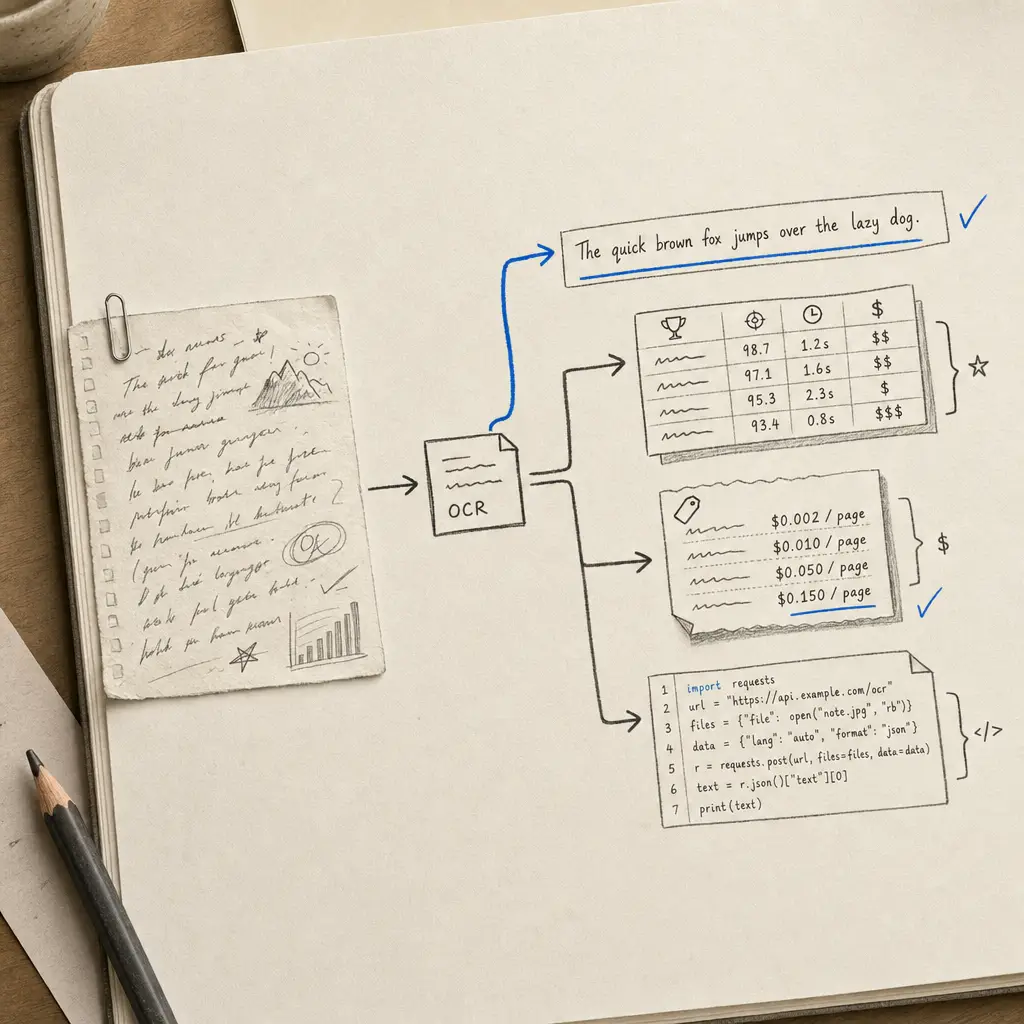
If you are reading this, you have probably already tried Tesseract on handwritten input and watched it return noise. That is not a Tesseract bug. It was built for printed text, and handwriting is a different problem. The question is what to use instead, and the answer depends on one variable more than any other: whether your documents are printed or handwritten.
This post is the developer’s view of our guide to AI handwriting OCR: the three realistic routes (cloud document OCR, calling an AI model directly, or a specialist API), what each is good at, what you end up building yourself, and working code.
The one-paragraph answer
If your documents are printed, use AWS Textract, Azure Document Intelligence, or Google Document AI. At list price their raw OCR costs about $1.50 per 1,000 pages, the accuracy on typed text is excellent, and nothing in this post will beat that. If your documents are handwritten, the same APIs return 8% to 23% Word Error Rates, and every recognition error flows downstream into your extracted fields. Current AI models read handwriting far better, and there are two ways to use them: call a model yourself and build the pipeline around it, or use an API such as Handwriting OCR that already does the page handling, structured output, tables and retention.
The options side by side
Handwriting error rates for the cloud APIs and Tesseract are from our early-2026 test: one handwritten English prose page, legible modern script, 300 DPI scan, identical input to every tool, Word Error Rate against a manually transcribed reference.
| Route | Handwriting | Structured extraction | Output formats | What you build yourself |
|---|---|---|---|---|
| Handwriting OCR API | Current AI models, set up for handwriting | Custom Extractors defined in the dashboard, tables | txt, docx, xlsx, csv, json | The integration |
| Call an AI model directly | Strong on a clear page | Whatever you prompt and validate | Whatever you build | Page splitting, prompts, validation, retries, formats, retention |
| Azure Document Intelligence | 8.67% WER | Prebuilt and custom models | json | Handwriting clean-up |
| AWS Textract | 10.5% WER | Forms and queries | json | Handwriting clean-up |
| Google Document AI | 23.3% WER, reading order lost | Form Parser | json | Handwriting clean-up, line order |
| Tesseract | 95.4% WER | None | txt, hOCR | Not viable for handwriting |
The short version: for printed text, the cloud APIs are accurate and cheap, and you should use them. For handwriting, the choice is between building and maintaining your own pipeline around an AI model and using one that already exists.
What the accuracy gap costs you in practice
WER compounds in a pipeline. A 10% WER on transcription does not mean your app is 90% fine. It means one word in ten is wrong, and if you are extracting fields, the wrong words land inside your extracted values: a “7” that became a “1” in a dosage field, a surname spelled three different ways across a batch, a date that parses but is not the date on the page. High-confidence wrong values are the expensive kind of error, because nothing flags them for review.
The other expensive error is the plausible one. In our own testing of current AI models, weaker ones replaced words the writer used with ones they expected (“profit” became “prosperity”) and wrote fluent sentences that weren’t on the page. Pin down the model’s behaviour with a strict instruction and a fixed output schema, and check a sample of every batch. And for printed documents, use the cheap cloud APIs: accuracy you do not need is not worth paying for.
Using the Handwriting OCR API
The API is a plain REST interface with Bearer auth. Upload a document, get an ID back, receive results by webhook or polling, download in the format you need. File types: PDF, JPG, PNG, TIFF, HEIC, GIF, up to 20 MB. API access is included on every plan, including the free trial.
Upload a document for transcription:
curl -X POST "https://api.handwritingocr.com/v3/documents" \
     -H "Authorization: Bearer $HWOCR_TOKEN" \
     -H "Accept: application/json" \
     -F "file=@scan.pdf" \
     -F "action=transcribe" \
     -F "delete_after=3600"
The response is {"id": "abc123", "status": "queued"}. The delete_after parameter is the retention window in seconds (5 minutes to 14 days); the document and its results are removed automatically when it expires.
Fetch the result as JSON, or download it directly in another format by swapping the extension (.txt, .docx, .xlsx, .csv):
import requests, time

API = "https://api.handwritingocr.com/v3"
HEADERS = {"Authorization": f"Bearer {TOKEN}", "Accept": "application/json"}

doc = requests.post(
    f"{API}/documents",
    headers=HEADERS,
    files={"file": open("scan.pdf", "rb")},
    data={"action": "transcribe"},
).json()

while True:
    result = requests.get(f"{API}/documents/{doc['id']}", headers=HEADERS).json()
    if result["status"] == "processed":
        break
    time.sleep(5)

for page in result["results"]:
    print(page["page_number"], page["transcript"])
For production, skip the polling loop: pass a webhook_url with the upload (or set one globally in the dashboard) and the full JSON result is POSTed to you the moment processing finishes.
Structured extraction from handwritten documents
This is the part most pipelines actually need. Transcripts are an intermediate product; what you want is {"date_of_birth": "12/12/1994", "place": "Paris"}.
Custom Extractors work in two steps. You define an extractor once in the dashboard: name the fields, set their types, test it against a sample document. That gives you an extractor ID. Then every API upload with action=extractor runs your schema against the document:
curl -X POST "https://api.handwritingocr.com/v3/documents" \
     -H "Authorization: Bearer $HWOCR_TOKEN" \
     -H "Accept: application/json" \
     -F "file=@intake-form.jpg" \
     -F "action=extractor" \
     -F "extractor_id=Ks08XVPyMd"
The result is typed key-value pairs per page:
{
  "id": "gj8kAvDQ4p",
  "action": "extractor",
  "status": "processed",
  "results": [
    {
      "page_number": 1,
      "extractions": [
        [
          {"key": "date_of_birth", "name": "Date of birth", "type": "string", "value": "12/12/1994"},
          {"key": "place", "name": "Place", "type": "string", "value": "Paris"}
        ]
      ]
    }
  ]
}
There is also action=tables for extracting handwritten tables to structured rows and columns (downloadable as xlsx or json), which covers the lab-notebook and field-log cases where the data is tabular rather than field-based.
The reason to care about extraction specifically: every extraction pipeline is only as good as the recognition underneath it. A form parser that misreads the handwriting hands you cleanly structured wrong answers. The other advantage is who maintains it: an extractor is defined and tested in the dashboard, so a colleague who doesn’t write code can add a field without a deploy.
One plan note so you are not surprised: transcription and the API are available on all plans, while Tables and Custom Extractors require the Pro plan ($59/month, 1,000 pages included) or above. Pay-as-you-go covers transcription only.
The rest of the field, honestly
AWS Textract. The right default if your stack is AWS-native and your documents are printed forms with occasional handwritten fields. S3-triggered async processing, IAM, and compliance tooling are mature. On fully handwritten input it sits around 10% WER and drops further on cursive. Its forms and queries features are priced around $50 per 1,000 pages, which is specialist territory without specialist handwriting accuracy.
Azure Document Intelligence. The strongest of the big three on our handwriting sample (8.67% WER) and the cleanest fit if you are already in the Microsoft ecosystem. Same caveat as Textract: the extraction tiers inherit the recognition layer’s handwriting errors.
Google Document AI. The weakest of the three on our sample (23.3% WER), with a reading-order failure that scrambled whole lines of prose. Fine for printed text, hard to recommend for handwriting.
Calling Gemini, GPT or Claude directly. Current models read handwriting well, and if you already have an API key, a prototype takes an afternoon. The work is in production: splitting PDFs into pages, a prompt that stops the model tidying the writer’s words, validating structured output, handling empty, refused and truncated responses (we see all three in our own testing), re-testing when the provider changes the model, and building formats, retention and webhooks. For most teams, handwriting is a feature rather than the product, and that work doesn’t pay back.
Tesseract and the open-source engines. Free, excellent for printed text, and a hard no for handwriting. 95.4% WER means the output is noise. If the budget is zero and the input is handwritten, an LLM vision call is the realistic floor, not Tesseract.
Which API should you actually use?
| Your input | Use |
|---|---|
| Printed documents, any volume | Azure, Textract, or Google. ~$1.50 per 1k pages. Do not pay specialist prices for print. |
| Printed forms with a few handwritten fields | Textract or Azure forms tiers. Good enough, native to your cloud. |
| Handwritten documents, transcription | Handwriting OCR API. |
| Handwritten forms, structured fields out | Custom Extractors (Pro plan), defined once in the dashboard, one row per form. |
| Handwritten tables | action=tables, export xlsx/csv. |
| Prototype or one-off script | The Handwriting OCR free trial (API included), or a model API you already use. Sanity-check the output. |
| Historical or archival scripts | Test a representative page. Current AI models handle 19th-century English well; classic cloud OCR does not. |
Try it against your own documents
Benchmarks on our sample are a starting point; the number that matters is the error rate on your documents. Every account gets free trial credits with API access and no card required. Sign up at dashboard.handwritingocr.com/register, generate a token in Settings, and run your five hardest pages through the curl call above. If the output is clean, the rest of your corpus will be too. If something surprises you, send us a sample and we will tell you honestly whether we are the right tool for it.
Frequently asked questions
What is the most accurate handwriting OCR API in 2026?
For handwriting, the leading AI models (Gemini, GPT and Claude) now read a clear page very well, and APIs built on them are far ahead of classic document OCR. On our early-2026 sample the cloud document APIs returned 8.67% (Azure), 10.5% (AWS Textract) and 23.3% (Google Document AI) Word Error Rate, and Tesseract 95.4%. For printed text the cloud APIs are accurate and far cheaper. For handwriting, choose on what you need around the transcript: structured fields, tables, formats, retention and consistency across long documents.
Is there a handwriting OCR API more accurate than Tesseract?
Yes, all of them. Tesseract was built for printed text and scored 95.4% Word Error Rate on our handwritten benchmark, meaning nearly every word was wrong. Any of the cloud document APIs (Azure, AWS, Google) will land in the 8% to 23% WER band on legible handwriting, and an API built on a current AI model does better again.
Can an API extract structured data from handwritten forms?
Yes. The Handwriting OCR API supports Custom Extractors: you define the fields you need once in the dashboard, then send each document with action=extractor and get typed key-value JSON back. Cloud document APIs offer form parsing too, but their extraction inherits their handwriting recognition accuracy, so errors in the underlying OCR become errors in your extracted fields.
Can I call Gemini, GPT or Claude directly as a handwriting OCR API?
Yes, and current models read handwriting well. What you take on is everything around the call: splitting PDFs into pages, a prompt that stops the model "correcting" the writer, validating structured output, retrying empty, refused or truncated responses (all of which we see in our own model testing), keeping up with model changes, and building formats, retention and webhooks. Unless document processing is your core product, a specialist API is the shorter route.
Does AWS Textract read cursive handwriting?
Partially. Textract handles clear print-style handwriting reasonably (10.5% WER on our legible sample) but accuracy drops sharply on cursive, and its strength is structured documents rather than free-flowing handwritten prose. If your documents are printed forms with occasional handwritten fields, Textract is a sensible default. If they are handwritten throughout, it is the wrong tool.
Do handwriting OCR APIs keep or train on my documents?
Policies differ by provider, so check each one. The Handwriting OCR API never trains on customer content, auto-deletes documents on a schedule you control (per request via the delete_after parameter, from 5 minutes to 14 days), and offers a delete endpoint for immediate removal.