
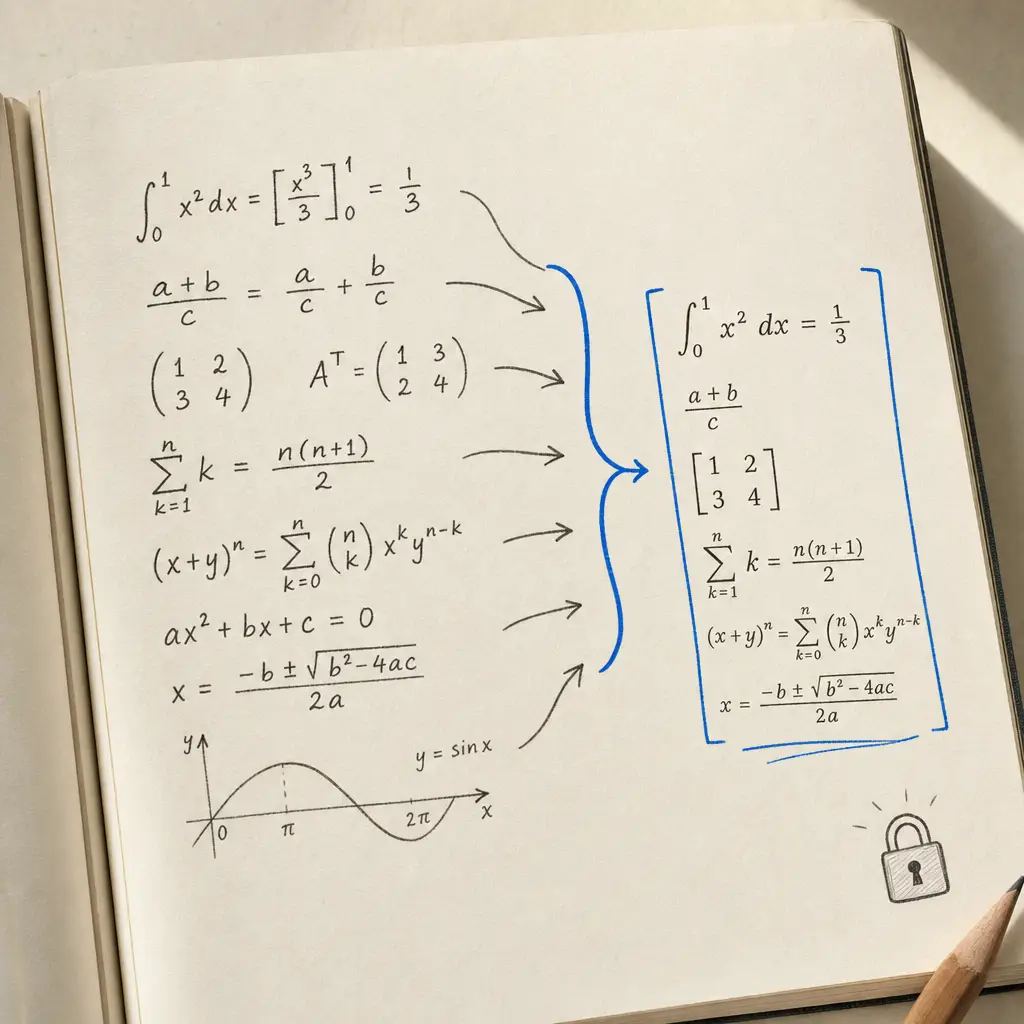
TL;DR: Handwriting OCR is math OCR built for handwriting. Photograph a page of equations and you get clean, reusable LaTeX back, embedded in Markdown, ready to paste into Overleaf, Obsidian, or a document. It handles fractions, derivatives, Greek, vectors, matrices, and mixed prose-and-math, it is on every plan including the free trial, and we never use your documents to train our models.
The hardest thing to digitize is handwritten math
Handwriting is hard for a computer to read. Handwritten mathematics is harder still: superscripts and subscripts, fractions stacked two deep, Greek letters, dotted derivatives, vectors, matrices, and a dozen notations that look almost alike. General OCR tools mangle it, and typing the LaTeX out by hand from a photo of your lecture notes is exactly the tedious job you were trying to avoid.
From a scrawled page to clean LaTeX
Upload a photo or PDF of handwritten math and Handwriting OCR transcribes the notation into LaTeX, delivered inside your Markdown transcript and rendered so you can check it at a glance. Here is a real, unretouched example in the app: a page of graduate-level dynamical-systems notes on the left, and the LaTeX transcript it produced on the right.
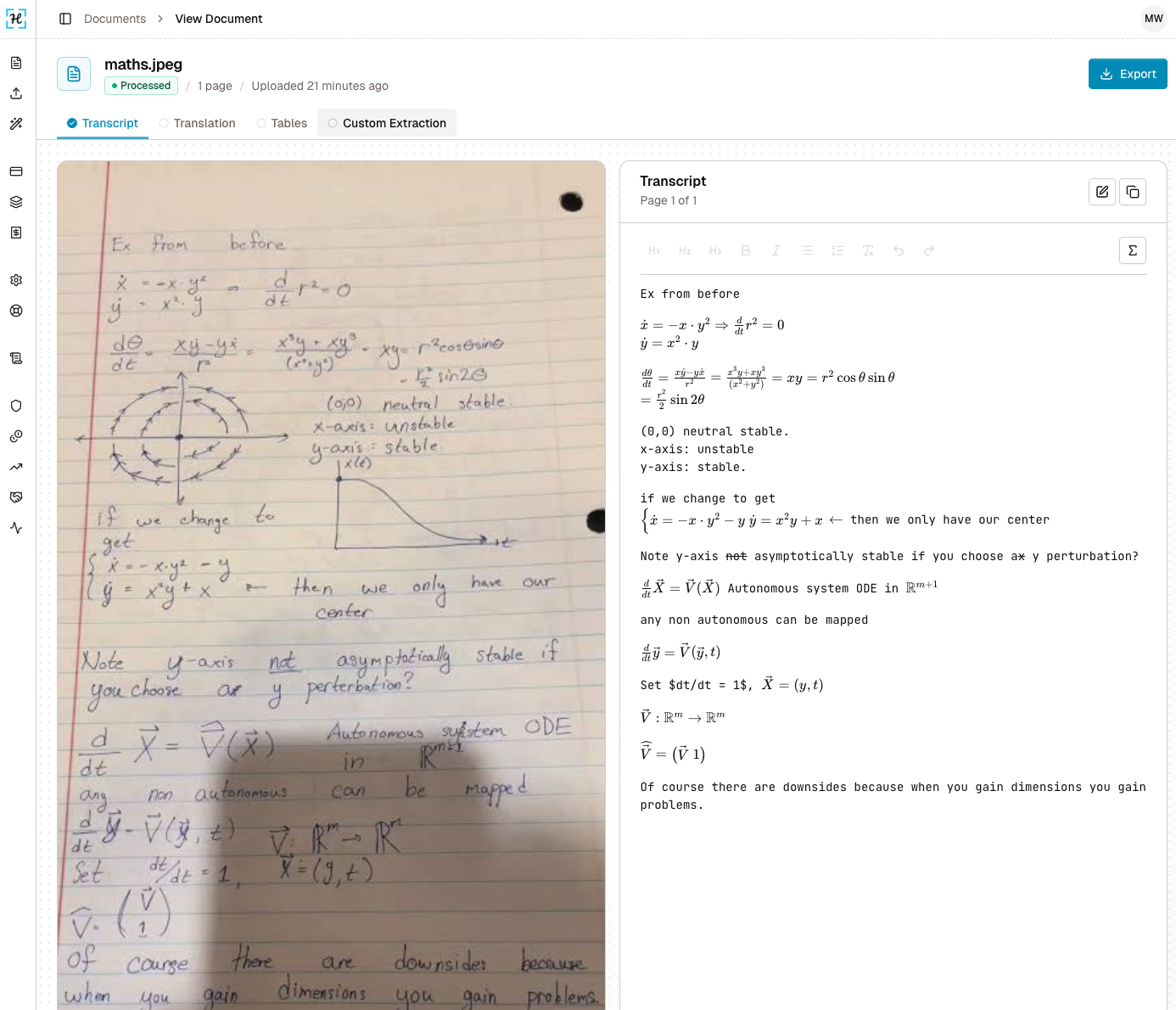
That messy page came back as text you can actually use. A few lines of the raw output:
$\dot{x} = -x \cdot y^2 \Rightarrow \frac{d}{dt} r^2 = 0$
$\dot{y} = x^2 \cdot y$

$\frac{d\theta}{dt} = \frac{x\dot{y} - y\dot{x}}{r^2} = xy = r^2\cos\theta\sin\theta = \frac{r^2}{2}\sin 2\theta$

if we change to get
$\begin{cases} \dot{x} = -x \cdot y^2 - y \\ \dot{y} = x^2y + x \end{cases}$ then we only have our center

$\frac{d}{dt}\vec{X} = \vec{V}(\vec{X})$ Autonomous system ODE in $\mathbb{R}^{m+1}$
Notice it kept the prose and the math, in order, including the system of equations in braces, the blackboard-bold \mathbb{R}^{m+1}, the vectors, and even a struck-through word further down the page.
What it handles
- Fractions, roots, and stacked expressions
- Derivatives, including dot notation, and integrals
- Greek letters, subscripts, and superscripts
- Vectors, matrices, and systems of equations in braces
- Set and logic notation, blackboard bold, and common symbols
- Mixed pages: prose and math interleaved, in over 300 languages of surrounding text
It reads printed and typeset math from an image too, so it works as an image-to-LaTeX converter, but handwriting is where it stands apart from tools built for clean screenshots.
Your work stays yours
We never use your documents to train or improve our models, on any plan. Your files are encrypted in transit, and auto-deleted after 7 days by default. For unpublished research, exam preparation, or proprietary work, that matters: your equations are transcribed and returned, not retained to sharpen someone else’s OCR.
How to use it
- Take a clear photo, or scan, of your handwritten page. A whole notebook works too.
- Upload it in your dashboard, send it through the API, or email it straight in.
- Get back a Markdown transcript with the mathematics as LaTeX. Copy it into Overleaf, Obsidian, or a document, proofread, and you are done.
It is on every plan, including the free trial, at the same one credit per page as any other document. There is no separate math tier and no per-equation charge.
The honest limits
It transcribes the mathematics and text on the page, not hand-drawn figures. In the example above it captured every equation but not the sketched phase-portrait diagram, that stays in your original image. And as with any OCR, ambiguous or very cramped notation reads best from a clear, well-lit photo, so always proofread the LaTeX before you publish it.
Who it is for
Students digitizing lecture notes, researchers turning notebooks into papers, and anyone who thinks in equations on paper but works in LaTeX. If you have a backlog of handwritten math to get into digital form, this is the fastest honest route.
Ready to try it on your own worst page of equations? Create a free account and convert your first page in under a minute.
Frequently asked questions
Can Handwriting OCR convert handwritten math to LaTeX?
Yes. It recognises mathematical notation in your handwriting, including fractions, derivatives, Greek letters, subscripts and superscripts, vectors, and matrices, and returns it as LaTeX embedded in Markdown that you can paste straight into Overleaf, Obsidian, or a document.
Which plans include math recognition?
All of them, including the free trial. There is no separate math tier or per-equation charge. A page of math costs the same one credit as any other page.
Does Handwriting OCR train on my math documents?
No. We never use your documents to train or improve our models, on any plan. Your files are encrypted and auto-deleted after 7 days by default, which matters for unpublished research and coursework.
Does it work on messy or cursive handwritten equations?
It is built for real handwriting, so it handles messy, hurried, and lecture-style math far better than general OCR. Very cramped or ambiguous notation still benefits from a clear, well-lit photo, and you should always proofread the LaTeX before publishing.
Does it reproduce hand-drawn graphs and diagrams?
No. It transcribes the mathematics and text on the page, not hand-drawn figures like phase portraits or sketched graphs. Those stay as part of your original image.