
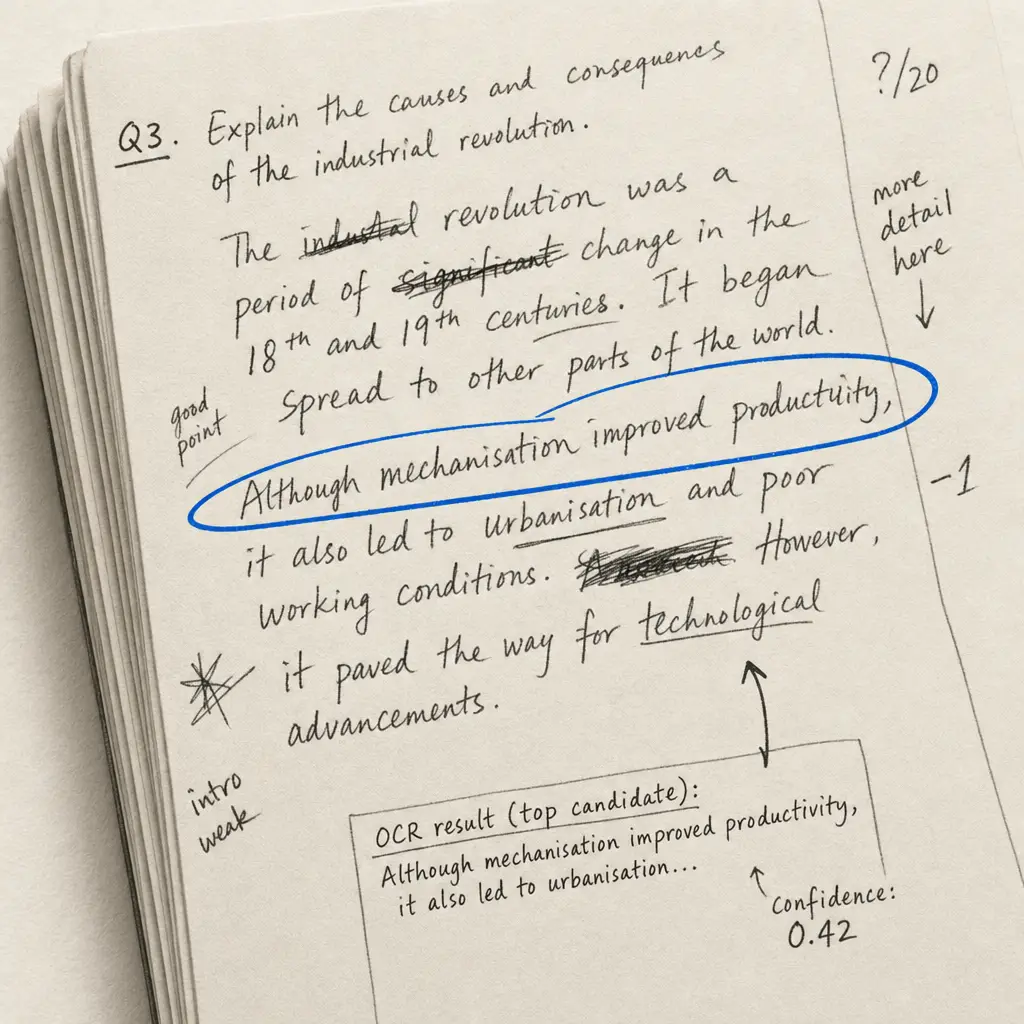
Two years ago the answer to “which AI reads handwriting best?” was a table of error rates with a huge spread. In 2026 AI can read handwriting, and the gap between tools has moved. It now shows on long, old and messy documents, and in what you can do with the result.
So this guide asks the question that decides whether a tool works for you: can it get your whole job done? A 300-page diary, a box of letters, a handwritten table, a stack of forms.
How we tested. In September 2026 I ran Handwriting OCR and 13 current AI models on four real documents: a 1940s wartime letter, two pages of an 1869 expedition journal, a student’s exam essay with crossings-out, and a doctor’s note on a printed form. Every result was checked word by word against a hand-corrected transcription. Full results and method are below.
Quick answers
- Old and messy pages separate the models. On the 1869 journal, the strongest models made a handful of small slips. Weaker ones renamed the boat, changed the times and invented events.
- The risky errors look right. The worst mistakes weren’t garbled words. They were plausible sentences the writer never wrote.
- For long documents, tables and forms, choose on workflow. Consistency across hundreds of pages, export formats and structured output matter more than a point or two of accuracy.
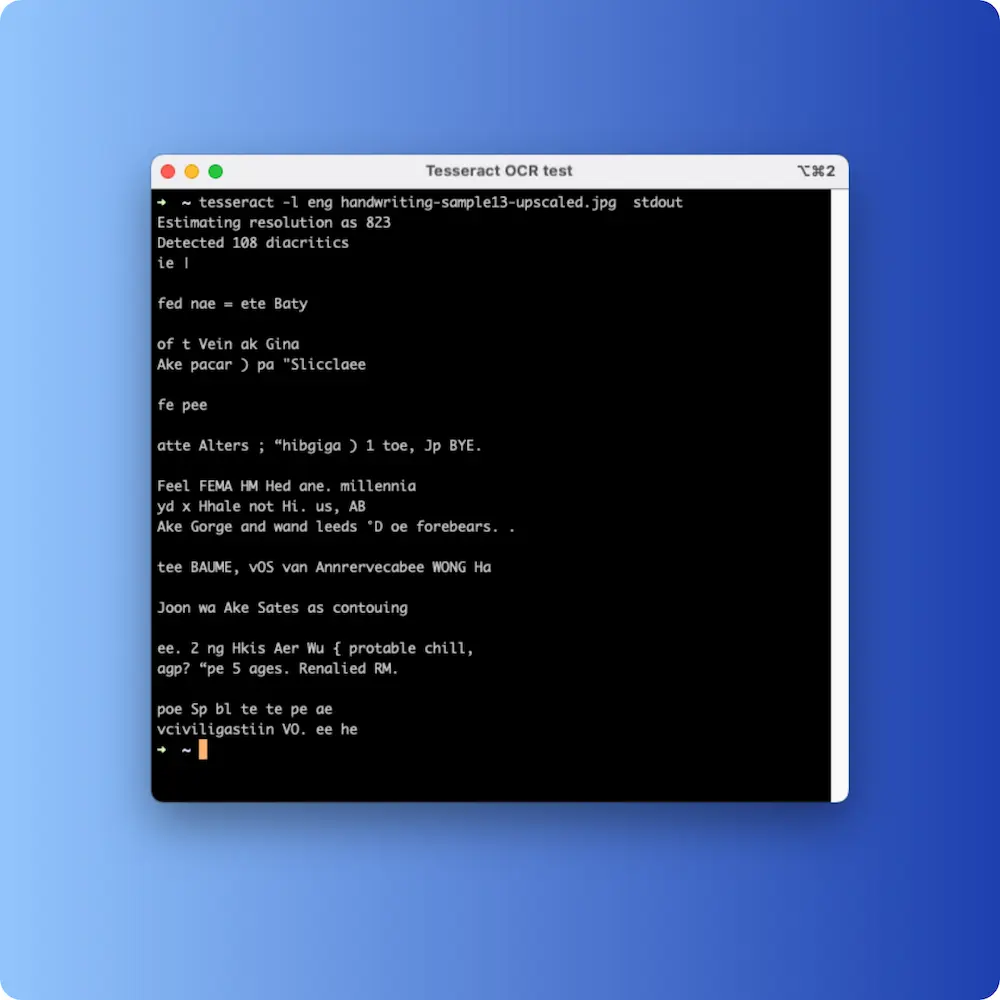
- Open-source OCR still can’t read handwriting. Tesseract is built for print.
The results
Scores are out of 100 per document, judged word by word against the page. Mistakes that change the meaning, invented text and omissions cost the most; a misread apostrophe costs the least. Word error rate (WER) is the standard mechanical measure: the share of words substituted, missed or added, averaged across the four documents. Lower is better. It counts every difference equally, including a few words on the doctor’s note that can’t be confirmed from the page, so it can rank closely matched tools differently from the judged score.
| Tool | Average score | Word error rate | 1940s letter | 1869 journal | Exam essay | Doctor’s note |
|---|---|---|---|---|---|---|
| Handwriting OCR | 90.3 | 1.2% | 89 | 88 | 86 | 98 |
| Anthropic Claude Fable 5.1 | 89.2 | 1.8% | 86 | 89 | 84 | 97 |
| Anthropic Claude Opus 5.5 | 87.8 | 2.4% | 88 | 84 | 85 | 96 |
| Google Gemini 3.1 Pro | 85.2 | 3.2% | 87 | 87 | 83 | 92 |
| Moonshot Kimi K3 | 80.0 | 2.9% | 72 | 76 | 80 | 92 |
| Anthropic Claude Sonnet 5.5 | 77.0 | 4.7% | 68 | 62 | 80 | 98 |
| OpenAI GPT-6 Astra | 73.5 | 4.1% | 92 | 50 | 60 | 92 |
| Alibaba Qwen 3.8 Max | 70.2 | 6.7% | 58 | 45 | 80 | 98 |
| OpenAI GPT-6.1 Sol | 64.8 | 7.2% | 82 | 30 | 55 | 92 |
| ByteDance Seed 2.1 Turbo | 62.5 | 6.8% | 55 | 48 | 55 | 92 |
| Zhipu GLM 5.3 FlashX | 54.2 | 8.7% | 38 | 25 | 62 | 92 |
| OpenAI GPT-6 Luna | 33.2 | 18.8% | 18 | 22 | 28 | 65 |
| DeepSeek V4.1 Flash | 24.2 | 36.5% | 20 | 15 | 62 | 0* |
* Returned no transcript: the response ran out of length before the answer. Scored 0 as delivered.
One further model, Zhipu GLM 5V Turbo, is left out: it doesn’t support the structured output format the test uses, so it returned nothing.
What the table says:
- The leading group is close. Handwriting OCR had the highest judged score and Claude Fable 5.1 the lowest word error rate, but gaps this small on four documents are within the noise. The bigger differences are further down and in what each tool does with a long document.
- The spread below them is wide. The same 1869 journal scored 89 for one model and 15 for another.
- A good page doesn’t predict a good document. GPT-6 Astra scored best of all on the letter and 50 on the journal, where it invented an event.
- Short notes don’t separate anyone. Nearly every tool scored 92–98 on the doctor’s note.
What still goes wrong when AI reads handwriting
Every model we tested was good on the short, clear doctor’s note. The differences showed on the longer and older pages, and they fell into four patterns.
It “corrects” what the writer wrote
The student’s essay lists the UN’s “5 P’s” as “Partnership, peace, profit, people”. Several models changed “profit” to “prosperity”, the official UN wording. The result reads better and is wrong. For a teacher marking the essay, a researcher quoting a source or a family reading a letter, a tidied-up version of the text isn’t what they asked for.
The same instinct showed up in smaller ways: a 1940s writer’s “Your doing a swell job” became “You’re”, and “its” gained apostrophes it never had.
It invents what it can’t read
Where a line was hard, weaker models didn’t leave a gap. They wrote something plausible. One turned “trying to land, over goes the ‘Dean’” in the 1869 journal into “trying to land on a granite island”. Another rewrote “Glad the pictures still find you a fan” in the wartime letter as “Sealed the precious slip for you a few days ago”. Nothing in the output flags these lines as guesses.
It drops or rewrites whole sentences
The weakest models skipped a full sentence of the wartime letter and returned only about four-fifths of the journal. In a one-page test you’d notice. On page 140 of a diary you probably wouldn’t.
It sometimes returns nothing
A few requests came back empty or cut off. One model ran out of room before it wrote any transcript, and another declined a well-known published passage, returning nothing on one attempt out of four. In a chat you’d just ask again. In a batch of a few hundred pages, you need to know which pages are missing.
None of this means AI can’t read handwriting. It means that for anything longer than a page or two, the tool around the model matters as much as the model.
What matters once you have more than a few pages
This is where a dedicated tool earns its place, and it’s what we’ve built Handwriting OCR around.
Consistency across a long document. Every page goes through the same process with the same settings, so page 300 is treated like page 1. Pages stay in order. You don’t paste pages into a chat in batches, ask it to continue, or stitch the answers back together.
Output you can use straight away. Word (.docx), PDF, plain text and JSON on every plan, with the page layout kept, so there’s little reformatting to do. See handwriting to Word and PDF to text.
Tables into spreadsheets. Handwritten tables such as ledgers, lab notebooks, registers and tally sheets come back as real rows and columns in Excel or CSV, not as text you have to split up. See handwritten PDF to Excel.
Custom extractors for repeated forms. If you have 500 intake forms, you want one spreadsheet row per form, not 500 transcripts. You name the fields once in the dashboard (date, name, amount), test the extractor on a sample, and every form after that returns the same columns. No prompt writing and no code. See handwritten form OCR.
Your documents stay yours. Files are encrypted in transit, never used to train models, and deleted automatically on a schedule you set (7 days by default, anywhere from 15 minutes to 14 days).
How to choose
| You have… | Use |
|---|---|
| A line or two from a tidy note | Google Lens or Apple Live Text, built into your phone. |
| A letter or two to transcribe properly | A dedicated tool’s free trial. Compare the result against the page. |
| A diary, notebook or box of letters (dozens to hundreds of pages) | A tool built for whole documents, with page-by-page review and Word or PDF export. |
| Handwritten tables: ledgers, logs, registers | A tool that outputs real spreadsheet columns (Excel or CSV). |
| A stack of the same form | A custom extractor that returns one row per form. |
| A very large archive in one hand, for scholarly editing | Transkribus, if you want to train a model and need XML output. See our Transkribus comparison. |
| Printed documents with a little handwriting | Cloud document OCR (Azure, AWS, Google) is cheap and accurate on print. |
If connected script is the main difficulty, the cursive reader shows a source-to-result example. For very hard hands, see the bad handwriting reader.
Other kinds of OCR
In early 2026 I ran one page of legible modern cursive through the big cloud document services and the open-source engines. The broad findings still hold:
- Azure Document Intelligence and AWS Textract read the page with scattered word errors but kept the reading order. Both are built for printed forms and receipts, where they’re excellent and cheap. On handwritten prose, expect to proofread.
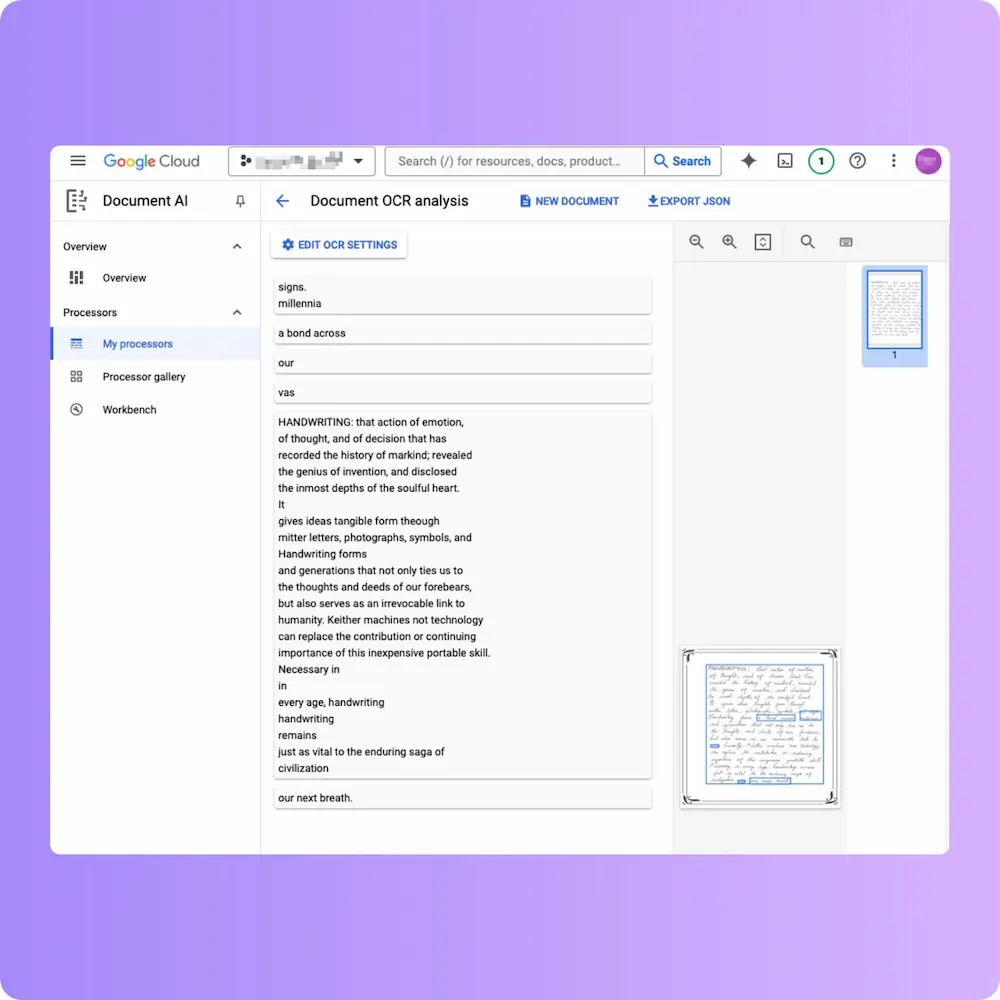
- Google Document AI recognised many words but put whole lines out of sequence, which is harder to fix than a few misread words.
- Tesseract returned fragments with no usable words. That isn’t a bug: it was built for printed text. PaddleOCR and EasyOCR behaved the same way.
- Transkribus’s older default model struggled with this page when untrained. Its newer Text Titan model hasn’t been re-tested on it; see the Transkribus comparison for a current like-for-like test.
How we scored it
Documents. Four real pages chosen to be hard in different ways:
- a 1940s wartime letter from the Australian War Memorial collection (271 words, informal grammar, an archive stamp)
- two pages of John Wesley Powell’s 1869 expedition journal (541 words, 19th-century hand, names, times and abbreviations)
- a student’s exam essay (327 words, crossings-out and the student’s own grammar)
- a doctor’s note on a printed form (49 words)
Reference transcriptions. Hand-transcribed, then checked against enlarged crops of the page wherever a result and the reference disagreed. Where a result read a word more accurately than our first reference, we fixed the reference.
Setup. Each AI model got the same instruction: transcribe exactly, keep the writer’s spelling and grammar, and leave out struck-through text. Handwriting OCR ran with its normal production transcription settings.
Scoring. Every output was checked word by word against the reference. A standard Word Error Rate was computed as a cross-check, and it agreed with the ranking at the top and bottom.
Limits. Four documents, in English. That’s enough to show large differences, not to rank tools within a few points of each other. Models change every few months, so test your own pages before you commit.
Try it on your own documents
Pick your hardest page and a realistic run of 20 or more pages. Check the hard page word by word. Then check that the long run came back complete, in order, and in the format you need. Handwriting OCR gives every new account free trial credits with no card. If you’re not sure we’re the right tool, send us a sample and we’ll say so honestly.
Frequently asked questions
What is the best AI for reading handwriting in 2026?
Short, clear notes are the easy case, and most modern AI tools handle them. The differences show on long, old or messy documents, where weaker models rewrite sentences, invent details or stop early. If you have more than a few pages, or need a table or form turned into a spreadsheet, choose on consistency and output format rather than on a single-page accuracy score.
Can ChatGPT, Gemini or Claude read handwriting?
Yes, and they're convenient for a quick look at a page. The problems we saw in our own testing were "helpful" corrections (a student's word replaced with the official term), occasional invented phrases, and responses that came back empty or cut short. Check anything important against the page.
Why use a dedicated handwriting OCR tool if ChatGPT can read handwriting?
Because most real jobs are bigger than one photo. A dedicated tool handles every page of a long document the same way, keeps pages in order, exports straight to Word, PDF, Excel or CSV, turns handwritten tables into spreadsheet columns, and lets you define the fields you want from a stack of forms once, without writing prompts. A chat window is built for a conversation, not a 300-page batch.
How do I test AI handwriting OCR on my own documents?
Test two things, not one. First, your hardest single page: check it word by word against the original. Second, a realistic run of 20 or more pages: check that every page came back, in order, with nothing summarised or skipped, and that the output arrives in the format you actually need. Most tools pass the first test now. The second is where they differ.
Is open-source OCR like Tesseract usable for handwriting?
Not for handwriting. Tesseract is excellent on printed text but was built for it; in our tests its output on a handwritten page was unusable. PaddleOCR and EasyOCR behaved the same way. For handwriting, use a modern AI model or a tool built on one.
Is Google Lens or Apple Live Text good enough for handwriting?
For copying a line or two from a tidy note, yes, and they are free and built into your phone. They are not designed for multi-page documents, cursive-heavy pages or exports, and they return plain text you copy and paste. For anything longer, use a tool that processes whole documents.
Which tool is best for old letters or historical documents?
The strongest current AI models handle 19th- and 20th-century English handwriting well, including a difficult 1869 journal in our tests, though weaker models misread names and invented text on the same page. For a large archive in a single hand, Transkribus lets you train a custom model. For family letters and diaries, test a representative page and check names, dates and numbers carefully, because those are where errors matter most.