
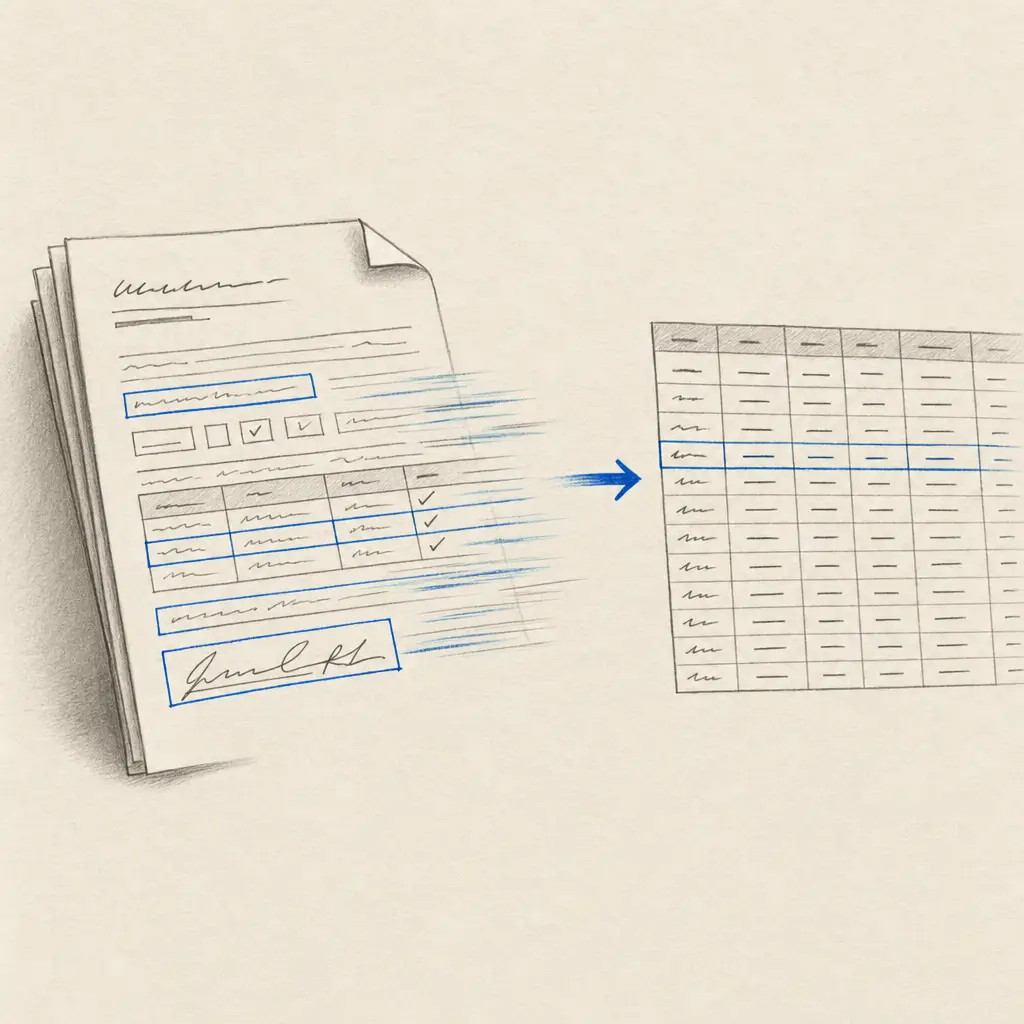
Handwritten form OCR turns repeated paper forms into structured data rather than a long block of transcription text. You choose the fields you need, process each form, and export one row per document to Excel, CSV or JSON.
That distinction matters. If a form asks for a name, date, reference number, category and notes, you usually do not want every printed label copied into a Word document. You want those five values in predictable columns that can be reviewed, filtered or imported into another system.
Test a handwritten form with five free pages. No card is required.
From a handwritten form to a spreadsheet row
The workflow has four steps:
- Upload a representative form. Choose a sample that reflects the handwriting and scan quality in the real batch.
- Define the fields. The setup assistant can suggest a schema from the sample. Keep, rename or remove fields before testing.
- Run difficult examples. Include blank answers, corrections, faint writing and unusually long values.
- Export the batch. Download Custom Extractor results as Excel, CSV or JSON, with the selected fields arranged as columns.
For example, a registration form might become:
| full_name | registration_date | reference_number | category | notes |
|---|---|---|---|---|
| A. Example | 2026-09-18 | R-1042 | Renewal | Address updated |
The example shows the shape of the output, not a claim about a particular source document. Your schema should follow the decisions your team actually needs to make downstream.
Choose Custom Extractors for fields, Tables for grids
Handwriting OCR has two structured-data routes:
| Source document | Best starting point | Available output |
|---|---|---|
| Repeated forms with the same labels or questions | Custom Extractor | XLSX, CSV or JSON |
| Ledgers, logs and sheets already arranged in rows and columns | Tables | XLSX or JSON |
| Notes, letters or prose where you need the complete text | Transcription | TXT, DOCX, PDF or JSON |
A Custom Extractor is usually the right choice when the layout repeats and the required fields are known. Tables is better when the page itself is already a grid. The handwritten PDF to Excel guide compares both routes in more detail.
Test the difficult cases before processing the batch
No handwriting recognition system is perfect on every form. The useful question is whether the workflow performs well enough on your own documents, especially the cases most likely to cause rework.
Build the test set from:
- several different writers
- blank and crossed-out fields
- dates, totals and identifiers that must be exact
- faint, skewed or photographed pages
- unusually long answers
- every form version still in circulation
Compare the exported row with the original page. Decide which fields require human review and how missing or uncertain values should be handled before the full batch starts.
Evidence from two real form workflows
An insurance agent was manually keying 50 to 80 handwritten lead forms each week. A Custom Extractor now pulls the selected fields into a spreadsheet before the data moves into the CRM. Read the insurance lead-form story.
Project Belize processes roughly 700 handwritten clinic intake forms collected during medical missions. Its team exports the required data to Excel for a health-ministry report instead of relying on several volunteers to type the forms each evening. The customer’s reported accuracy and labour reduction apply to that project, not to every form. Read the Project Belize story.
These examples demonstrate the operating pattern: repeated source, defined fields, structured export and a review boundary. They do not replace a test on your own paperwork.
Files, limits and plans
Dashboard uploads accept PDF, JPG, PNG, GIF, HEIC and TIFF files up to 100 MB. API uploads accept files up to 20 MB. One processed page uses one credit.
The default Custom Extractor limit is ten pages per PDF. It can be removed when every document has a consistent page length, including a PDF containing repeated copies of the same form. Files of roughly 100 pages or fewer remain easier to process and inspect.
New accounts receive five trial credits and can use them to test a Custom Extractor. Continued access requires Pro or Business. For a large backlog that needs file preparation, quality rules or managed delivery, request a project assessment instead of forcing the job into a self-service workflow.
Start with one representative form
Choose a form from the difficult end of the collection. Define only the fields you need, process a few varied examples, and inspect the spreadsheet before scaling up.
Frequently asked questions
Can OCR extract data from handwritten forms?
Yes. A Custom Extractor can pull named fields from repeated forms into structured rows. Results depend on the handwriting, scan and consistency of the form, so test representative samples and review critical values.
What formats can handwritten form data be exported to?
Custom Extractor results can be exported as Excel (XLSX), CSV or JSON. Use Tables instead when the source is already arranged as a grid.
Which plan includes handwritten form extraction?
New accounts can test Custom Extractors with five trial credits. Continued use requires a Pro or Business subscription. One processed page uses one credit.
Can I process forms with more than one page?
Yes. The default Custom Extractor limit is ten pages per PDF. It can be removed for documents with a consistent page length, although files of roughly 100 pages or fewer are recommended for easier processing and review.
Is handwritten form OCR completely automatic?
It can remove most manual keying, but important names, identifiers, dates and totals should still be checked against the source. A representative test determines whether the workflow is suitable for your documents.