
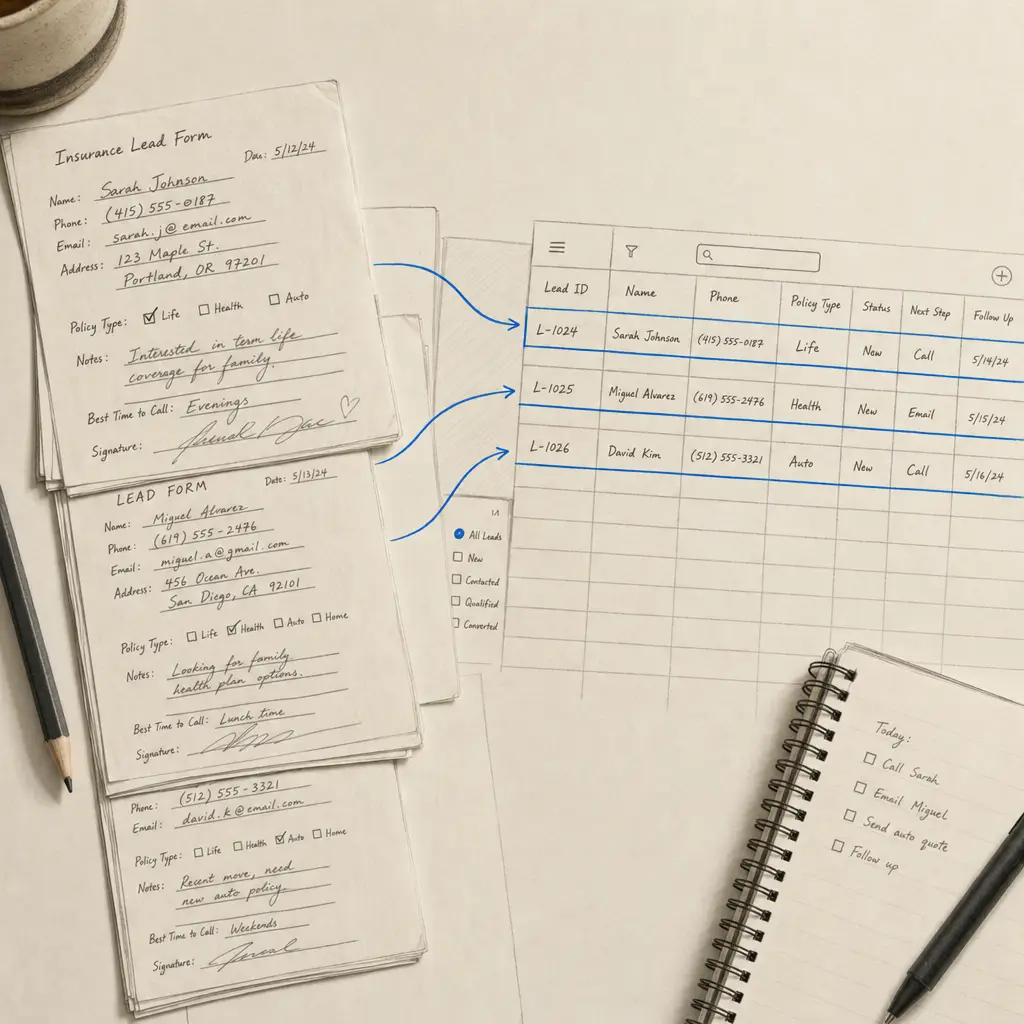
Eric Brown is a licensed insurance agent in Virginia, and his business runs on a steady inflow of leads. They arrive as PDFs from a vendor - 50 to 80 a week, delivered daily - each one a form with the prospect’s first name, last name, address, city, state, and phone number written by hand at the bottom.
For a while, getting that information into his systems meant typing it out. An assistant entered the data by hand, which cost 2-3 hours a week and put a slow, error-prone step between a lead arriving and Eric being able to act on it. The destination was always the same: a spreadsheet, and then his CRM.
So Eric built a custom extractor to pull exactly the fields he needed from each form, and nothing else. The only snag was that his lead PDFs sometimes ran longer than the default page limit on the extractor feature; once that limit was lifted to fit the way his documents arrive, the workflow clicked into place and worked first time. He upgraded to the Business plan, and the data now lands clean and structured the moment a lead comes in - no retyping, no transcription errors between the prospect and the first call.
For a similar repeated-form workflow, see how Custom Extractors turn handwritten PDFs into spreadsheet rows.
Frequently asked questions
Can Handwriting OCR extract specific fields from a form?
Yes. Custom extractors let you define exactly the fields you want - for example name, address, city, state, and phone - and return them as structured data you can send to a spreadsheet or CRM, rather than a full free-text transcription.
Can it handle PDFs with many pages?
The custom-extractor feature has a default page limit, but it can be lifted for documents with a consistent structure. For the most reliable results we recommend keeping individual files to around 100 pages.