
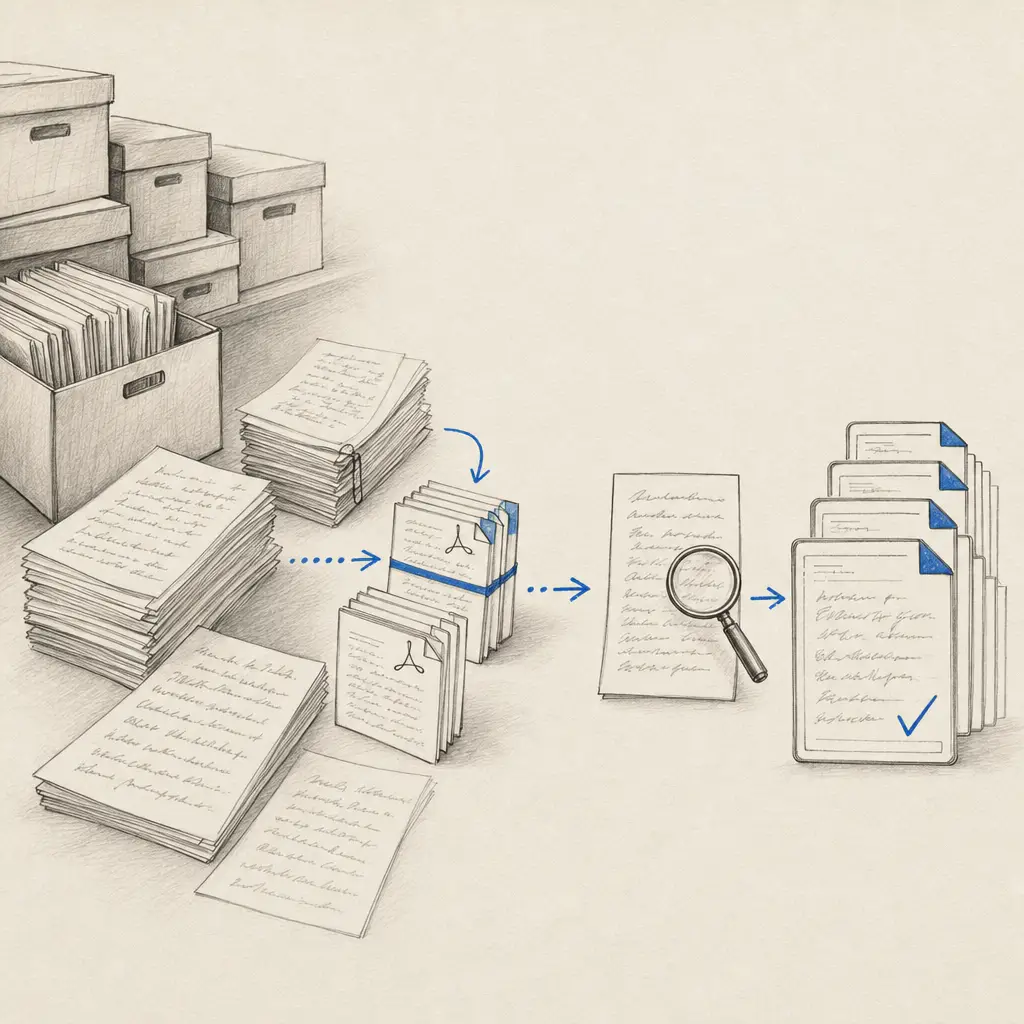
Bulk handwriting OCR is not simply a larger upload. A useful workflow must preserve document boundaries, keep pages in order, make failed items recoverable, and produce files that can be reviewed and delivered without another round of manual assembly.
Handwriting OCR supports three routes for large collections:
- Dashboard batches for a bounded job your team can upload and review.
- API processing for repeatable or ongoing pipelines.
- Managed processing when the collection needs preparation, agreed quality rules or defined delivery.
Test representative pages with five free credits before choosing the route for the full collection.
Choose the operating route before preparing files
| Situation | Recommended starting route | Why |
|---|---|---|
| A one-off collection your team can organise and review | Dashboard | Fastest setup; uploads up to 100 MB per file |
| Recurring documents or an application workflow | API | Automated submission, completion webhooks and result retrieval |
| A funded archive or backlog needing preparation and acceptance rules | Managed assessment | Scope, inputs, review boundary and delivery agreed before processing |
Do not select the route from page count alone. A clean set of consistently named PDFs may be straightforward at several thousand pages. A smaller collection with mixed folders, duplicate scans, inconsistent page order or strict structured-output requirements can require more preparation.
1. Test a representative sample
Start with pages from the difficult end of the collection, not the neatest examples. Include:
- several writers or handwriting periods
- faint, skewed or photographed pages
- mixed printed and handwritten content
- tables, marginal notes, stamps and corrections
- unusually dense or sparse pages
- the document types that carry the most important names, dates or totals
Review the sample against the source. Decide which errors are tolerable, which fields require human checking, and whether the job needs full transcription, tables or selected fields.
There is no useful universal accuracy percentage for a varied collection. The sample is the evidence for your documents.
2. Preserve document boundaries and order
A multi-page PDF is normally better than hundreds of unrelated page images because it keeps a document together. Pages inside the PDF are processed in parallel and returned in their original order.
For a large source, split files into practical batches of roughly 100 pages. This is not a hard page limit for transcription. It is an operating choice that makes uploads, retries, reviews and exports easier.
Use filenames that sort naturally and retain the source identity:
collection-01-box-03-folder-07-part-001.pdf
collection-01-box-03-folder-07-part-002.pdf
collection-01-box-03-folder-08-part-001.pdf
Keep a manifest with the filename, source reference, expected page count and chosen processing action. That manifest becomes the reconciliation list after processing.
3. Select the output that matches the job
| Required result | Processing action | Output |
|---|---|---|
| Complete editable transcription | Transcription | TXT, DOCX, PDF or JSON |
| Existing handwritten grids or ledgers | Tables | XLSX or JSON |
| Repeated forms with selected fields | Custom Extractor | XLSX, CSV or JSON |
Transcription is the normal route for notebooks, correspondence and prose. Tables is for pages already organised in rows and columns. A Custom Extractor is better when repeated forms must become one structured row per document.
If the result needs to be searchable inside another system, choose an editable export and store it alongside the original source. Handwriting OCR does not currently create an invisible-text searchable PDF overlay.
4. Process through the dashboard or API
Dashboard uploads accept PDFs and common image formats up to 100 MB per file. The dashboard is suitable when a person can supervise the batch, inspect statuses and export results.
API uploads accept files up to 20 MB. Use the API when documents arrive continuously or another system must submit and store them automatically. The production pattern is:
submit file -> store document ID -> receive webhook -> export result -> reconcile manifestThe API webhook guide covers signature verification, document-ID correlation, retry behaviour and result storage.
One processed page uses one credit. Failed pages are refunded automatically. Starter and Pro API accounts allow two requests per second; Business allows five, with higher limits available by agreement.
5. Review in batches rather than at the end
Do not wait until every page is processed before checking the output. Review an early batch and confirm:
- every expected source file appears
- page counts and document order match the manifest
- required names, dates, identifiers and totals are usable
- tables or fields have the intended columns
- uncertain or blank values follow the agreed rule
- export filenames still connect results to originals
Continue with spot checks at a defined interval. If one writer, period or document type performs differently, separate it into its own review group instead of treating the collection as uniform.
The dashboard can merge up to 100 processed documents into one ordered download. Larger sets should be exported in deliberate groups or assembled through the API.
6. Store results before deletion
The default automatic deletion window is seven days and can be configured from 15 minutes to 14 days. Download and verify the required outputs before shortening the window or deleting documents manually.
For an automated pipeline, record the successful export in your own system before marking the source job complete. Keep the source, document ID, processing action, result location and review status together.
Customer documents are not used to train the models.
When to request managed processing
A managed project is worth assessing when the work includes more than OCR execution, for example:
- tens of thousands of pages
- unclear or inconsistent file organisation
- document splitting, naming or duplicate handling
- a defined correction or acceptance process
- several output types or a delivery manifest
- an institutional procurement or data-processing requirement
The assessment should agree the sample, page count, source condition, output, review boundary and delivery method before a quote is prepared. Smaller or well-organised collections can remain self-service.
Request a project assessment or compare the research collection routes.
Start with the collection’s hardest pages
Choose a small sample that includes the variation and failure cases present in the full job. Confirm the output and review process, then scale through the dashboard, API or managed route that fits the operating work.
Frequently asked questions
Can Handwriting OCR process hundreds or thousands of pages?
Yes. Use dashboard uploads for a bounded collection, the API for an automated pipeline, or request a managed assessment when the job needs preparation, quality rules or defined delivery. Test representative pages before committing the whole collection.
How should I split a large handwritten PDF?
Files of roughly 100 pages are a practical starting point because they are easier to upload, retry, review and export. Keep meaningful document boundaries intact and use consistent, sortable filenames.
What is the maximum upload size?
Dashboard uploads accept files up to 100 MB. API uploads accept files up to 20 MB. Oversized PDFs should be split before processing.
Will pages stay in the correct order?
Pages inside a multi-page PDF are processed in parallel but returned in their original order. If individual page images are uploaded separately, preserve order in filenames and merge or export them deliberately.
Which output formats are available for a bulk job?
Transcription supports TXT, DOCX, PDF and JSON. Tables supports XLSX and JSON. Custom Extractors supports XLSX, CSV and JSON. The correct route depends on whether you need full text, existing table structure or named fields.